How to Start Print-on-Demand With (Almost) No Money
How to start print on demand with no money: every real cost itemized, $0, $50 and $150 starter budgets, free tools safe for selling, and what not to skimp on.
By the POD Made Easy team · September 24, 2026 · 9 min read
You can start print-on-demand with almost no money. Provider accounts are free, you pay for a product only after a customer orders it, and Etsy charges $0.20 per listing. For most new sellers the only unavoidable costs are those listing fees ($8 for a first batch of 40) and, if Etsy applies one, a one-time shop setup fee, which is often around $15.
The catch that “start for free” guides skip: your provider charges you for each order before Etsy pays you. This guide itemizes every real cost, gives $0, $50 and $150 starter budgets, lists free tools that are safe for products you sell, and flags the few places where saving money now costs you more later.
Key takeaways
- Printify, Printful and Gelato are free to join; you pay the product and shipping cost only when an order comes in.
- Etsy’s must-pay costs are $0.20 per listing and, for many new shops, a one-time setup fee whose amount varies.
- At the time of writing, opening your shop through an existing seller’s invite link gives you 40 free listings.
- Keep $40–$70 of room on a card: providers charge when an order goes to production, and a new seller’s Etsy funds can take about two weeks.
- Don’t skimp on a sample of your best seller, trademark checks or print-file quality.
What does it actually cost to start print-on-demand?
Here’s every cost a new Etsy POD seller in the US can run into, and which ones you can actually avoid.
| Cost | Amount | Do you have to pay it? |
|---|---|---|
| Provider account (Printify, Printful, Gelato) | $0 | No: free plans; paid plans are optional |
| Etsy shop setup fee | One-time; varies (often about $15) | Only if Etsy applies it to your shop |
| Listing fees | $0.20 per listing (40 listings = $8) | Yes, unless you have free listings |
| Etsy fees when you sell | 6.5% transaction + 3% + $0.25 processing (US) | Only when you make a sale |
| Product + shipping per order | About $13.55 for a basic tee to a US buyer (illustrative) | Only after a customer orders |
| Samples | About $13.55 for a basic tee; Printful takes 20% off sample orders | Optional, but strongly recommended |
| Design tools and fonts | $0 with free tools | No |
| Mockups | $0 with your provider’s mockup generator | No |
| Trademark search | $0 on the USPTO’s search system | No cost, but never skip it |
| Website or domain | $0 when you sell on Etsy | No |
US figures at the time of writing. Product and shipping costs are illustrative and vary by provider and print partner.
Add it up and print-on-demand has almost no upfront cost: the true minimum is Etsy’s listing fees plus any setup fee. Everything else is either optional or paid out of a sale. If you want the full picture of what Etsy takes when you do sell, read Etsy fees explained.
Can you start an Etsy shop for free?
Almost. Etsy’s standard plan has no monthly fee, but expect these before your first sale:
- A setup fee. Etsy may charge new shops a one-time, non-refundable setup fee. It shows you the amount before you confirm. $15 is common, and some sellers report higher amounts.
- Listing fees. $0.20 each, charged when you publish. POD listings also renew for $0.20 each time an item sells, which comes out of that sale.
- A card on file. You’ll need one for the setup fee and for any fees your sales don’t cover.
One genuine saving: at the time of writing, opening your shop through an existing seller’s invite link gives you 40 free listings, worth $8. Ask a seller you know for their link, and check the terms on the invite page before you count on it.
The cash-flow catch: you pay before Etsy pays you
This is the cost most “free” guides leave out. When an order arrives, your provider charges you right away, and Etsy releases your money later. On a $24.99 tee with the example costs, the timeline looks like this:
- Day 0: a buyer pays $24.99 on Etsy.
- About day 1: Printify charges your card $13.55 when the order goes into production. Its default is 24 hours after the order arrives.
- About day 14 or later: the sale’s funds become available for deposit. New sellers generally wait around two weeks, and Etsy can hold part of a sale in a reserve until the order ships or is delivered.
So even with no money “in” the business, you need room on a card to cover a few orders. Three tee orders at the example cost is about $41; five is about $68. Once payouts start flowing, sales pay for new orders and the gap closes.
Starter budgets: $0, $50 and $150
These budgets sit on top of any Etsy setup fee. Pick the column that matches your situation.
| $0 extra (fees only) | $50 | $150 | |
|---|---|---|---|
| Listings | 20–40, using free listings if you can | 40–60 | 60–100 |
| Samples | None yet; order one from your first profit | One sample of your main product | Two or three, including one from a second provider |
| Order float | Room on your own card | About $25 set aside | About $50 set aside |
| Tools | Free tools only | Free tools only | One month of a paid design or listing tool, if time is your bottleneck |
| Best for | Finding out whether you enjoy it | A proper 90-day test | Moving faster in one niche |
Illustrative US budgets. Listing counts assume $0.20 per listing; samples assume a basic tee at about $13.55 delivered.
If you’re working with the $0 column, publish carefully rather than quickly: every file check and proofread you do replaces the safety net a sample would give you. Our 5-hour-a-week side hustle plan shows how to pace those listings over 90 days.
Free tools that are safe for products you sell
Free is only free if the license lets you sell the result. These are safe starting points:
- Canva’s free plan. Good for building designs, but you can’t print a single Canva graphic on a product as-is; elements must be part of your own original composition. Read our guide to using Canva for print-on-demand and Canva’s own rules for products for sale before you rely on it.
- Inkscape and GIMP. Free, open-source vector and image editors, with no licensing strings on your own artwork.
- Google Fonts. Released under open licenses such as the SIL Open Font License, which allow use in designs you sell. Avoid “free for personal use” fonts from download sites. Our best fonts for t-shirts list sticks to safe ones.
- Your provider’s mockup generator. Free mockups made from the real product in every color you offer.
- Etsy’s search bar. The autocomplete suggestions show phrases buyers actually type. It’s the best free keyword research there is.
- The USPTO’s trademark search. The USPTO Trademark Search system is free, and it’s the most important check you’ll run.
- Our free tools: an Etsy fee and profit calculator, a title and tag checker, and a print DPI checker.
Where not to cheap out
- A sample of your best seller. One bad batch means refunds and one-star reviews that outlive the $14 you saved. Order a sample as soon as a design starts selling, if not before.
- Trademark checks. Free to do, costly to skip: an IP complaint removes listings, and repeated ones can suspend a shop. See how to avoid trademark trouble in POD.
- File quality. A low-resolution file or a messy transparent background turns into a blurry print or a faint box around the design. Check every file before you publish.
- Your price. Cutting price to compete wipes out margin. At the example costs, a $14.99 tee loses about $0.43 on every sale after Etsy’s fees and shipping.
- Etsy’s required disclosures. Adding a production partner and an AI disclosure costs nothing and protects your shop. Here’s how to add an Etsy production partner.
A near-$0 launch plan for your first 14 days
| Days | Do this | Cost |
|---|---|---|
| 1–2 | Choose one niche and a shop name, and search the name for trademarks | $0 |
| 3 | Open your Etsy shop (through an invite link if you have one), connect Printify, add a production partner and a shipping profile | Setup fee, if charged |
| 4–10 | Make 20 listings for one kind of buyer on one core product, with free tools | $0–$4 |
| 11–12 | Check every file and listing: spelling, print size, transparency, title and all 13 tags | $0 |
| 13–14 | Share your shop where your niche already gathers, such as Pinterest | $0 |
Listing cost assumes 20 listings at $0.20, or $0 with free listings.
Two free ways to add traffic early: pin your listings to Pinterest boards built around your niche (see Pinterest marketing for Etsy sellers), and enroll in Etsy’s Share & Save, which credits back 4% of eligible sales that come from links you share. Stuck on a name? Our Etsy shop name ideas include a quick naming checklist.
Try this idea in POD Made Easy
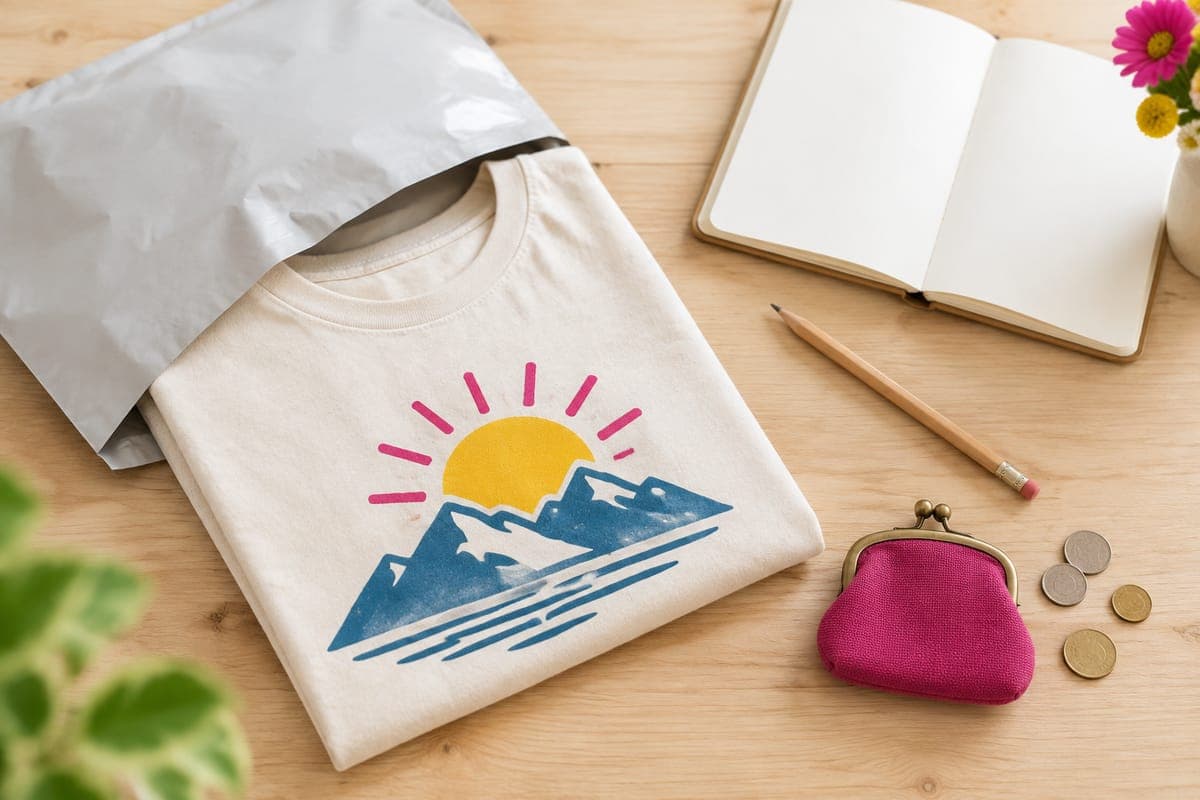
“Simple two-color mountain sunrise badge for early-morning hikers, bold clean lines that print well on a dark tee”
Try the whole workflow free for 7 days
POD Made Easy’s trial includes 60 credits, enough for roughly four to six finished print-ready designs with spell-checked text and full Etsy listings (a card is required). If you’d rather stay at $0 for now, the free tools above will get you started.
Start your free trialWhen to start spending money
- After your first sales: order samples of anything that sells, so you can describe it accurately and catch problems early.
- When one product sells steadily: consider Printify Premium. If it saves an illustrative $1.50 per tee, the $24.99-a-month yearly plan pays for itself at around 17 tees a month. Our Printify review covers the plan in context.
- When time is the bottleneck: a paid design or listing tool makes sense once your niche is working and you can’t publish fast enough to keep up with your ideas.
- Ads last: only advertise listings that already sell without ads, and only if the margin can absorb the cost per sale.
Spending in that order keeps your risk small: every dollar goes into something that has already shown it can earn.
Frequently asked questions
- Which print-on-demand provider is cheapest to start with?
- All the big ones are free to join. Printify usually has the lowest base prices because its print partners compete on price, though costs vary by product and partner. Printful costs more per item but is more consistent. Compare product plus shipping, not the product price alone.
- Is Printify free to use?
- Yes. Printify’s free plan lets you create products and connect stores with no monthly fee; you pay for each product and its shipping when an order comes in. Printify Premium ($39 a month, or $24.99 a month billed yearly) is optional and takes up to 20% off products.
- Do I need to order samples before I start selling?
- It isn’t required, and you can start without one on a tight budget. But order a sample of your main product as early as you can, and of any design that starts selling, so you know exactly what buyers receive.
- How many listings should I start with on a small budget?
- Twenty to forty focused listings in one niche is a sensible first batch: enough for Etsy search to show you something and for your stats to teach you something, for $4–$8 in listing fees.
- Can I use free AI image generators for print-on-demand?
- Sometimes. Check each tool’s terms for commercial use, and expect to fix the output: free images are often too small for a 4500 × 5400 px shirt print, and AI text needs proofreading. On Etsy, disclose AI use in the description.
Keep reading
More getting started guides
Getting started
How to Start Print-on-Demand on Etsy (2026 Step-by-Step)
How to start print-on-demand on Etsy in 2026: pick a niche, choose a provider, make print-ready files, price for profit and write listings that get found.
Sep 24, 2026 · 9 min read
Getting started
150 Etsy Shop Name Ideas for Print-on-Demand (+ Rules)
150 original Etsy shop name ideas for print-on-demand sellers, grouped by niche, plus Etsy’s naming rules, six formulas and a checklist before you commit.
Sep 24, 2026 · 10 min read
Getting started
Is Print-on-Demand Worth It in 2026? An Honest Answer
Is print on demand worth it in 2026? An honest verdict with real per-sale margins, what your hours are worth, the saturation question and a yes/no checklist.
Sep 24, 2026 · 9 min read