Can You Use Canva for Print-on-Demand? License and Workflow
Yes, if your design is original. What Canva’s license allows on print-on-demand merch, what it bans, and the export settings that give you print-ready files.
By the POD Made Easy team · September 24, 2026 · 10 min read
Yes, you can use Canva for print-on-demand, as long as the design is original. Canva’s license lets you use its fonts, graphics and photos in designs printed on products you sell, including through print-on-demand services. What you can’t do is put a single Canva element on a shirt as it is, use certain labeled content on merch at all, or use a POD service that requires you to own the copyright in everything you upload.
This guide explains what Canva’s content license allows for print-on-demand at the time of writing, the “standalone use” rule that trips up most sellers, and the size and export settings that turn a Canva design into a print-ready file.
Key takeaways
- Canva allows Free and Pro content in original designs for products you sell, including print-on-demand.
- A single Canva element on a product, even recolored or resized, is “standalone use” and isn’t allowed.
- Editorial Use Only, Branded Content, Education (“Resource”) and Disney content can’t go on merch you sell.
- Skip POD services that make you promise you own the copyright in the whole design: with Canva content, you only have a license.
- Design at the print area’s exact pixel size (4500 × 5400 for a full-front tee) and download a transparent PNG, which needs a paid plan.
What Canva’s license allows for print-on-demand
Canva’s Content License Agreement covers everything in its library: photos, graphics, illustrations, fonts and templates. Among the permitted uses are prints, posters and other reproductions for resale, and printed materials and packaging for promotion or resale. Canva’s help center spells out what that means for POD: you can sell t-shirts, mugs, stickers, posters and other printed products, and use print-on-demand services, under two conditions.
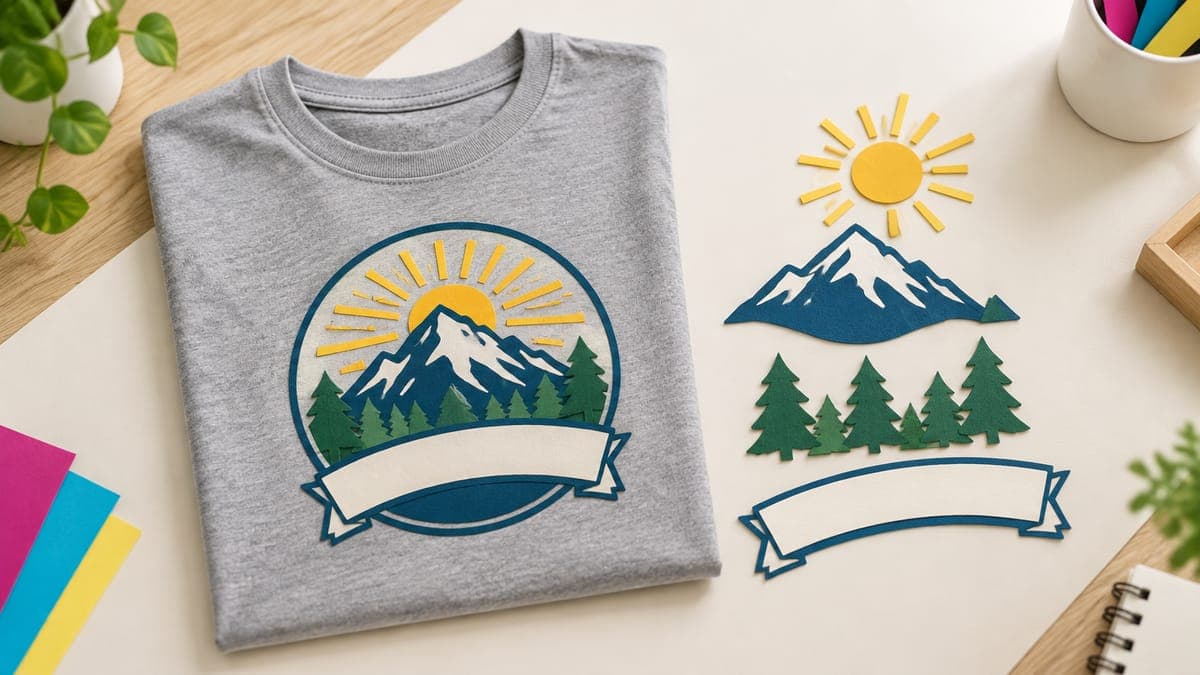
- The design must be original. You combine elements, add your own words and make creative choices so the result is your design, not Canva’s content.
- The POD service mustn’t require you to own the copyright. More on that below.
Both Free and Pro content can be used this way. A Pro element is licensed for one design at a time, so reusing it in a new design (including a resized copy) needs a new license. With a paid subscription, Canva issues that license automatically each time you download a new design containing it.
Read Canva’s own summary in its help article on designing products for sale and the full Content License Agreement, because both change from time to time.
The “standalone use” rule: what you can put on a shirt
This is the rule that catches most sellers. Canva defines standalone use as using its content in its original form, or with only a filter, a color change, resizing, cropping or an outline, or a single piece of content with minimal additions such as a border. You can’t take one element from the library, put it on a product and sell it, whether you print it yourself or use a POD service.
Here’s how that plays out on real POD products:
| Design | Allowed? | Why |
|---|---|---|
| A Canva fox illustration, recolored and resized, alone on a tee | No | Color changes and resizing don’t make it your design |
| A Canva stock photo with a border, sold as a poster | No | One element with minimal additions is standalone use |
| Your own slogan in two Canva fonts, arranged with two icons into a badge | Yes | An original composition you designed |
| Your own photo, uploaded to Canva and printed as a poster | Yes | You own the photo, so standalone use is fine |
| A sticker sheet of 20 Canva graphics, each sold as a sticker | No | Each sticker is a single element on its own |
| A sticker sheet of phrases you wrote, set in Canva fonts | Yes | Canva gives this as an allowed example |
| A Canva t-shirt template with only small edits | Avoid | Canva expects your own content and creative effort |
Examples based on Canva’s help center guidance, September 2026. When in doubt, add more of your own work.
There’s no exact threshold for “original enough”. Canva says even an AI-edited stock photo is still the underlying photo, so the license still applies to it. The safe habit is to make the idea, the words and the arrangement yours, and use Canva elements as ingredients rather than the whole dish.
Canva content you can’t use on merch at all
Some content comes with tighter rules. Check an element’s label under its content source information (the three-dot menu on the element) before you build a design around it:
- Editorial Use Only: newsworthy images that can’t be used for any commercial, promotional or merchandising purpose.
- Branded Content: content made with third-party brands, for personal use only unless its source information says otherwise. It can’t be used to create merchandise for sale.
- Education Content: items with a “Resource” badge, for educational, non-commercial use only.
- Disney templates and elements: for personal or educational use only, never commercial.
- Anything used as a logo or trademark: Canva content can’t be part of a trademark, logo or business name. Fonts are the exception.
Canva also says it doesn’t grant any rights to names, people, trademarks, logos or artworks that appear in its content. A photo of a famous building or a sports scene can still carry someone else’s rights, so treat those as you would any other trademark risk; our guide to avoiding trademark infringement in POD covers the checks.
Check your POD service’s copyright terms
Canva’s help center makes a point many sellers miss. Some print services require you to agree that you own the copyright in every design you upload. If a service requires that, you can’t use Canva content there, because you only hold a license to it, not the copyright.
If the service only asks you to confirm that you have the right to use the design, Canva content is fine, as long as you follow the license. Before you connect a provider or marketplace, read the section of its terms about the content you upload, and keep a copy.
The same limit affects copycats. The license says you can’t claim ownership of, or exclusive rights to, Canva content, and every other seller has access to the same elements. The parts of a design that are distinctly yours (your idea, your words, your arrangement) are what set it apart.
Can you sell Canva AI images on print-on-demand?
Canva treats images from its AI features differently from its stock library. According to its help center, AI-generated images aren’t covered by the Content License Agreement, and you can use them for any lawful purpose, including selling them, as long as you follow Canva’s AI Product Terms. Canva also warns that legal ownership of AI-generated work is unclear in many countries, so you may not own the copyright in those images.
Two practical notes. If you combine an AI image with stock elements, those elements still follow the content license. And on Etsy, a design that includes AI-generated art needs an AI disclosure in the listing. If AI images are a big part of your workflow, compare Canva’s generator with the dedicated tools in our guide to the best AI image generators for t-shirt designs.
How to set up a Canva design at print size
The most common Canva mistake isn’t legal, it’s technical: designing on a small canvas and scaling up later. Start at the exact pixel size of your provider’s print area. On Canva’s homepage, choose Custom size, switch the units to px and enter the dimensions.
Canva’s help center says custom sizes can run from 40 to 8,000 pixels per side and lists the maximum as 8000 × 3125 px, about 25 million pixels in total. A full-front tee canvas of 4500 × 5400 px is about 24.3 million pixels, just inside that. If Canva rejects a size, lock the aspect ratio, scale it down to fit, and use the Size option when you download (a paid-plan feature).
| Product | Canva canvas (px) | Notes |
|---|---|---|
| Full-front tee | 4500 × 5400 | 15 × 18 in at 300 DPI; many providers’ standard front area |
| 12 × 16 in print area | 3600 × 4800 | Used by some providers and products |
| Left-chest print, about 4 in | 1200 × 1200 | Check your provider’s exact placement size |
| 11 oz mug, full wrap | About 2,400–2,850 × 1,050–1,200 | Varies by print partner, so use their template |
| 4 × 4 in sticker | 1200 × 1200 | 300 DPI |
| 12 × 18 in poster | 3600 × 5400 | 300 DPI; match the poster’s 2:3 ratio |
Illustrative sizes. Printify and other providers list each print area in pixels in their product editor, so check before you design.
For the pixel math behind these numbers, see our guide to t-shirt design size and DPI. One thing to ignore: the DPI setting. Your provider only cares how many pixels the file has.
Canva export settings for print files
When the design is done, choose Share, then Download, and set these options (Canva’s quality, size and transparent PNG options need a Pro, Teams, Business, Education or Nonprofits plan at the time of writing):
- File type: PNG. It supports transparency. JPG doesn’t, so a JPG always prints with a background box.
- Transparent background: on. Delete any background images and set the page background to white first, as Canva’s help center recommends. White elements inside your design stay white; only the page background disappears.
- Quality: High, not Compress. Compression saves file size at the expense of detail you want on fabric.
- Size: 1× if you designed at full print size. Use the size slider only when you had to design smaller.
- Color profile: leave it RGB unless your provider’s file guidelines ask for something else; POD apparel files are typically RGB PNGs.
Before you download, remove soft effects. Drop shadows, glows and elements with reduced transparency create semi-transparent pixels, which DTG printers can print as blotches or a pale halo. Our guide to transparent PNGs for t-shirts shows how to check the finished file.
Prefer to skip the canvas?
POD Made Easy turns your idea and exact words into original, print-ready designs at the exact print-area size, with clean transparency and spell-checked lettering, then writes the listing copy. No stock elements to assemble, no export settings to remember.
Start your free trialWhere Canva falls short for POD sellers
Canva is a fine starting tool, especially on a tight budget, but know its limits:
- Everyone has the same elements. Popular graphics and templates show up in thousands of designs, so a Canva-heavy shop can look like everyone else’s. Your concept and wording have to do the work.
- Some elements are too small for print. A raster illustration or photo from the library can blur when stretched across a 4500-pixel canvas. Check the downloaded file at 100% zoom.
- Fonts stay inside Canva. You can’t install Canva’s font files elsewhere, so a design you want to edit in another app needs its text redone. Our list of the best fonts for t-shirts covers fonts licensed for commercial use that work anywhere.
- No print-area templates per provider. Canva doesn’t know your Printify partner’s exact print area, so you have to look it up.
- Mockups are generic. Canva’s mockups are quick, but they don’t always match your exact blank and color. Compare options in our roundup of t-shirt mockup generators.
If you’re starting with no budget at all, Canva’s free plan plus a free background remover can work; our guide to starting print-on-demand with almost no money covers the rest of a $0 setup.
A clean Canva POD workflow, step by step
- Look up the print area in pixels for your exact product and print partner.
- Create a custom-size design at those dimensions, in px.
- Build an original composition: your idea and words first, with elements combined and arranged, never a single element on its own.
- Check every element’s label for Editorial Use Only, Branded Content, Resource or Disney content, and swap out anything restricted.
- Keep edges crisp: no drop shadows, glows or partly transparent elements.
- Proofread and search your phrase in a trademark database before you download.
- Download a PNG at high quality with a transparent background.
- Check, upload and sample: confirm the pixel size, view it on a dark background, then order a sample before you publish widely.
Frequently asked questions
- Do I need Canva Pro for print-on-demand?
- Not strictly. Free content can go into original designs you sell, but downloading a PNG with a transparent background needs a paid plan, as do the quality and size download options. On the free plan you’d have to remove the background with another tool and check the edges carefully.
- Can I use Canva fonts on t-shirts I sell?
- Yes, as part of a design you create and download from Canva. The license doesn’t let you install or use Canva’s font files outside Canva, but text set in its fonts can go on products, and fonts are the one type of Canva content you may use in a logo or trademark.
- Can I sell a Canva template as a t-shirt design?
- Not as it is. You can start from a template, but Canva expects you to add your own content and creative effort so the finished design is original. A template with only small edits is close to selling it as-is, so rework it into your own design.
- Can I trademark a logo I made in Canva?
- Canva’s license bans using its content, other than fonts, as part of a trademark, logo or business name. If you want a brand mark you can register, build it from your own artwork and a suitable font. This is general information, not legal advice.
- Can I use Canva elements that show famous people or brands?
- No. Canva says it doesn’t grant rights to names, people, trademarks or logos that appear in its content, and items labeled Editorial Use Only or Branded Content can’t be used on merchandise you sell.
Keep reading
More design guides
Design
How to Make a Vintage T-Shirt Design That Prints Cleanly
Make a vintage t-shirt design with retro palettes, sunset stripes, badges, halftones and distressing, without the semi-transparent pixels that ruin DTG prints.
Sep 24, 2026 · 10 min read
Design
How to Design T-Shirts With AI That Sell (2026 Workflow)
How to design t-shirts with AI that sell: pick a buyer, write prompts that print well, draft cheaply, make a print-ready final, proofread and build on winners.
Sep 24, 2026 · 11 min read
Design
Best AI Image Generators for T-Shirt Designs (2026)
The best AI image generator for t-shirt designs depends on the job. We compare 8 tools on text, transparency, resolution, vector output, rights and cost.
Sep 24, 2026 · 13 min read