Merch by Amazon in 2026: Application, Tiers and Royalties
Merch by Amazon (now Merch on Demand) in 2026: how to apply, how tiers and upload limits work, the new traffic-based royalty groups and exact design specs.
By the POD Made Easy team · September 24, 2026 · 10 min read
Merch by Amazon, now officially called Amazon Merch on Demand, is Amazon’s invite-only print-on-demand program. You upload a design, Amazon prints and ships every order, handles returns and customer service, and pays you a royalty on each sale. There’s no fee to join and nothing to buy up front.
In 2026 the program works differently from the one described in most older guides. On June 1, Amazon tied royalties to where your sales come from, so relying on Amazon search alone now pays much less per shirt. This guide covers how to apply, how tiers and upload limits work, what the new royalty groups mean in dollars, and the design specs and upload habits that keep your account safe.
Key takeaways
- Merch on Demand (formerly Merch by Amazon) is free and invite-only: you request an invitation and Amazon reviews your application.
- New accounts usually start at Tier 10 (10 live designs) and move up as designs sell, with a daily upload limit at each tier.
- Since June 1, 2026, royalties depend on your share of sales from outside traffic. Seller reports put a $19.99 tee at about $2.44 in the default group.
- T-shirt artwork is a 4500 × 5400 px PNG with a transparent background, under 25 MB.
- Amazon’s Merch FAQ says scripted bulk uploads aren’t allowed. Prepare files in bulk, then upload by hand.
How Merch on Demand works
Merch is the most hands-off way to sell print-on-demand on Amazon. You never touch a product, a parcel or a customer email. The flow looks like this:
- You upload a print-ready PNG and choose the products and colors it should appear on.
- You add a brand name, a title, up to two bullet points and a description, then set a list price.
- Amazon reviews the design. If it’s approved, it goes live as a product page on Amazon.
- When someone orders, Amazon prints it, ships it and handles any return.
- Amazon pays you a royalty for each sale, monthly.
The product range centers on apparel (t-shirts, long sleeves, sweatshirts, hoodies and tank tops) with a few accessories, and designs can be offered across several Amazon stores, including the US, UK, Germany, France, Italy, Spain and Japan. What’s available varies by marketplace and changes over time, so the create page in your account is the source of truth.
The trade-off is control. Amazon sets production costs and the allowed price range, owns the customer relationship, and decides how many designs you can have live. If you’d rather run your own Amazon shop with a provider like Printify, read our comparison of both ways to sell print-on-demand on Amazon.
How to apply for Merch on Demand
Merch doesn’t accept everyone automatically. You request an invitation, Amazon reviews the request, and you hear back by email. The process at the time of writing:
- Go to merch.amazon.com and request an invitation. Sign in with an Amazon account you intend to keep, because your Merch account is tied to it.
- Enter your details. Your name or business name, address and contact information, exactly as they appear on your tax and bank records.
- Complete the tax interview. US sellers provide W-9 information; sellers outside the US complete the W-8 equivalent.
- Add a bank account for royalty payments.
- Describe your work if the form asks, and link to an existing shop or portfolio of original designs if you have one.
Then you wait. Amazon doesn’t publish a timeline, and sellers report anything from days to months. Not every request is approved. Use the time well: build a starter set of 20 to 30 original, niche-specific designs so you can fill your first slots with your strongest work on day one.
Merch tiers and upload limits
Your tier is the maximum number of designs you can have live at once. New accounts typically start at Tier 10, meaning 10 live designs. As your designs sell, Amazon moves you up to Tier 25, then 100, 500 and beyond. There’s also a daily upload limit that rises with your tier.
| Tier | Live designs | How sellers usually move up |
|---|---|---|
| Tier 10 | 10 | Starting point for new accounts |
| Tier 25 | 25 | Commonly reported after about 10 sales |
| Tier 100 | 100 | More sales and a clean account; Amazon reviews the upgrade |
| Tier 500 and up | 500+ | Sustained sales over time |
Amazon doesn’t publish exact tier thresholds. Your dashboard shows your current tier, slots and daily upload limit.
At Tier 10 every slot is precious, so treat the first ten designs as an experiment. Spread them across two or three niches instead of ten versions of one joke, make each one specific to a buyer (“retired nurse who gardens” beats “funny shirt”), and pick colors that suit the design rather than offering every color.
A practical rule of thumb: if a design hasn’t sold after a couple of months, replace it with a new one. A slot holding a dead design earns nothing and teaches you nothing. For niche ideas worth testing, start with our guide to print-on-demand niches.
Merch royalties in 2026: the three royalty groups
Your royalty is what’s left of the list price after Amazon’s costs for making and shipping the product (and any applicable tax). Since June 1, 2026, a second factor matters just as much: your royalty incentive group.
Amazon assigns each account to a group based on a trailing two-month average of how much of your sales come from non-organic traffic, and it updates the groups monthly. Non-organic means buyers you bring from outside Amazon’s own search and recommendations: social posts, Pinterest, an email list, a blog, off-Amazon ads and, according to seller reports, Amazon ads. Organic Amazon search and “customers also bought” sales don’t count.
| Royalty group | What it takes | Royalty on a $19.99 Standard T-shirt |
|---|---|---|
| Creator (default) | Under 15% of sales from non-organic traffic | ≈ $2.44 |
| Plus | 15% or more of sales from non-organic traffic | ≈ $4.88 |
| Premium | 35% or more, plus a minimum monthly sales volume | ≈ $5.27 |
From seller write-ups of Amazon’s June 2026 announcement, which were reported to cover US sales. Check the royalty details in your Merch account for exact, current figures.
Here’s what that means in dollars, using illustrative numbers. Say you sell 20 of those $19.99 tees in a month. In the Creator group that’s about $48.80 in royalties. In Plus it’s about $97.60, and in Premium about $105.40.
The difference comes from a handful of sales. At 20 sales a month, 3 sales from outside traffic reach the 15% Plus threshold and 7 reach the 35% Premium threshold. For a side-hustle seller, an hour a week spent sharing products on Pinterest or TikTok can matter more than another ten uploads. Our guides to Pinterest marketing and selling POD with TikTok cover low-effort ways to do it.
Royalties are paid monthly, roughly two months after the month of the sale according to seller reports. Check the payment schedule in your account before you count on a date.
Merch design specs: size, format and listing fields
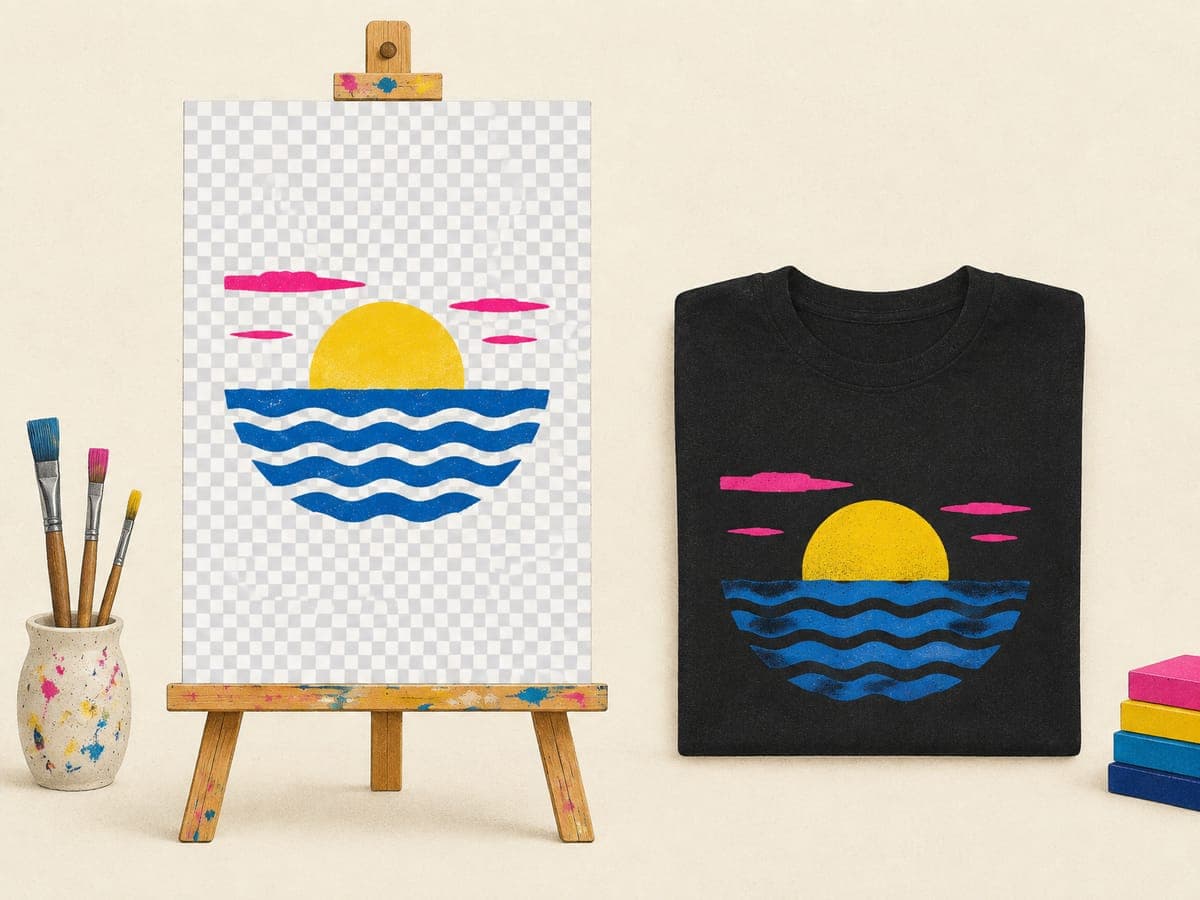
Get the file right once and every upload is faster. For t-shirts, Merch’s template is 4500 × 5400 pixels, which is 15 × 18 inches at 300 DPI. Upload a PNG with a transparent background, under 25 MB. Other products, such as hoodies and phone cases, have their own templates in Merch’s resources.
- Design to the template, not to a random canvas. Our t-shirt design size guide explains the pixel math and how much of the area to fill.
- Keep edges clean. Semi-transparent pixels around the artwork print as faint halos on dark shirts. See how to make a transparent PNG for t-shirts.
- Plan for shirt colors. A design with dark text disappears on a navy shirt. Make a light version for dark colors, or only offer colors that give strong contrast.
The listing fields are simple: a brand name (shown on the product page), a title, up to two bullet points and a description. Write them for shoppers. Say who the shirt is for and what occasion it suits, use the phrases a buyer would type, and never include other brands, celebrity names or trademarked slogans.
Try this idea in POD Made Easy
“Minimalist one-color line art of a hiker on a winding mountain trail with a small trail-mix bag, white ink for dark shirts, transparent background” · text: “Powered by Trail Mix”
Content rules and rejections
Every design is reviewed before it goes live, and rejected designs don’t publish. Most rejections come down to intellectual property:
- Trademarks. Brand names, sports teams, bands, TV shows, games and many everyday phrases are registered for clothing (class 25). Search the USPTO trademark database before you upload any phrase you didn’t invent.
- Copyright and likeness. Characters, song lyrics, film quotes and real people’s names or faces are off-limits unless you hold a license.
- Quality and duplicates. Blurry artwork, placeholder text and many near-identical uploads are weak submissions even when they aren’t infringing.
Our guide to avoiding trademark infringement in POD walks through a full search. The same policies apply to AI-assisted artwork, so check the current content policy in your Merch account for any AI-specific rules before you upload AI designs.
Why upload bots are risky (and what to do instead)
Once you reach higher tiers, uploading gets tedious, and you’ll find tools that promise to upload hundreds of designs for you. They typically work as desktop apps or browser extensions that drive your logged-in account, because Merch has no official upload API.
That’s the problem. Amazon’s Merch FAQ says scripted bulk uploads aren’t allowed and warns that sharing account access can lead to suspension. If your account is closed, you lose your tier, your live designs and the royalties they would have earned. No upload speed is worth that risk.
The safer pattern is to batch the slow parts and keep the final click human:
- Make designs in batches, each exported at the exact template size.
- Write brand names, titles and bullets for the whole batch in one sitting.
- Upload by hand within your daily limit, reviewing each listing before you publish it.
Batch the prep, keep the upload click yours
POD Made Easy makes print-ready 4500 × 5400 designs with spell-checked text, writes the title and copy, and gives you an export pack plus a Chrome extension that fills in the Merch upload form. You review and publish; nothing uploads behind your back.
Start your free trialFor the wider picture on what’s safe to automate across marketplaces, see our guide to print-on-demand automation.
A 5-hour weekly Merch routine
If you only have evenings and weekends, a fixed routine beats bursts of effort. Here’s one way to spend about five hours a week once you’re accepted:
| Block | What you do | Time |
|---|---|---|
| Research | Pick one or two niches; study what’s selling in Amazon search and note gaps | 45 min |
| Design | Make 5–10 designs for those niches at the template size; proofread every word | 2 hr |
| Upload | Upload by hand within your daily limit, about 10 minutes a day | 50 min |
| Traffic | Share three to five products with trackable links on Pinterest or TikTok | 40 min |
| Review | Check sales, rejections and your royalty group; replace designs that aren’t selling | 25 min |
An example schedule, not a rule. Adjust the design and upload blocks to your tier’s limits.
The traffic block is the one most older guides leave out. Under the 2026 royalty groups, it’s often the difference between earning about $2.44 and about $4.88 on the same shirt.
Is Merch by Amazon worth it in 2026?
It can be, as one channel among several. Merch is still the only way to sell on Amazon with no upfront or monthly fees, no stock and no customer service. But the June 2026 change means it rewards sellers who promote their designs, and the default royalty on a basic tee is now small.
| Merch on Demand | Etsy + Printify | Amazon seller account + Printify | |
|---|---|---|---|
| Cost to start | Free (invite-only) | $0.20 per listing | $39.99 a month |
| Example earnings | ≈ $2.44–$5.27 on a $19.99 tee | ≈ $8.62 on a $24.99 tee | ≈ $7.19 on a $24.99 tee, before the plan fee |
| Customer service | Amazon | You | You |
| Control over price and brand | Limited | Full | Full |
Illustrative examples with a basic tee, free shipping and no ads. Your costs and royalties will differ.
If you’re accepted, fill your slots with your best original designs and put a little time into outside traffic. If you’re still waiting, build and test designs on Etsy or another marketplace; our roundup of the best print-on-demand sites compares the options, and our Redbubble vs Etsy guide covers the other big royalty-model marketplace.
Frequently asked questions
- Is Merch by Amazon the same as Merch on Demand?
- Yes. Amazon now calls the program Amazon Merch on Demand, but many sellers, tools and tutorials still use the older Merch by Amazon name. It’s the same program, with the same account, tiers and content rules.
- How long does it take to get accepted to Merch by Amazon?
- Amazon doesn’t publish a timeline, and sellers report anything from a few days to several months. Some applications are declined. Apply once with accurate business and tax details, then keep building designs and selling elsewhere while you wait.
- How much does Merch by Amazon pay per shirt?
- It depends on the product, the list price and, since June 2026, your royalty group. Seller reports put a $19.99 Standard T-shirt at about $2.44 in the default Creator group and about $4.88 to $5.27 in the Plus and Premium groups. Your dashboard shows exact figures.
- Can I sell the same design on Merch and on Etsy?
- Yes, as long as the design is your own original work. Each platform has its own content rules and fees, so check both. A sensible approach is to test a design on one channel and add it to others once it sells.
- What happens if Merch rejects a design?
- It doesn’t go live. Read the reason, fix the problem (often a trademarked phrase, a logo-like element or low-quality artwork) and don’t re-upload it unchanged. Repeated policy violations can put your whole account at risk.
Keep reading
More platforms & providers guides
Platforms & providers
Print-on-Demand on Amazon (2026): Merch vs Printify
The two ways to sell print-on-demand on Amazon in 2026: Merch on Demand royalties or your own seller account with Printify. Fees, rules and profit per sale.
Sep 24, 2026 · 12 min read
Platforms & providers
Best Print-on-Demand Sites (2026): Providers vs Marketplaces
The best print-on-demand sites in 2026: providers for your own shop (Printify, Printful, Gelato, Prodigi) vs royalty marketplaces, with margins and picks.
Sep 24, 2026 · 11 min read

Platforms & providers
Shopify Print-on-Demand: How to Launch Beyond Etsy (2026)
Shopify print-on-demand in 2026: real costs ($29–$39/mo plus 2.9% + 30¢ per sale), the best POD apps, setup steps and where your first visitors come from.
Sep 24, 2026 · 9 min read