Print-on-Demand on Amazon (2026): Merch vs Printify
The two ways to sell print-on-demand on Amazon in 2026: Merch on Demand royalties or your own seller account with Printify. Fees, rules and profit per sale.
By the POD Made Easy team · September 24, 2026 · 12 min read

There are two ways to sell print-on-demand on Amazon. You can join Merch on Demand (the program many sellers still call Merch by Amazon), upload designs, and let Amazon print, ship and handle returns while it pays you a royalty. Or you can open your own Amazon seller account, connect a POD provider such as Printify, set your own prices and keep the margin after Amazon’s fees.
The two routes suit different people. Merch is hands-off but invite-only, and its royalties changed on June 1, 2026. The seller-account route pays more per sale, but it costs $39.99 a month and comes with Amazon’s strict shipping and service standards. This guide compares both with worked numbers, so you can pick the one that fits your time, budget and appetite for customer service.
Key takeaways
- Merch on Demand is free but invite-only: Amazon prints, ships and handles returns, and pays you a royalty per sale.
- Since June 1, 2026, Merch royalties depend on how much of your sales come from outside traffic, so relying on Amazon search alone now pays less.
- Selling through Printify or Printful needs the $39.99/month Professional plan, a GTIN exemption for each product category (or a registered brand) and, with Printify, US-based print providers.
- Amazon’s apparel referral fee jumps from 10% to 17% once the price passes $20, so a $20.99 tee can earn less than a $19.99 one.
- Amazon measures delivery closely: set a realistic handling time (Printify suggests starting at 5 business days) and keep late shipments under 4%.
Two ways to sell print-on-demand on Amazon
Both routes put your designs in front of Amazon shoppers, but almost everything else differs: who makes the product, who talks to the buyer, and how you get paid.
| Merch on Demand | Seller Central + a POD provider | |
|---|---|---|
| How you join | Request an invitation; approval isn’t automatic | Open a Professional seller account (identity and business checks) |
| Monthly cost | None | $39.99 Professional plan (US) |
| Who sets the price | You, within limits Amazon sets | You |
| What you earn | A royalty per sale | Your price minus Amazon’s referral fee and your provider’s costs |
| Who prints and ships | Amazon | Your provider: Printify or Printful (Gelato is in a closed beta) |
| Customer service and returns | Amazon | You |
| Products | Mostly apparel, plus a few accessories | Whatever your provider offers for Amazon, including mugs, posters and totes |
| Main limits | Tiers, daily upload caps and traffic-based royalties | Performance metrics, GTIN exemptions and weekly listing limits |
US programs at the time of writing (September 2026). Check Amazon’s current terms before you start.
The short version: Merch trades margin for simplicity, and a seller account trades simplicity for control. Neither is a shortcut. Both reward original designs for specific buyers, and both punish trademark mistakes quickly.
Route 1: Merch on Demand (formerly Merch by Amazon)
Merch on Demand is Amazon’s own print-on-demand program. You upload artwork, pick products and colors, write a title and a couple of bullet points, and set a list price. Amazon prints each order, ships it, handles returns and customer service, and pays you a royalty. There’s no monthly fee and nothing to pay up front.
The catches are access and scale. You have to request an invitation and be approved, and new accounts start with a small number of design slots (typically 10) that grow as your designs sell. Daily upload limits apply too.
Royalties changed in 2026. Since June 1, Amazon places each Merch account in one of three “royalty incentive groups,” based on a trailing two-month average of how many of your sales come from non-organic traffic: shoppers you send from outside Amazon and, according to seller reports, sales from Amazon ads. Groups update monthly.
≈ $2.44
Royalty on a $19.99 Standard T-shirt in the default Creator group
Source: Seller reports of Amazon’s June 2026 update
≈ $4.88
Plus group: 15% or more of sales from non-organic traffic
Source: Seller reports of Amazon’s June 2026 update
≈ $5.27
Premium group: 35% or more of sales from non-organic traffic
Source: Seller reports of Amazon’s June 2026 update
In plain terms, if every sale comes from Amazon search, a $19.99 tee now earns roughly half what the Plus group earns. Sellers who send buyers from Pinterest, TikTok, an email list or ads can qualify for the higher rates. Your Merch dashboard shows your group and exact royalties, so trust it over anyone’s summary, including this one.
Our Merch by Amazon guide covers the application, tiers, royalty groups, design specs and a safe upload routine in detail.
Free print DPI checkerMerch’s t-shirt template is 4500 × 5400 px. Check how large your design can print sharply before you upload it anywhere.Route 2: your own seller account with Printify or Printful
The second route treats Amazon like Etsy: you run your own shop, and a POD provider makes and ships each order. Printify and Printful both have live Amazon integrations, and Gelato’s is in a closed beta. Here’s what the setup involves with Printify, based on its help center at the time of writing:
- Open a Professional seller account. Individual accounts can’t connect to Printify (or to Printful or Gelato). Amazon verifies your identity, address and bank details, and approval can take anywhere from a few days to a few weeks.
- Create shipping templates. Set free or per-item standard shipping. Printify doesn’t support Two-Day, One-Day or Expedited delivery on Amazon, so switch those options off.
- Request a GTIN exemption. POD products don’t have UPC barcodes, so you request an exemption in Seller Central for each product category you plan to sell in. Without it, Printify can’t publish to that category.
- Decide on your brand name. Listings show “Generic” as the brand unless Amazon approves yours, and approval needs real photos of the printed product and its packaging, so order a sample first. If you own a registered trademark, Brand Registry is the stronger option.
- Connect the store. In Printify, open Manage my stores, choose Amazon, authorize the connection and confirm that you’ve requested your GTIN exemption.
- Use Amazon-eligible providers. Only products from Printify’s US-based print providers can be published to Amazon US. Publishing can take up to 24 hours, and the Buy Now button can take a few more days to appear.
Printful’s integration works in a similar way (Professional plan, plus a GTIN exemption or a registered brand) and covers Amazon’s North America and Europe regions. If you’re still choosing a provider, our Printify vs Printful comparison breaks down costs and quality.
How much does it cost? Amazon fees and profit per sale
With your own seller account, Amazon charges two things: the Professional plan ($39.99 a month in the US) and a referral fee on each sale. There’s no separate payment processing fee, and because your provider ships the order, there are no FBA storage or fulfillment fees.
The referral fee is a percentage of the total sales price, including shipping and gift wrap, with a $0.30 minimum. The rate depends on the category. At the time of writing, Amazon’s published rates for the categories POD sellers use most are:
- Clothing and accessories: 5% up to $15.00, 10% above $15.00 up to $20.00, and 17% above $20.00.
- Home and kitchen (mugs, wall art, décor): 15%.
- Electronics accessories (such as phone cases): 15% on the first $100 and 8% on any amount above that.
That clothing step matters more than it looks. The 17% rate applies to the whole price once it passes $20, so a small price rise can cut your profit. Here’s one basic tee with free shipping:
| Price (free shipping) | Referral fee | Product + shipping | Profit before plan fee |
|---|---|---|---|
| $19.99 | $2.00 (10%) | $13.55 | $4.44 |
| $20.99 | $3.57 (17%) | $13.55 | $3.87 |
| $24.99 | $4.25 (17%) | $13.55 | $7.19 |
| $29.99 | $5.10 (17%) | $13.55 | $11.34 |
Illustrative: $8.80 basic tee plus $4.75 US shipping from a US print provider, no sales tax. Check Amazon’s current referral fees and your provider’s prices.
A $20.99 tee earns less than a $19.99 one. Once you cross $20, you need to charge roughly $22 or more to beat the $19.99 profit.
Then spread the $39.99 plan across your monthly sales. At 10 sales a month it costs $4.00 per sale, which turns the $24.99 tee’s $7.19 into $3.19. At 40 sales a month it’s $1.00 per sale, leaving $6.19.
For comparison, the same $24.99 tee leaves about $8.62 on Etsy after standard fees (see Etsy’s fees explained), and a $19.99 Merch tee pays roughly $2.44 to $5.27 depending on your royalty group, with no product, shipping or service costs to cover.
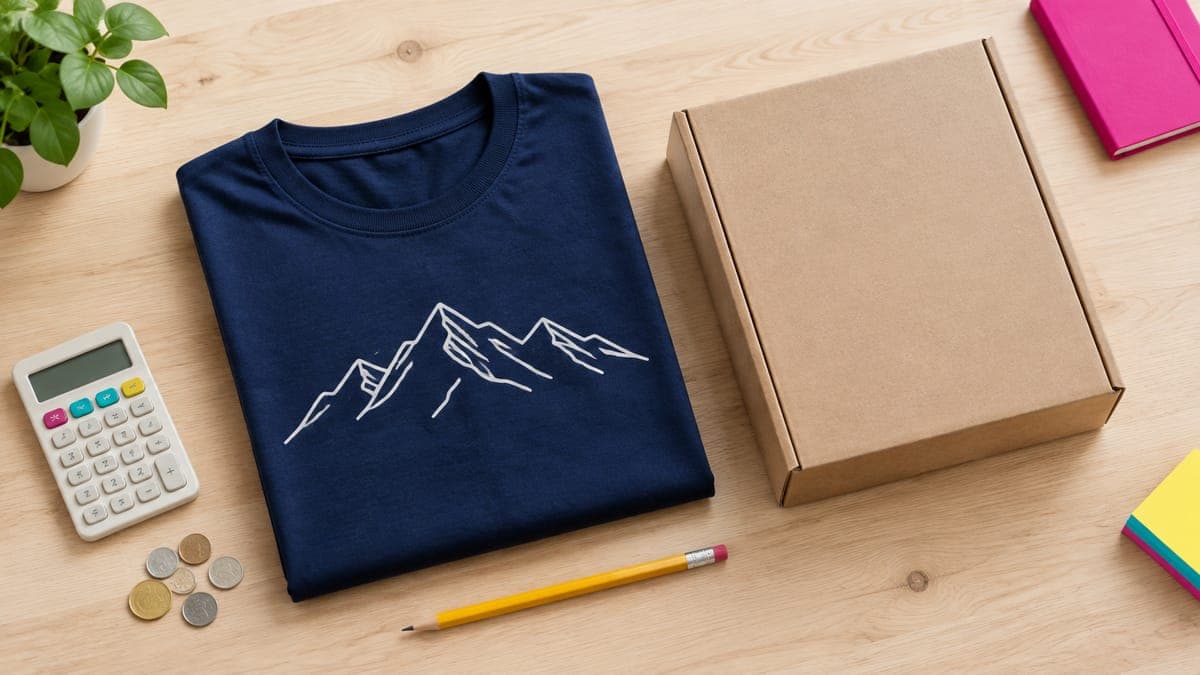
For a full pricing method across tees, hoodies, mugs and posters, see how to price print-on-demand products.
Amazon rules that trip up POD sellers
Amazon is stricter than Etsy about delivery and listing format, and it measures you constantly. These are the points Printify and Printful flag for POD sellers:
- Handling time. This is the number of business days you have to ship after an order. Printify suggests starting at 5 business days and adding more for slow products and the holiday peak. Amazon’s automated handling time can override your setting once it has enough shipping history.
- Performance targets. Keep your order defect rate under 1%, your late shipment rate under 4% and your pre-fulfillment cancellation rate under 2.5%. Repeatedly missing them can lead to warnings or suspension.
- Titles. Printify recommends fewer than 80 characters, a capital letter at the start of each word, and no promotional phrases (“free shipping,” “best seller”) or decorative symbols. Its integration rejects titles over 125 characters.
- Images. The main image for each variant needs a white background, with no added text or logos and no crop that cuts off the product.
- Brand names. Garment brands and other trademarks can’t appear in your listing without brand approval, and Amazon’s systems check for them.
- Weekly listing limits. Amazon caps how many new product pages (ASINs) you can create each week. If publishing fails for this reason, wait for the reset at 00:00 GMT on Sunday.
- Returns. Returns go to the return address in your Amazon settings, not to your provider. Under Amazon’s drop shipping policy, you must be the seller of record and handle returns yourself.
Trademarks deserve their own warning. Amazon acts on IP complaints quickly on both routes, and clothing (class 25) is crowded with registered phrases. Search every phrase you didn’t invent; our guide to avoiding trademark infringement shows how.
Printify vs Printful vs Gelato on Amazon
| Printify | Printful | Gelato | |
|---|---|---|---|
| Status | Live | Live | Closed beta for selected merchants |
| Amazon regions | Amazon US (supports international shipping) | North America and Europe | US only |
| Seller plan | Professional | Professional | Professional |
| Product IDs | GTIN exemption per category | GTIN exemption or registered brand | See Gelato’s Amazon guide |
| Who makes it | US-based print providers you choose | Printful’s own facilities | Gelato’s production network |
From each provider’s help center, September 2026. Integrations change often, so check before you build a catalog.
Printify is the usual starting point because its free plan, low base costs and wide catalog carry over from Etsy (our Printify review covers the trade-offs). Printful suits sellers who want one quality standard and Amazon’s European marketplaces from the same integration. Gelato is worth watching, but a closed beta isn’t something to build a business on yet.
Which Amazon route fits you?
Choose Merch on Demand if you want no customer service, no monthly fee and nothing to stock, you mainly sell apparel, and you’re willing to send some outside traffic to your listings to stay out of the lowest royalty group. It suits sellers who make lots of simple, text-led or graphic designs.
Choose Seller Central with Printify or Printful if you want to set your own margins, sell products Merch doesn’t make (mugs, posters, totes), build a brand name on Amazon, and you can check orders and messages every day. Budget for the $39.99 plan from day one, and expect a slow start while listings earn reviews.
Wait on both if you haven’t sold anywhere yet. Amazon’s metrics are unforgiving while you’re still learning production times and file prep, and it’s usually easier to prove designs on Etsy first, then bring the winners to Amazon. Our roundup of the best print-on-demand sites compares every major option.
How to start on Amazon without risking your account
- Start small. Publish 10 to 20 listings of designs that have already sold elsewhere, not your whole catalog.
- Order samples from the exact US print provider you’ll use, so you know the real production time and quality. You’ll need product photos for brand approval anyway.
- Set handling time from reality: the provider’s production time plus a buffer, and longer from November onward.
- Price with the fee steps in mind: $19.99, or roughly $22 and up, for apparel.
- Check Account Health weekly in Seller Central, and answer buyer messages within 24 hours.
- Keep listings distinct. Printify’s integration rejects a product whose title matches one already in your Amazon store, and near-identical listings split your reviews.
If you plan to list more than a handful of products, our guide to creating Printify products in bulk covers the native shortcuts and the limits to respect.
Where POD Made Easy fits
POD Made Easy is an AI studio for POD sellers. It turns an idea into a print-ready design at the exact pixel size of each product’s print area, spell-checks any text in the design and flags famous brands and characters before you publish. With Printify connected, it creates the product in your own Printify shop, and Printify publishes it to your Amazon US store at your prices, with no markup.
Merch on Demand has no official upload API, so we don’t automate uploads there (our guide to safe print-on-demand automation explains why upload bots are a bad bet). Instead, you get an export pack (the print file plus a title and copy) and a Chrome extension that fills in the Merch upload form for you to review and publish yourself. Orders and customer service stay between you, Amazon and your provider.
Amazon-ready designs without the file headaches
POD Made Easy makes print-ready, spell-checked designs at the exact size each product needs, creates the product in your own Printify shop for your Amazon store, and prepares Merch uploads for you to review. Try it free for 7 days.
Start your free trialFrequently asked questions
- Does Amazon allow print-on-demand products?
- Yes. Amazon runs its own POD program, Merch on Demand, and lets sellers use POD providers through Seller Central. With a provider, Amazon’s drop shipping policy applies: you must be the seller of record, packages mustn’t identify another seller, and you handle returns.
- Can I connect Printify to an Individual Amazon seller account?
- No. Printify, Printful and Gelato all require Amazon’s Professional selling plan, which costs $39.99 a month in the US at the time of writing. Their integrations rely on seller tools that Individual accounts can’t use.
- Do I need UPC barcodes to sell POD shirts on Amazon?
- Usually not. POD products don’t come with UPCs, so you request a GTIN exemption in Seller Central for each product category you sell in. If you own a registered trademark, Brand Registry is an alternative.
- Can I use Merch on Demand and a seller account at the same time?
- Yes. They’re separate programs with separate accounts. One sensible split is Merch for apparel and a seller account for mugs, posters or other products Merch doesn’t make. Each has its own content rules, so check both before you upload.
- How long until a Printify product can sell on Amazon?
- Printify says publishing to Amazon US can take up to 24 hours, and the Buy Now or Add to Cart button can take a few more days to appear on a new listing. Allow several days between publishing and your first possible sale.
Keep reading
More platforms & providers guides
Platforms & providers
Merch by Amazon in 2026: Application, Tiers and Royalties
Merch by Amazon (now Merch on Demand) in 2026: how to apply, how tiers and upload limits work, the new traffic-based royalty groups and exact design specs.
Sep 24, 2026 · 10 min read

Platforms & providers
Best Print-on-Demand Sites (2026): Providers vs Marketplaces
The best print-on-demand sites in 2026: providers for your own shop (Printify, Printful, Gelato, Prodigi) vs royalty marketplaces, with margins and picks.
Sep 24, 2026 · 11 min read
Platforms & providers
How to Choose the Best Printify Print Provider (2026)
How to choose the best Printify print provider for each product: read Performance Scores, compare location, cost and speed, test samples and switch safely.
Sep 24, 2026 · 9 min read