Print-on-Demand Automation: What to Automate (and What Not)
Print-on-demand automation done safely: which steps to automate, which need a human check, which break marketplace rules, and how much time each saves.
By the POD Made Easy team · September 24, 2026 · 10 min read

Print-on-demand automation means letting software handle the repetitive steps between an idea and a delivered order: resizing files, creating products, drafting listing copy, routing orders to production and answering routine messages. Done well, it can turn a two-and-a-half-hour listing into a 45-minute one (see the illustrative breakdown below). Done badly, it gets shops suspended.
The rule that separates the two is simple: automate production, not judgment, and never automate anything a marketplace bans. This guide maps each step of the POD workflow, sorts it into safe to automate, automate with a human check, or don’t automate, and shows illustrative time savings, so you can build a workflow that fits a few hours a week.
Key takeaways
- Safe to automate: order approval, provider sync, file sizing and checks, pricing defaults, bulk edits and routine replies.
- Automate with a human check: AI designs, listing copy, trademark screening and mockups. Software drafts; you approve.
- Don’t automate uploads to marketplaces that ban bots (Merch on Demand, Redbubble, Zazzle), shared logins, fake reviews or engagement, or copies of competitors’ bestsellers.
- Use official integrations and API connections you can revoke. Never give a tool your marketplace password.
- In our illustrative example, an assisted workflow cuts one listing from about 2.5 hours to about 45 minutes.
The POD workflow, step by step
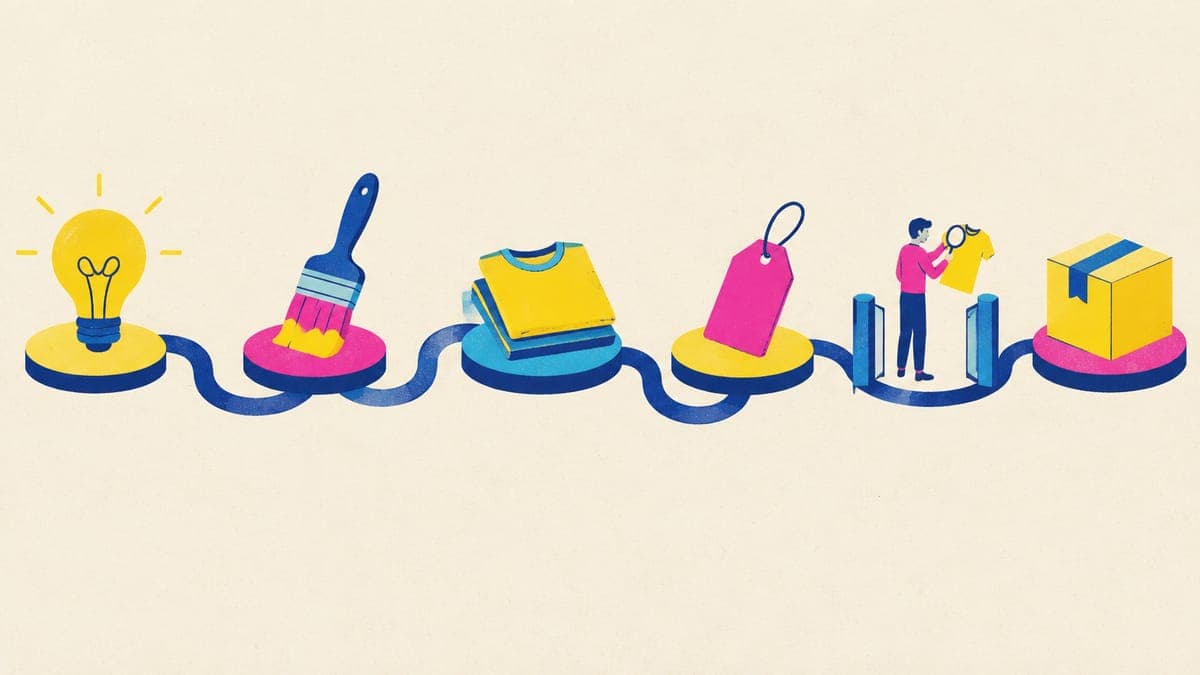
Before you buy any tool, map where your time actually goes. Here’s the full workflow for one product, with how much of each step we’d hand to software:
| Step | What it involves | Automate? |
|---|---|---|
| Research | Finding niches and phrases buyers search | Assist only: tools gather data, you decide |
| Design | Artwork and the exact words to print | Assist with a check: AI drafts, you choose and proofread |
| Print files | Exact pixel size, clean transparency, resolution check | Yes |
| Product creation | Blank, colors, sizes, placement, price | Yes, from templates and defaults |
| Listing copy | Title, 13 tags, description, disclosures | Draft automatically, review before publishing |
| Mockups | Photos that match the real product | Mostly: provider mockups, you pick |
| Publishing | Making the listing live | Only through official integrations, and you click publish |
| Orders and shipping | Production, tracking, delivery | Yes, through your provider |
| Customer service | Questions, problems, reviews | Partly: saved replies; real problems need you |
How we’d split the work for a side-hustle Etsy shop. Your mix may differ.
Safe to automate
These steps are repetitive, rule-based and either invisible to buyers or easy to reverse. Automate them first.
- Order approval. Printify can send orders to production manually, after 1 hour, after 24 hours (the default) or once a day. The 24-hour delay leaves time to fix an address or cancel. Use manual approval for personalized items. Our guide to connecting Printify to Etsy covers the settings.
- Provider sync. Orders import automatically and tracking flows back to Etsy. Make edits in Printify rather than on Etsy, because changing a synced listing on Etsy can break the link. Printify’s selective publishing lets you update only the fields you choose, such as prices or mockups.
- File preparation. Resizing to the exact print area, cleaning transparent edges and checking resolution are pure rules. Software does them faster and more consistently than tired eyes at 11 p.m.
- Pricing defaults. Printify can apply a default profit margin to new products and reprice many products at once. Check that the margin survives Etsy’s fees, including an Offsite Ads sale.
- Bulk edits. Etsy’s bulk editor changes titles, tags, descriptions, prices, production partners, renewal options and shipping or processing profiles across many listings at once. (For listings synced from Printify, make content changes in Printify so the two stay in step.)
- Routine messages. Etsy’s quick replies store answers to common questions about sizing, delivery and care. Weekly auto-replies cover the hours you’re at your day job (you need at least 8 available hours on at least 4 days a week), and a temporary auto-reply covers up to 5 days away.
- Reusing a proven setup. Duplicating a product in Printify keeps its variants, prices, description, mockups and print provider, so a new design only needs new artwork and copy. Our guide to Printify bulk upload turns this into a batch workflow.
Automate with a human check
These steps are where AI saves the most time and where unchecked output does the most damage. Let software do the first 90%, then review the rest yourself.
- Designs. Generate several cheap drafts, pick the strongest, and proofread every word letter by letter, because AI-rendered text still produces typos. Check that nothing resembles a famous character or logo. Our AI t-shirt design workflow covers this step in detail.
- Listing copy. AI drafts titles, tags and descriptions quickly, but check that they’re written for the buyer, accurate about materials and sizing, within Etsy’s limits (140-character titles, 13 tags of up to 20 characters) and that they include your AI disclosure where it applies. See our ChatGPT prompts for Etsy listings for the failure modes to watch.
- Trademark screening. Automated flags catch famous brands and characters, but they’re a safety net, not clearance. Search any phrase you didn’t invent; our trademark guide shows how.
- Mockups. Provider mockups are generated for you, but pick ones that match the real product’s color and print placement. AI lifestyle mockups must still show the actual product.
Don’t automate: the rule-breakers
Some “automation” is simply a faster way to lose your account. Avoid all of these, whatever a tool’s sales page promises:
- Upload bots on marketplaces that ban them. Amazon’s Merch FAQ says scripted bulk uploads aren’t allowed. Redbubble bans uploads made “using any bot, scraper, or other automated means,” and Zazzle bans scripts that post multiple products. Tools that submit uploads for you by driving your logged-in browser break these rules, however they’re described.
- Sharing your login. Giving a tool or a virtual assistant your password risks suspension on Merch and hands over control of your payouts. Use official connections with access you can revoke.
- Fake engagement. Bought reviews, review swaps, fake orders and paid favorites are manipulation. Etsy scans messages for shilling and review manipulation and treats both as policy violations. Our guide to getting more Etsy reviews covers the legitimate ways.
- Scrape-and-recreate. Tools that find bestsellers and generate “original versions” of them push you toward designs that are too close to someone else’s work. That’s an IP complaint waiting to happen.
- Mass-publishing near-duplicates. Each Etsy listing costs $0.20 and renews every four months while unsold on auto-renew, and near-identical listings compete with each other for the same searches and split your reviews.
For marketplaces without an upload API, batch the preparation instead: files at the exact template size, titles and tags written in one sitting, then a few minutes of manual uploads a day. Our Merch by Amazon guide shows the routine.
How to tell if an automation tool is safe
Ask these questions before you connect anything to your shop:
- How does it connect? Look for an official integration or an API token you can revoke, not a request for your password.
- Where does it publish? It should publish only where automated listing is allowed, such as through Printify’s official channels to Etsy or Shopify.
- Who clicks publish? The safest tools create drafts or fill forms, and you approve each listing.
- Does it respect limits? Printify’s API, for example, allows 200 publishing requests per 30 minutes and caps product creation per day. A tool that brags about thousands of listings an hour is a warning sign.
- What happens if you cancel? You should be able to export your designs, and your listings should keep selling.
- Is the pricing predictable? Check whether credits expire, roll over, and what each action costs.
Manual vs assisted: time per listing
Here’s one product, start to finish, done by hand by a non-designer versus with an assisted workflow. These are illustrative estimates, not measurements, but they show where the time goes.
| Step | Manual (non-designer) | Assisted |
|---|---|---|
| Research the phrase | 15 min | 15 min |
| Design and revisions | 60–90 min | 10–15 min |
| Resize, clean edges, check resolution | 15 min | Automatic |
| Create the product and variants | 10 min | 5 min |
| Mockups | 10 min | 3 min |
| Title, 13 tags and description | 20 min | 5 min to review |
| Final check and publish | 10 min | 5 min |
| Total | About 2.5 hours | About 45 minutes |
Illustrative estimates for one listing, not measured data. Your times will vary with skill and product type.
Research barely changes, and it shouldn’t: choosing what to make is the judgment call that decides whether a listing sells. The savings come from design, file prep and copy. With five hours a week, that’s the difference between about two new listings and five or six, with time left for messages and promotion. Our 5-hour side-hustle plan shows how to fit it around a day job.
A human-in-the-loop weekly workflow
Here’s one way to run a small shop on about five hours a week with automation doing the heavy lifting:
- Research block (45 min, weekend). Pick one niche and five phrases. Decide the exact words for each design.
- Draft block (45 min). Generate drafts for all five ideas, pick the winners, then create the print-ready finals.
- Build block (60 min). Create products as drafts in your provider account, generate copy, choose mockups.
- Review and publish (30 min, weekday evening). Run the 60-second check on each listing, then publish.
- Daily admin (10 min a day). Answer messages with saved replies, glance at orders and fix any address problems inside the routing delay.
- Weekly review (20 min). Check stats, note which listings get views, and plan next week’s niche.
What POD Made Easy automates (and what it leaves to you)
We built POD Made Easy around this split. It automates the production work: four drafts from your idea (about a cent each at Low effort), a print-ready final at the exact print-area pixel size, resolution and transparency checks, a vision-model spell-check of any text, trademark safety flags, and a buyer-first title, 13 tags and description with Etsy’s AI-disclosure and production-partner wording. It then creates the product in your own Printify shop as a draft you check, or from your Gelato templates, and publishes through the provider’s official store connection when you say so.
For Redbubble, TeePublic, Spreadshirt and Merch, where bots aren’t allowed, you get export packs and a Chrome extension that fills in the upload form for you to review and publish. What it leaves to you: deciding what to make, choosing the draft, the final check, the publish click, and your buyers. It never bulk-posts to marketplaces that ban it, and it never touches your orders.
Automate the busywork, keep the decisions
POD Made Easy makes print-ready, spell-checked designs at the exact size, writes Etsy-ready titles, 13 tags and descriptions, and creates products in your own Printify shop for you to check and publish. Try it free for 7 days.
Start your free trialAutomation mistakes that cost POD shops
- Publishing hundreds of untested listings. 200 listings cost $40 to publish and, left on auto-renew without selling, another $40 every four months. Fifty researched listings usually do better.
- Letting AI copy go live unread. A wrong material, size claim or promise in a description turns into returns and bad reviews.
- Routing orders instantly. Without a delay, there’s no window to fix a wrong address or catch a personalization typo.
- Editing synced listings on Etsy. Change them in your provider instead, or the sync can break.
- Skipping production partners on new listings. Etsy requires a production partner on POD listings. Set it once and use bulk edit to fix any listing that’s missing it; our production partner guide shows the steps.
- Buying tools before mapping the work. Automate your actual bottleneck. For a roundup by job and budget, see the best print-on-demand tools.
Frequently asked questions
- Can I fully automate a print-on-demand business?
- Parts of it, yes: once a provider is connected, production, shipping and tracking run without you. Deciding what to make, checking designs and helping unhappy buyers still need a person, and marketplaces hold you responsible for everything you publish.
- Is it against Etsy’s rules to use automation tools?
- Not in itself. Etsy lists third-party apps in Shop Manager under Apps and has a public API for seller tools. Shops get into trouble because of what the automation does, such as publishing listings that break policy, faking engagement or manipulating reviews.
- Are Merch by Amazon upload tools allowed?
- Amazon’s Merch FAQ says scripted bulk uploads aren’t allowed and warns that sharing account access can lead to suspension. Redbubble and Zazzle ban automated uploads too. Prepare files and copy in bulk, then upload by hand.
- Should Printify send orders to production automatically?
- For standard products, usually yes, with a delay. Printify’s default waits 24 hours, which gives you time to fix an address or cancel. Switch to manual approval for personalized items so you can check every name before it prints.
- What should I automate first?
- File preparation and order approval. Exact-size, clean print files remove a common cause of refunds, and automatic order approval saves daily admin. Both are low-risk because nothing new goes public without you.
Keep reading
More business guides
Business
Best Print-on-Demand Tools in 2026: Design, SEO, Mockups
The best print-on-demand tools in 2026, sorted by job: design, keyword research, mockups, trademark checks and publishing, plus $0, $25 and $75 tool stacks.
Sep 24, 2026 · 10 min read

Business
How Much Can You Make With Print-on-Demand? Honest Math
How much can you make with print-on-demand? Per-sale profit for tees, hoodies, mugs and stickers after Etsy fees and ads, and what $500 a month really takes.
Sep 24, 2026 · 11 min read

Business
How to Price Print-on-Demand Products (Formula + Tables)
How to price print-on-demand products on Etsy: a formula with every fee, price tables for tees, hoodies, mugs and posters, size upcharges and discount math.
Sep 24, 2026 · 11 min read