How to Connect Printify to Etsy (and Fix Sync Problems)
How to connect Printify to Etsy step by step, the settings to change before you publish, what syncs and what doesn’t, and fixes for common sync problems.
By the POD Made Easy team · September 24, 2026 · 11 min read

To connect Printify to Etsy, finish opening your Etsy shop first. Then, in Printify, open the store menu, choose Manage my stores, click Connect, pick Etsy, sign in to your Etsy account and select Grant access. The connection itself takes about two minutes.
The settings around it take a little longer, and they decide whether listings publish cleanly, orders go to production when you expect and nothing drifts out of sync. This guide covers the Printify Etsy integration step by step, the five settings to change before your first publish, what syncs in each direction, and fixes for the problems sellers hit most.
Key takeaways
- Finish Etsy’s shop setup (payments, billing, identity check and two-factor sign-in) before connecting. Each Etsy shop can link to one Printify account at a time.
- Create an Etsy production partner named exactly “Printify” before you publish, so Printify can assign it to every listing.
- Pick an order approval setting: manual, after 1 hour, after 24 hours (the default) or once a day. You’re charged when an order goes to production.
- Make changes in Printify and republish, ticking only the fields you changed. Editing synced listings on Etsy can interfere with order imports.
- Most publishing failures come from an inactive shop, an expired connection, calculated shipping profiles, variant limits or more than 20 mockups.
Before you connect: what you need
- An open, live Etsy shop. Etsy’s setup covers your shop name, bank and billing details, an identity check, two-factor sign-in and, for many new sellers, a one-time setup fee (the amount varies, often about US$15). To test that the shop is live, open its URL while logged out of Etsy. If it loads, you’re ready. If you haven’t opened one yet, our guide to starting print-on-demand on Etsy covers the whole setup.
- A Printify account with a payment method. Printify charges your card or Printify balance for production and shipping each time an order goes to production.
- Your shop currency settled. Printify’s automatic Etsy shipping profiles work in US dollars. Shops in pounds, euros or other currencies need their own profiles.
- A first print partner in mind. Quality, speed and price vary by partner, so it’s worth reading our guide to choosing a Printify print provider before you build your first products.
One rare hiccup: Printify’s help center notes that Etsy occasionally suspends brand-new shops by mistake. If that happens, contact Etsy support and ask for the shop to be reinstated before you try to connect.
How to connect Printify to Etsy, step by step
- In Printify, open the store drop-down menu at the top of the left sidebar and choose Manage my stores. If you already have a store in Printify, select Add a new store first.
- Click Connect, then choose Etsy.
- Sign in to the Etsy account that owns your shop. Don’t create a new Etsy account at this step. If the sign-in window doesn’t open, allow pop-ups or try another browser.
- Check that the email address shown belongs to the right Etsy account, then select Grant access.
- That’s it. Your Etsy shop now appears in Printify, ready for publishing.
Printify’s Etsy connection guide has the latest version of these steps. One more note if you use Etsy’s Pattern website: Printify products aren’t published to Pattern by default, so tick the Pattern box under Channel settings on each listing in Etsy.
Five settings to change before your first publish
1. Create an Etsy production partner named “Printify”
Printify can’t create a production partner in your Etsy account, but if one named “Printify” exists, it assigns it to each listing as it publishes. Without it, listings default to “Made by seller”, which breaks Etsy’s Creativity Standards. Our Etsy production partner guide walks through the form.
2. Choose your order approval setting
In Printify, select your store, open Store settings and go to the Order settings tab. This decides when imported Etsy orders go to production:
| Setting | When orders go to production | Best for |
|---|---|---|
| Manual | Only when you click Submit order | Personalized items you edit first, or checking every order while you’re new |
| Automatically in 1 hour | About an hour after the order arrives | Fast turnaround when orders don’t need checking |
| Automatically in 24 hours (default) | A day after the order arrives | Most shops: time to fix an address or cancel |
| Automatically at a set time each day | One daily batch at the time you choose | Busier shops that want one charge a day (with USD billing) |
You’re charged when an order goes to production. Each order follows the setting that was active when it came in.
3. Set up shipping and processing
When you publish, let Printify automatically assign shipping profiles, or switch on its free shipping option. Printify also creates processing profiles in Etsy, typically 3–5 business days, and recommends a Monday–Friday processing schedule. Check that those times cover your partner’s production time; our Etsy shipping profiles guide for POD has the math.
4. Decide whether to use Order Routing
Order Routing is a separate, optional Printify feature. When it’s on, Printify can send an order to a different print partner if the product is out of stock or discontinued, your partner is temporarily closed, a closer partner can take a single-item international order, or another partner would be much faster. You can cap the extra cost per item and allow exact product matches only, but you can’t exclude specific partners. The trade-off: fewer delays, but a buyer may get an item from a partner you haven’t sampled.
5. Check your store name and ship-from details
Your Printify store name and ship-from address appear on every shipping label. Keep the name to 30 characters or fewer with no emoji, because longer names can delay orders. If you sell to the EU or UK, the product safety (GPSR) settings sit on the same Store name tab; our GPSR guide explains what they’re for.
What syncs between Printify and Etsy
| What | Direction | How it works |
|---|---|---|
| Title, description, tags, prices and variants | Printify → Etsy | Sent when you publish; on later republishes you choose which fields to sync |
| Mockups (up to 20) | Printify → Etsy | Picked in the Mockup Library; selecting more than 20 makes publishing fail |
| Shipping profile | Printify → Etsy | Assigned automatically in US-dollar shops if you choose that option |
| Production partner | Set on Etsy, applied at publish | Assigned only if a partner named “Printify” exists |
| Orders | Etsy → Printify | Imported automatically, then sent to production by your approval setting |
| Tracking | Printify → Etsy | Added when the order reaches “Ready to ship”, which also notifies the buyer |
| Deleting a product | Printify → Etsy | Deleting it in Printify deletes the Etsy listing too |
Based on Printify’s help center, September 2026.
The edit-in-Printify rule
Printify’s advice is to make every change in Printify, apart from adding or swapping mockups, because editing product information directly on Etsy can interfere with how orders import. Changes you republish from Printify reach Etsy within a few minutes.
When you republish, selective publishing lets you tick only the fields you changed, such as the shipping profile after a rate update, so any Etsy-side tweaks survive. Two traps: if you add a new color and republish without ticking Mockups, that color goes live with no image, and if you duplicate a synced listing on Etsy, the copy shares the original’s SKUs and Printify can’t link or migrate it. Duplicate inside Printify instead, with its Duplicate icon or More actions → Copy to other store.
Keep costs in mind as well. Every new product you publish creates a new Etsy listing and a $0.20 listing fee (our Etsy fees guide has the full breakdown), and Printify now removes products that go a year with no orders or edits (after a 30-day warning). Published Etsy listings stay live, but they lose their link to Printify.
How an Etsy order flows through Printify
- A buyer checks out on Etsy.
- The order imports into Printify automatically.
- It waits according to your approval setting: 1 hour, 24 hours, the daily batch, or until you submit it.
- Printify charges your card or balance for the product and shipping, and sends the order to your partner.
- The partner prints and packs it. Printify says most orders ship within 2–7 business days.
- When the order reaches “Ready to ship”, tracking goes to Etsy and the buyer gets a shipping notification.
If you sell personalized items, use manual approval or Printify’s Etsy personalization tools so nothing prints before the buyer’s text is on the design. Our personalized POD guide covers the workflow.
Connected? Now skip the product-building grind
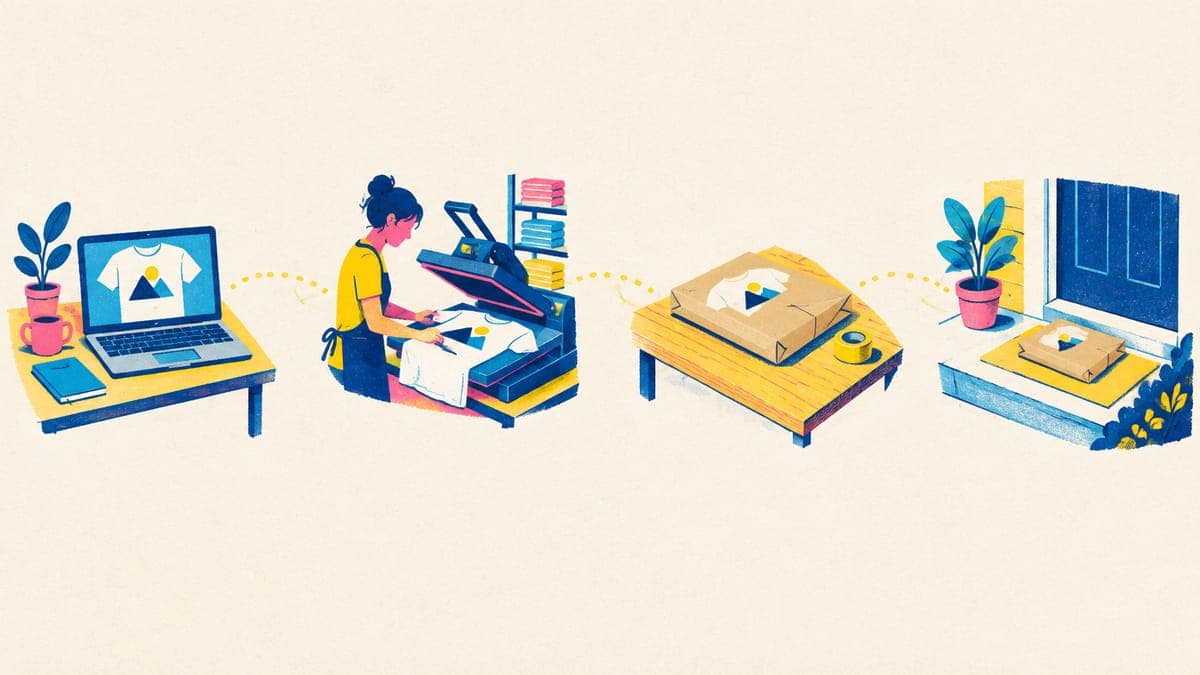
With Printify linked to Etsy, POD Made Easy creates each product in your own Printify shop, with the design placed at print size and your title, 13 tags and description filled in, then publishes it through the same connection. Orders keep flowing through Printify as normal.
Start your free trialPrintify Etsy not syncing? Fixes for common problems
Products won’t publish
Printify’s publishing troubleshooting article lists the usual causes. Work down this list:
- The Etsy shop isn’t fully open, or it’s in vacation mode.
- You changed your Etsy password, which expires the connection. Click Reconnect in Printify; already-published products aren’t affected.
- You picked an Etsy shipping profile that uses calculated shipping. Printify only supports fixed-price profiles, or its automatic option.
- Etsy deactivated an earlier version of the listing for a policy reason. Check your email for Etsy’s explanation.
- The title contains characters Etsy rejects, such as quotation marks or trailing spaces.
- A variant’s price is under US$0.20 after currency conversion.
- The product breaks Etsy’s variation limits: two options, 70 choices per option and 400 combinations. Printify caps products at 100 variants, but phone cases can still exceed 70 choices.
- More than 20 mockups are selected.
Etsy orders aren’t showing up in Printify
First check your approval setting: with Manual, orders wait for you to submit them. If orders aren’t importing at all, the Etsy listing probably isn’t linked to a Printify product. That happens when a listing was created or duplicated on Etsy. Fix it with Printify’s Migration Tool: go to My Products → External products, choose the listing, select Migrate product, pick or create the matching product and match every variant. Only active listings can be migrated, and any Etsy variant you leave unmatched is removed from the listing. Orders for unlinked variants appear under Other orders in Printify.
Listings say “Made by seller”
The production partner is missing or named differently. Create a partner called “Printify”, then fix existing listings in bulk from Etsy’s Listings page with Editing options → Change production partners.
Etsy asks you to fix the shipping profile
When you edit a Printify listing on Etsy, you may be asked to complete its shipping profile. Printify’s fix is to edit the profile and fill the highlighted fields: origin ZIP code 19801, a delivery time of 2–5 business days (or your partner’s actual time), country of origin United States and carrier Other. Then select Publish changes.
Duplicate listings
Duplicates usually come from republishing an old product as a new one or copying a listing on Etsy, and each copy costs its own $0.20 listing fee. Compare your Etsy listings with My Products in Printify before you delete anything. If the extra copy is a Printify product, deleting it in Printify removes it from Etsy too; if it’s an Etsy-only copy, deactivate or delete it on Etsy.
The listing is live but not in Etsy search
Give it time. Etsy says a newly published listing can take up to 48 hours to appear in search results and categories. If it’s still missing after that, check that the listing is active in Shop Manager and search for its exact title.
The connection dropped
If the connection expired, for example after an Etsy password change, click Reconnect in Printify and sign in to Etsy again. If you disconnected the store yourself, connect it again from Manage my stores. Printify warns that disconnecting and reconnecting can affect how existing products are linked, so if products already exist on Etsy, relink them with the Migration Tool rather than republishing them as new listings.
Adding more shops, channels or providers
- More Etsy shops: each one becomes a separate store in Printify, and settings like order approval are configured per store.
- Other sales channels: Printify publishes to 11 channels at the time of writing, including Shopify, TikTok Shop US, eBay US and Amazon US.
- Other providers: Printful and Gelato connect to Etsy separately. Keep each listing linked to one provider and add each as a production partner; our Printify vs Printful vs Gelato comparison covers running them side by side.
- Multi-Product Listings: Printify can combine up to 20 products, such as a tee and a hoodie with the same design, into one Etsy listing with up to 400 variants, instead of paying $0.20 for each separate listing. The listing uses one shipping profile and doesn’t support personalization.
Once you’re connected and publishing, our Printify bulk upload guide covers creating many products safely, and our Printify review weighs up the platform as a whole.
Frequently asked questions
- Is it free to connect Printify to Etsy?
- Yes. The connection works on Printify’s free plan. You pay Printify for each product and its shipping when an order goes to production, and Etsy charges its usual fees, including $0.20 for every listing you publish.
- Can I link an existing Etsy listing to a Printify product?
- Yes, with Printify’s Migration Tool. Open My Products → External products, choose the active Etsy listing, pick or create the matching Printify product and match every variant. The listing keeps its title, description and URL.
- Can I connect more than one Etsy shop to Printify?
- Yes. Each Etsy shop becomes a separate store in your Printify account, with its own settings. An Etsy shop can only be connected to one Printify account at a time, though.
- Will disconnecting Printify delete my Etsy listings?
- Printify warns that disconnecting and reconnecting can affect how products are linked, so try other fixes first and relink rather than republish afterwards. Deleting a product inside Printify, on the other hand, also deletes its Etsy listing.
- When does Printify charge me for an Etsy order?
- When the order goes to production, which depends on your order approval setting: manually, after 1 hour, after 24 hours or once a day. Printify charges your saved card or Printify balance for the product and shipping.
Keep reading
More platforms & providers guides
Platforms & providers
Printify Review 2026: Pros, Cons and Real Costs for Etsy
Printify review for 2026: how its print-partner marketplace works, real costs on Etsy, Premium, quality by partner, pros and cons, and who it suits best.
Sep 24, 2026 · 11 min read

Platforms & providers
Printify vs Printful (2026): Real Costs and Which to Use
Printify vs Printful in 2026: the same tee costs about $8.80 vs $12.25. See real Etsy profit per sale, plan break-evens, quality, branding and when to use both.
Sep 24, 2026 · 11 min read
Platforms & providers
How to Choose the Best Printify Print Provider (2026)
How to choose the best Printify print provider for each product: read Performance Scores, compare location, cost and speed, test samples and switch safely.
Sep 24, 2026 · 9 min read