Personalized Print-on-Demand on Etsy: Sell Custom Name Items
Personalized print-on-demand on Etsy in 2026: set up Etsy’s Custom options, Printify’s automated personalization and Live Preview, and design names that fit.
By the POD Made Easy team · September 24, 2026 · 12 min read

Personalized print-on-demand on Etsy works like this: the buyer types a name, date or message (or uploads a photo) in your listing’s personalization fields, the order imports into your print provider, and a one-off version is printed and shipped. With Printify, the buyer’s text can now be applied to your design automatically and previewed on the listing, and you approve it before production. Or you can edit each order’s design by hand.
This guide covers how Etsy’s personalization fields work after the 2026 update, how Printify (and, briefly, Printful and Gelato) handle personalized orders, how to design for names of any length, and the mistakes that turn a thoughtful gift into a refund.
Key takeaways
- Etsy now calls personalization Custom options: up to 5 fields per listing, as text boxes, lists of options or one file upload.
- Printify offers automated personalization for Etsy (buyer text or images applied to your design) or manual personalization (you edit each order).
- Printify holds personalized orders for review before production; you approve each one, then submit it or let your submission settings do it.
- Etsy requires the first photo of a personalized item to show a finished example, not a blank product or “Your Text Here”.
- Design for the longest name you’ll accept: set the character limit from your print width and test long names before you publish.
- Personalized orders take more time per sale, so price for your review time.
Why personalized items sell on Etsy
Personalized items are made for one person, which makes them natural gifts: grandma’s sweatshirt with every grandchild’s name, a mug with the dog’s name, reunion shirts with the family name and year. They’re also hard to find in ordinary stores, which is exactly why shoppers come to Etsy.
Etsy’s own guidance points the same way. Its Keywords 101 article tells sellers of personalized or custom items to include tag phrases with those words, and its Creativity Standards explicitly allow buyer-personalized items made by a production partner, with a buyer-personalized t-shirt printed on demand as one of the examples.
The trade-off is time. Every personalized order needs a check before it’s printed, a spelling mistake costs you a reprint, and returns work differently. If you only have a few hours a week, add personalization to a handful of strong designs rather than every listing.
How Etsy’s personalization fields work now
Etsy’s personalization tools changed in 2026: the single personalization box became Custom options. When you edit a listing, you’ll find them under Item options → Custom options → Add field. At the time of writing:
| Field type | Use it for | Limits |
|---|---|---|
| Text box | Names, dates, short messages | You set a character limit from 1 to 1,024; optional text boxes can carry an add-on price |
| List of options | Font styles, text colors, design versions | Up to 30 options (Etsy suggests 10 or fewer) |
| File upload | Pet photos, family photos, logos | One upload field per listing; buyers can upload up to 10 files of up to 100 MB each (.jpg, .png, .svg, .heic or .pdf) |
Up to 5 Custom options fields per listing. From Etsy’s Help Center at the time of writing.
- Required or optional. Each field has a “This field is required” checkbox. For POD, make the name required unless the design also works without it.
- Add-on pricing. Optional text fields can add between $0.20 and $500 to the price, for example for a name on the sleeve. Required fields can’t, so if personalization is always included, build it into the item price.
- Clear instructions. Etsy recommends one detail per field, a specific title (not just “Personalization”), where the text will appear, an example and the character limit.
- Bulk edits. In Listings, select several listings, then Editing options → Change Custom options.
Etsy’s personalized listings help article has the full setup, including when to use a variation instead (anything that changes the base item, like size or shirt color).
Personalized orders with Printify: automated or manual
Printify supports two approaches for Etsy, and you choose per product:
| Automated personalization | Manual personalization | |
|---|---|---|
| Setup | Add personalizable text or image layers in Printify’s Product Creator, then publish to Etsy | Turn on personalization when you publish; the buyer’s request imports with the order |
| What the buyer does | Types text, picks fonts or colors, or uploads images on the Etsy listing | Types instructions in the personalization field |
| What you do per order | Check the design Printify built and approve it | Edit the design yourself inside the order, then approve |
| Buyer preview | Live Preview on eligible products (apparel at launch) | No |
| Optional for the buyer? | No: personalization is mandatory for the product | Can be optional |
| Best for | Simple name or photo placements at volume | Complex or premium custom work |
From Printify’s Help Center at the time of writing. Features differ by sales channel, so check the current articles before you set up.
Setting up automated personalization for Etsy
- Start a new product in Printify’s Product Creator. At the time of writing, automated personalization can’t be added to existing products.
- From the Personalize tab, add a personalizable text layer (or an image layer for photos). Size the layer to the space the name should fill: buyer text is scaled to fit that box.
- Use realistic sample text rather than “Your text here”, which Printify notes isn’t allowed under Etsy’s policy, and add the fonts and colors buyers can choose. The default option is used for your mockups.
- In the product details, edit each Etsy field’s title and instructions, check the “What buyers see in Etsy” preview, and leave Live Preview switched on if the product supports it.
- Publish to Etsy from Printify. After that, change personalization settings in Printify and republish; editing the fields on Etsy breaks the link between buyer inputs and your layers.
Limits to plan around: Etsy’s five-field maximum means up to five text and dropdown fields combined in Printify, or four plus an image upload section (up to 10 image layers). Etsy accepts HEIC and PDF uploads but Printify doesn’t, so if a buyer sends one you’ll need to convert it to JPG, PNG or SVG before approving. Printify’s Etsy personalization guide covers each step in detail.
Live Preview, which Printify launched for Etsy in 2026, shows the buyer a rendered mockup with their text or image before they add the item to the cart. At the time of writing it covers select products (apparel first) and doesn’t support embroidery, all-over print or specialty inks like glitter, puff and metallic.
What happens when a personalized order comes in
Personalized orders follow their own rules rather than your normal order routing. Printify holds every order that contains a personalized product for review:
- The order imports from Etsy and shows a Review needed label in Printify’s Orders section, and you get a notification.
- Open it and click Review. With automated personalization, check the buyer’s text or image on the design; with manual, edit the design to match their request. Changes apply only to that order, not to your original product.
- Click Approve personalization, then Submit to send it to production.
In your store settings you can keep approved personalized orders on hold until you submit them yourself, or have them submitted automatically after 1 hour, after 24 hours or at a set time each day. Printify also offers a setting that lets orders skip your review when the buyer approved their design in a live preview. We’d keep reviewing anyway until you trust your setup: a two-minute check costs less than a reprint. Our guide to connecting Printify to Etsy covers the settings for regular orders.
Printful and Gelato: how they compare
- Printful works with Etsy’s personalization fields through a manual flow. In Printful’s store settings for your Etsy store, tick Import personalized orders as drafts. Orders then arrive with a Requires personalization status; you open each one, click Personalize, adjust the design and complete checkout to send it to production.
- Gelato offers two routes. Its automated Etsy personalization applies the buyer’s text to labeled text fields in your design at checkout (text only, no image uploads). Its email workflow sends the buyer a personalization link after purchase and holds the order until they finish; the link expires after 7 days and a new one is sent automatically. Gelato lists its Personalization Studio for Etsy as a Gelato+ feature at the time of writing.
If most of your shop runs through Printify, its automated option plus Live Preview is the most automated of the three on Etsy today. For a wider comparison of the three, see Printify vs Printful vs Gelato.
Designing for names: character limits, fonts and layout
A personalized design has to look good with “Jo” and with “Maximiliana”. Four rules keep it that way:
- Set the character limit from the print width. As a rough guide for bold capitals on apparel, allow about 0.7–1 inch per character if the name should read from across a room. Script fonts need more room. Put the limit in the field settings and repeat it in the instructions.
- Test the extremes before you publish. Make mockups with the shortest and longest names you’ll accept, and with apostrophes, hyphens and accents (O’Neil, Anne-Marie, Zoë). If a font is missing a character, find out now, not on an order.
- Offer few, legible fonts. Two to four is plenty, and every font must be licensed for use on products you sell. See fonts that are free for commercial use.
- Design lists for a range. For grandkids’-names designs, decide the maximum (say, eight names), how the layout changes as the list grows, and whether more names cost extra.
A worked example: on a tee, say the name sits in a box 10 inches wide, which is 3,000 pixels at 300 DPI. A 12-character limit gives each character about 250 pixels, or 0.83 inches: comfortably readable. A mug is a different story. A typical 11 oz wrap is only about 3.5–4 inches tall, and each side offers just a few inches of width, so keep mug names shorter or use a narrower, bolder font.
Try this idea in POD Made Easy
“Hand-drawn garden bed with a row of small seedlings, each beside an empty wooden plant stake for a grandchild’s name, soft greens and terracotta, transparent background” · text: “Grandma’s Little Sprouts”
Get the base design print-ready in minutes
Describe the design and the words to print, and POD Made Easy returns a transparent PNG at your product’s exact print size, with spell-checked text plus an Etsy title, 13 tags and description. Download it and add the personalized name layer in Printify’s Product Creator.
Start your free trialProofing: stopping mistakes before they’re printed
- Print exactly what was typed, and say so. Put “printed exactly as entered, so please check spelling and capitals” in your instructions and description. Don’t silently “correct” names, because unusual spellings are often deliberate. If something looks like a typo, message the buyer before approving.
- Use Live Preview where you can. A buyer who has seen their name on the shirt is far less likely to be surprised by it.
- Review every order, even automated ones. Look for missing fields, text that overflows, odd characters and photos too small to print sharply.
- Reply fast. While you wait for an answer the order is on hold, and your processing time keeps running.
- Know who pays for what. A buyer’s own typo printed exactly as typed is usually on the buyer; a provider misprint is reported to the provider with photos. In the UK and EU, clearly personalized goods are generally exempt from the standard right to cancel, but faulty items aren’t. Our guide to POD returns and misprints covers the details.
Personalized POD ideas that fit Etsy
| Idea | What the buyer adds | Good products |
|---|---|---|
| Grandma or nana with grandkids’ names | Up to 6–8 names, plus the name she goes by (Nana, Gigi, Mimi) | Sweatshirts, tees, mugs |
| Family reunion or trip shirts | Family name, year and place | Tees in a full size range |
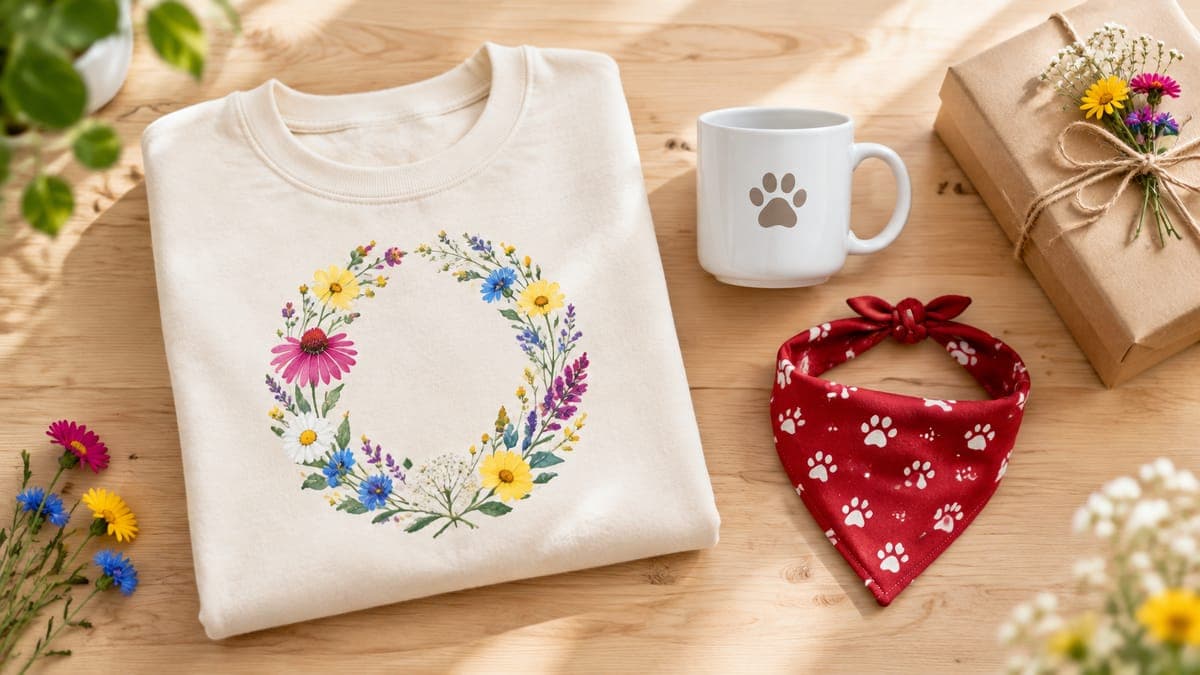
| Pet name and breed designs | The pet’s name, sometimes a photo | Mugs, bandanas, owner tees |
| Teacher name and grade | Name and grade or room number | Totes, tees, mugs |
| “Established” year designs | A family name or role plus a year | Tees, mugs, wall art |
| Kids’ birthday shirts | Name and age | Kids’ tees |
| Wedding or anniversary prints | Two names and a date | Posters and framed prints |
Starting points. Keep all wording original, and search any catchphrase before you print it.
For personalized design ideas, see our grandma shirt ideas with grandkids’ names, family reunion shirt ideas and print-on-demand pet products.
Listing personalized items so they get found
- Title: say what’s personalized, as in “Personalized Grandma Sweatshirt with Grandkids’ Names” (53 characters). Etsy’s own title examples include a personalized dad t-shirt with custom kids’ names.
- Tags: add the personalization phrases shoppers use, such as “custom name shirt”, “personalized gift” and “grandkids names”, alongside your niche phrases.
- Photos: a finished example first, then one photo showing the font and color options labeled to match your dropdown, and one showing how short and long names look. See Etsy mockups that sell.
- Description: repeat the limits and the “printed exactly as typed” line. Our Etsy description template has a personalization section ready to fill in.
- How it’s made: if the design is yours and the buyer adds a name, it’s designed by you. If the item is mostly the buyer’s own text or photo on a blank, Etsy’s Creativity Standards class it as “sourced by” you instead. Either way, assign your production partner, and disclose AI if the design used it.
Everything else about getting found, from attributes to shipping price, is in our complete Etsy SEO guide. Start with one personalized design, run a few orders through the review flow, and add more once the process feels routine.
Frequently asked questions
- Can you personalize Printify products on Etsy?
- Yes. Printify’s automated personalization applies a buyer’s text or images to layers in your design, and its manual option imports the buyer’s request so you can edit the design yourself. Either way, Printify holds personalized orders for your review before production.
- How much extra should I charge for personalization?
- There’s no standard. Price for the time each order takes to review, plus any extra print area. Etsy lets optional text fields add $0.20 to $500 to the price, while personalization that’s always included is simplest to build into the item price.
- Can buyers upload photos for print-on-demand items on Etsy?
- Yes. Etsy’s File upload field lets buyers upload up to 10 files of up to 100 MB each. Printify can place uploads on personalized image layers, but it doesn’t accept HEIC or PDF files, and a small phone photo may not print sharply at large sizes.
- Can I refuse returns on personalized items?
- You set your own return policy on Etsy, and many sellers don’t accept returns on personalized items. In the UK and EU, clearly personalized goods are generally exempt from the standard cancellation right, but faulty or misprinted items must still be put right. This isn’t legal advice.
- Do personalized listings rank better in Etsy search?
- Etsy doesn’t list personalization as a ranking factor. It does suggest adding tag phrases with words like “personalized” or “custom” when you offer them, because shoppers search that way, so a personalized listing can match more searches.
Keep reading
More etsy seo guides
Etsy SEO
Etsy Shipping Profiles for Print-on-Demand: Times and Rates
Set up an Etsy shipping profile for print on demand: processing times that match Printify, real Printify shipping times, free-shipping math and Q4 planning.
Sep 24, 2026 · 11 min read

Etsy SEO
Etsy Keyword Research for POD: Find Buyer Keywords Free
Etsy keyword research for print-on-demand, free: use Marketplace Insights, search suggestions and your Stats to find buyer keywords, then place them well.
Sep 24, 2026 · 11 min read
Etsy SEO
Etsy SEO in 2026: The Complete Guide for POD Sellers
Etsy SEO for print-on-demand in 2026: how Etsy search matches and ranks listings, what goes in titles, tags, attributes and photos, plus a one-page checklist.
Sep 24, 2026 · 13 min read