Can ChatGPT Make T-Shirt Designs? A Print-Ready Workflow
Yes, ChatGPT can make t-shirt designs, even with transparent backgrounds. A 7-step workflow to fix size, text and edges so your ChatGPT design prints cleanly.
By the POD Made Easy team · September 24, 2026 · 9 min read
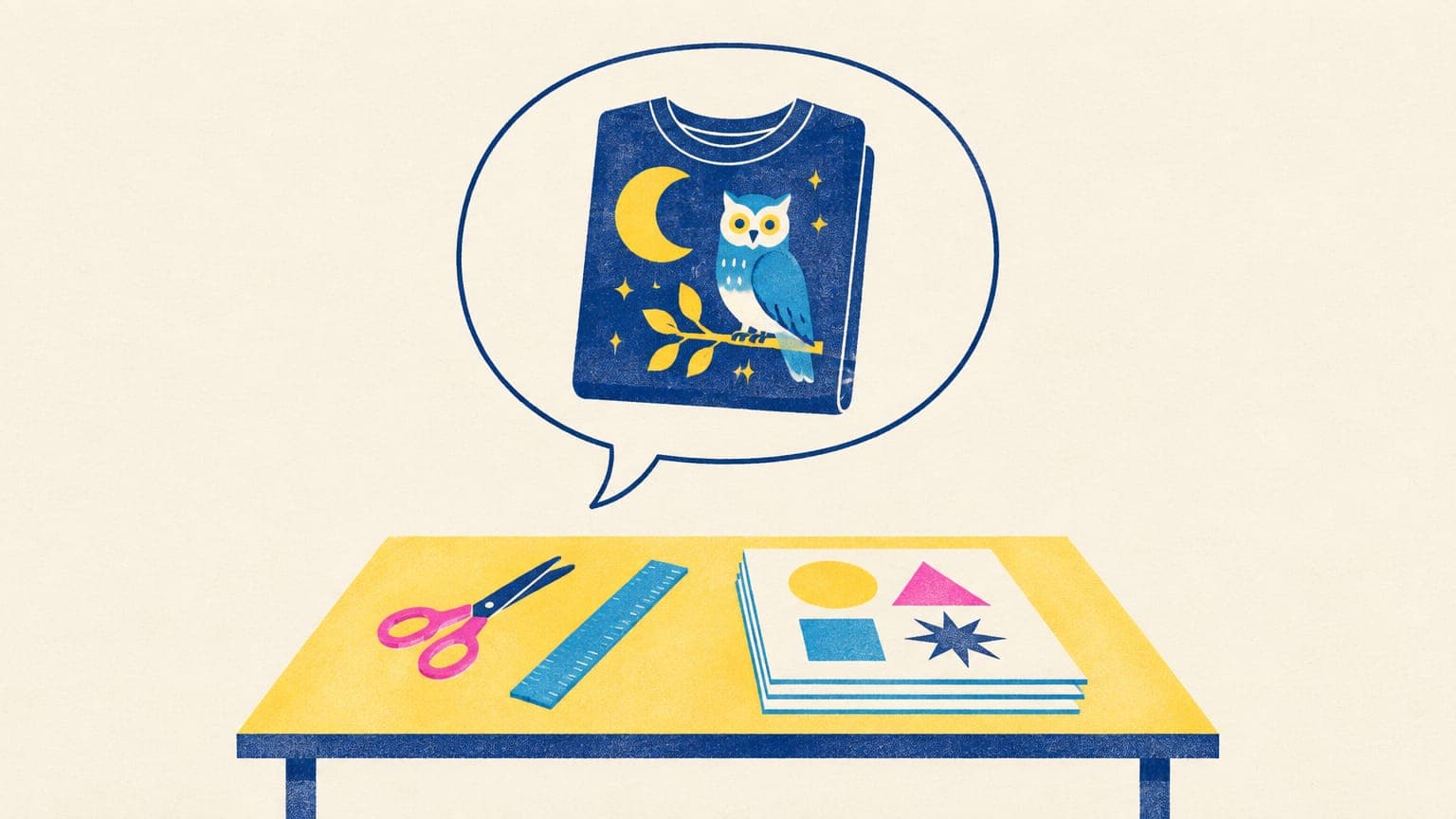
Yes, ChatGPT can make t-shirt designs. Since the Images 2.5 update on September 8, 2026, it can draw clean graphics with readable lettering and, when you ask, give them a transparent background, and it works on every ChatGPT plan, including the free one. What it can’t do is hand you a finished print file: its images are smaller than a full-front print area, the text still needs proofreading, and “transparent” sometimes isn’t.
This guide walks through a seven-step ChatGPT t-shirt design workflow that fixes each of those gaps, with prompts you can copy and the checks to run before you upload anything to Printify, Printful or your Etsy shop.
Key takeaways
- ChatGPT Images 2.5 (September 2026) can create t-shirt graphics with text and transparent backgrounds on every plan.
- OpenAI documents a maximum of about 8.3 megapixels per image, while a full-front tee file is about 24.3 megapixels (4500 × 5400), so upscale or vectorize before printing.
- Always verify transparency: a painted-in checkerboard or soft edge prints as a box or halo on DTG shirts.
- Proofread every letter, and use the selection tool to fix one word instead of regenerating the whole design.
- OpenAI’s terms give you ownership of outputs, but trademark checks and Etsy’s AI disclosure are still your job.
What ChatGPT can and can’t do for t-shirt designs
ChatGPT Images is the image generator built into ChatGPT, powered by OpenAI’s GPT Image models. Here’s how it measures up against what a print-on-demand file needs, at the time of writing:
| Task | ChatGPT Images 2.5 | What to do about it |
|---|---|---|
| Draw a t-shirt graphic from a description | Yes, in any aspect ratio | Describe the graphic, not the shirt |
| Render short slogans | Strong, but not flawless | Proofread; fix single words with the editor |
| Transparent background | Yes, when you ask for it | Verify it’s real transparency, not a painted checkerboard |
| Print-size file (4500 × 5400 px) | No: about 8.3 MP at most | Upscale, or vectorize flat art |
| Vector (SVG) output | No, raster images only | Vectorize a clean PNG or use a vector model |
| Know your provider’s print area | No | Look up the pixel size in your provider’s product editor |
Based on OpenAI’s help center and image generation documentation, September 2026.
Images 2.5 also added templates to ChatGPT, including one called Merch and one for posters, which ask follow-up questions about the text, style and details you want. They’re a handy starting point, but the prompt structure in step 2 gives you more control over how the design prints.
Step 1: Decide who the shirt is for and what it says
ChatGPT will happily draw anything, which is exactly why the thinking has to come first. Before you type a prompt, write down three things: the buyer (night-shift nurses, not “nurses”), the words on the shirt (short, and your own), and the occasion that makes someone buy it now (a birthday, a retirement, a holiday).
That takes five minutes and saves an evening of random generations. Our AI t-shirt design workflow covers how to check that a niche has buyers before you design for it.
Step 2: Write a prompt ChatGPT can print from
Describe the graphic, not a t-shirt. If you ask for a “t-shirt design”, ChatGPT often draws a shirt, a person wearing one or a full mockup. Use this structure instead:
Three examples you can paste in as they are:
- Create a graphic of a sleepy barn owl reading a book on a crescent moon, in a retro storybook style, with the text “Night Owl Book Club” in a curved banner below. Use only navy, mustard and cream. Flat colors, bold outlines, no gradients. Transparent background, no mockup.
- Create a graphic of a vintage pickup truck hauling a Christmas tree through snowy pines, in a 1950s holiday card style, with no text. Use only red, forest green and cream. Flat colors, thick outlines. Transparent background, no mockup.
- Create a round badge with a steaming campfire coffee pot in front of mountains, in a retro screen-print style, with the text “Camp Kitchen Crew” on an arched banner. Use only orange, teal and cream. Transparent background, no mockup.
Pick a portrait aspect ratio in the image settings (4:5 is a good match for most chest prints), or say it in the prompt. For 100 more starting points, see our AI prompts for t-shirt designs.
Step 3: Get a real transparent background
OpenAI’s help center says ChatGPT Images can make the background transparent when you ask, and Images 2.5 improved how it handles transparent layouts. Still, check every download, because two failure modes show up on shirts:
- A painted checkerboard. The model draws the gray-and-white pattern that means “transparent” in design apps, instead of making the pixels transparent. Printed, it looks exactly like a checkerboard.
- Soft or fringed edges. The background is transparent, but the outline has a ring of half-transparent pixels. On DTG printers those print as a faint halo or a rough edge.
To check the file, open it in any editor that supports layers (free options include GIMP and Photopea):
- Confirm it’s a PNG, not a JPG. JPGs can’t hold transparency.
- Put a solid dark layer underneath the design. A painted checkerboard or white box shows up at once.
- Zoom to 400% on the edges and look for pale or semi-transparent fringes.
If it fails, ask ChatGPT to regenerate with a true transparent background, or ask for the design on a solid white (or black) background and remove it yourself with a background remover. Our guide to transparent PNGs for t-shirts covers edge cleanup in detail.
Step 4: Proofread and fix the lettering
OpenAI’s own documentation says its image models can still struggle with precise text placement and clarity. Read the design backward, one word at a time, at 100% zoom, and check apostrophes, repeated words and letter spacing.
When a single word is wrong, don’t regenerate the whole design. Open the image in ChatGPT’s editor, select the word and describe the fix, for example “change the misspelled word to Kitchen, same font and color”. OpenAI notes that selections aren’t always precise and edits can spill beyond the area you picked, so re-check the whole design after every edit.
For text that has to be perfect (names, dates, long phrases), generate the artwork without words and set the lettering yourself in a design editor with a font licensed for commercial use. That way the spelling is in your hands, not the model’s.
Step 5: Upscale to your print size
A full-front tee file is 4500 × 5400 px, about 24.3 megapixels. OpenAI documents a maximum of 3,840 pixels on the longest edge and about 8.3 megapixels in total for its current image models, and calls anything above 2560 × 1440 experimental. Even the largest image you can get needs enlarging for a full-front print.
Check the pixel size of your actual download. For example, a 1024 × 1536 px image printed 12 inches wide is only about 85 DPI, far below the roughly 150 DPI floor for a sharp print. Filling the full 5,400-pixel height of a front print file would take about a 3.5× enlargement. You have two routes:
- AI upscaling for illustrations with texture or shading. Our guide to upscaling an image for print compares the tools.
- Vectorizing for flat art, badges and lettering, which then export at any size. See how to vectorize an image for print.
Upscale before you do your final edge cleanup, since enlarging a transparent image can soften the outline again.
Free print DPI checkerUpload your ChatGPT image and see how large it can print sharply, before and after upscaling.Step 6: Run the final print checks
Before the file goes anywhere near your provider, run through this list:
- The PNG is exactly your print area’s pixel size (4500 × 5400 for a standard full front).
- The background is truly transparent, and the edges have no pale fringe.
- Every word is spelled correctly, including small print.
- The colors work on the shirt color you’ll sell, with a lighter version for dark shirts if needed.
- There are no stray specks, fake signatures or garbled symbols in corners.
- Nothing resembles a brand, character or logo, and you’ve searched any phrase in a trademark database.
Our t-shirt design size guide lists the pixel sizes for other print areas and products.
Skip steps 3 to 6
POD Made Easy turns your idea and exact words into four cheap drafts, then a print-ready final at your product’s exact print size, with clean transparency checked and the lettering spell-checked by a vision model.
Start your free trialStep 7: Upload, list and disclose
Upload the PNG to your provider, place it on the product and order a sample before you roll the design out. Then write the listing. ChatGPT is useful here too; our ChatGPT prompts for Etsy listings cover titles, tags and descriptions (and how to catch its character-count mistakes).
On rights, OpenAI’s terms say you own the output, though they also note that outputs may not be unique, so another user could get a similar image. OpenAI adds C2PA metadata and invisible watermarking to images from its tools. Ownership doesn’t protect you from trademark problems, and on Etsy you must disclose AI use in the listing description and name your production partner. Our guide to selling AI designs on Etsy has sample wording. You can read the current terms in OpenAI’s terms of use and feature details in OpenAI’s Images in ChatGPT help article.
Try this idea in POD Made Easy
“Sleepy barn owl reading a book on a crescent moon, retro storybook style, navy, mustard and cream, flat colors, bold outlines, isolated on transparent background” · text: “Night Owl Book Club”
Common ChatGPT design problems (and fixes)
| Problem | Fix |
|---|---|
| It drew a shirt or a person wearing one | Ask for a “graphic of…” instead of a “t-shirt design”, and add “no shirt, no mockup” |
| An edit changed parts you wanted to keep | Select a smaller area, describe only the change, and add “keep everything else exactly the same” |
| The style drifts between versions | Reuse the same full prompt, or ask for variations of the approved image rather than a new one |
| Colors look dull on a dark shirt | Ask for a version with lighter colors and a thick light outline for dark shirts |
| The download isn’t a PNG | Convert it to PNG (transparency carries over from WebP) before cleanup and upload |
| It declines to draw a character, logo or real person | Don’t look for a workaround: those designs aren’t safe to sell anyway |
ChatGPT vs other AI tools for t-shirts
ChatGPT’s strengths are convenience, lettering and native transparency, and you may already pay for it. Other tools win on specific jobs: Midjourney on distinctive art styles, Ideogram on typography-first designs and Recraft on true vector files. Our guide to the best AI image generators for t-shirts compares them on text, transparency, resolution, rights and cost.
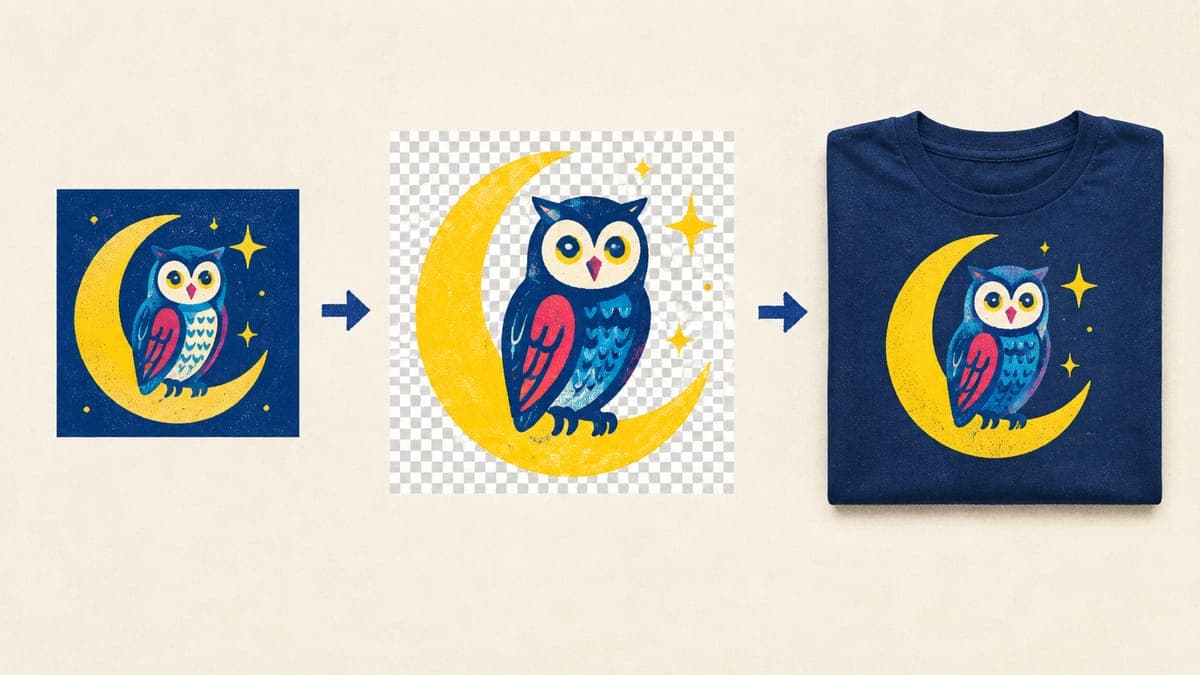
Whichever tool you use, the pattern is the same: a specific idea, a prompt written for print, then the finishing steps above. ChatGPT gets you a strong draft in minutes; the finishing work is what makes it sellable.
Frequently asked questions
- Is ChatGPT free to use for t-shirt designs?
- ChatGPT Images is available on every ChatGPT plan, including the free one, so you can start without paying. Usage limits vary by plan, and the “images with thinking” option needs a Plus, Pro or Business plan.
- What size are ChatGPT images?
- OpenAI doesn’t publish a fixed download size for the ChatGPT app. Its documented limits for the same image models are 3,840 pixels on the longest edge and about 8.3 megapixels in total, with sizes above 2560 × 1440 marked experimental. Check your file’s pixel size and plan to upscale for a 4500 × 5400 tee file.
- Can ChatGPT make SVG files?
- ChatGPT Images produces raster images, not SVG files. ChatGPT can write simple SVG code for basic text and shape layouts, but for illustrations you’ll get better results by vectorizing a clean PNG or using an AI model built for vector output.
- Why does ChatGPT put a checkerboard behind my design?
- Sometimes the model draws the gray-and-white checkerboard that editors use to show transparency instead of making the background truly transparent. Place the image over a colored layer: if the checkerboard still shows, it’s painted in. Ask again for a real transparent background, or remove it with a background remover.
- Can I sell t-shirts with ChatGPT designs on Etsy?
- Yes. OpenAI’s terms assign the output to you, and Etsy allows designs made with AI tools from your own prompts. Disclose AI use in the listing description, name your production partner, and check the design and any wording for trademarks before you publish.
Keep reading
More design guides
Design
Best AI Image Generators for T-Shirt Designs (2026)
The best AI image generator for t-shirt designs depends on the job. We compare 8 tools on text, transparency, resolution, vector output, rights and cost.
Sep 24, 2026 · 13 min read
Design
100 AI Prompts for T-Shirt Designs That Print Well
100 original AI prompts for t-shirt designs, sorted by style and niche, plus a simple prompt formula and print-safe add-ons that work in ChatGPT or Midjourney.
Sep 24, 2026 · 19 min read
Design
How to Make a Vintage T-Shirt Design That Prints Cleanly
Make a vintage t-shirt design with retro palettes, sunset stripes, badges, halftones and distressing, without the semi-transparent pixels that ruin DTG prints.
Sep 24, 2026 · 10 min read