MyDesigns Alternatives: An Honest 2026 Comparison
A fair 2026 look at MyDesigns alternatives: what MyDesigns does well, common concerns, and how POD Made Easy, Printify, Kittl, Canva and Merch tools compare.
By the POD Made Easy team · September 24, 2026 · 13 min read

MyDesigns is one of the best-known all-in-one platforms for print-on-demand sellers. It combines AI image generation, an editor, mockups, listing tools and its own fulfillment network, and it has an active community behind it. It’s also a tool that some sellers outgrow or bounce off for specific reasons, usually credits, fulfillment pricing or sales channels.
We make POD Made Easy, one of the alternatives below, so we’ve worked hard to be fair. Every claim about MyDesigns comes from its public pricing page, documentation, changelog and terms as of September 2026, and we say plainly where MyDesigns is the better choice. Plans change, so check current pricing before you decide. (For MyDesigns on its own, see our MyDesigns review.)
If you’re a side-hustle seller making a few dozen designs a month, the credit rules and fees below will matter more to you than the length of anyone’s feature list.
Key takeaways
- MyDesigns’ strengths are real: a true bulk pipeline, 13+ AI image models, PSD and video mockups, digital-product delivery and an active community.
- The common concerns: plan credits that expire after three months, fulfillment priced with MyDesigns’ margin, and per-unit platform fees with unpublished amounts.
- POD Made Easy keeps your own provider account (Printify, Gelato or a Printful API store) and prices, rolls unused credits over and checks every file for print-readiness and spelling.
- Printify’s and Printful’s built-in tools are free and fine for a few designs a week.
- Kittl or Canva give you full design control, but you’ll create every product and listing by hand.
What MyDesigns does well
Before looking at alternatives, it’s worth being clear about why so many sellers use MyDesigns in the first place.
- A real bulk pipeline. On its top plan you can create up to 120 products per batch and publish up to 10,000 a day, which suits high-volume sellers.
- Many AI models in one place. Its Dream AI generator offers 13+ image models, including transparent PNG and vector options, and generates in batches.
- Mockups. A built-in mockup library plus your own PSD templates (up to 500 MB each), video mockups and saved mockup profiles.
- Bulk image tools. Background removal, upscaling, vectorizing, resizing and effects, with every edit versioned.
- Listing tools. Vision AI writes titles, tags and descriptions from the image, and a bulk trademark check screens designs against USPTO’s clothing class.
- Digital products and personalization. Upload a digital product once and it converts, zips, hosts and delivers the files automatically. Bulk Etsy personalization is built in too.
- Orders. Orders are imported automatically, routed to a print partner and tracking is pushed back to the marketplace. You can also fulfill orders yourself.
- Cheap blanks. Some of its fulfillment prices are very competitive. When we checked, a Gildan 5000 tee cost $6.21 through MyDesigns versus $8.80 on Printify.
- Pace and community. Weekly releases and an active user community. Recent additions include self-serve order refunds and per-product analytics (both August 2026).
Common concerns sellers raise
These are the issues that come up in reviews and seller discussions, checked against MyDesigns’ own pages. None of them makes it a bad product; they’re trade-offs to weigh against your own volume and channels.
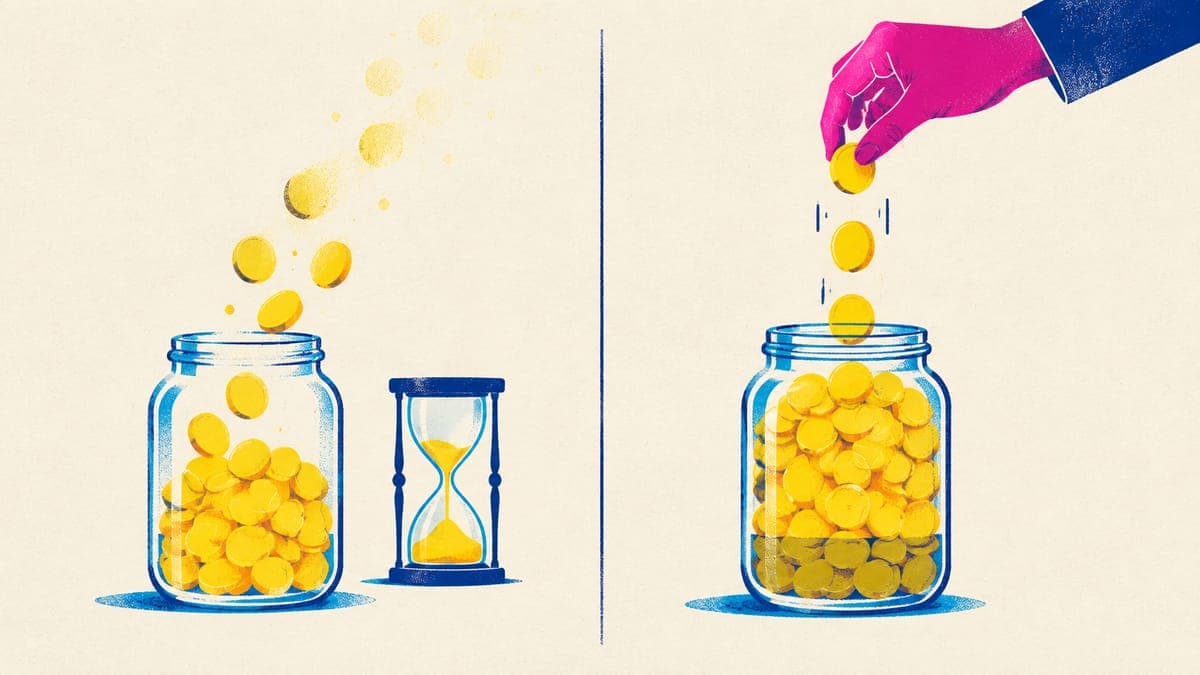
Credits expire. Plan credits expire three months after they’re granted; purchased and bonus credits last 12 months. There’s no public list of what each action costs in credits, which makes it hard to predict how far a plan will go. The free account’s 40 credits are a one-off onboarding bonus, not a monthly allowance.
Fulfillment is priced with MyDesigns’ margin. MyDesigns is the merchant of record for its own network of contracted printers and builds its margin into catalog prices. That can still be cheap (see the tee above), but not always: when we compared, a Printful-made item cost $10.17 through MyDesigns versus $8.95 bought from Printful directly.
Per-unit platform fees without published amounts. MyDesigns’ wallet terms define per-unit “Platform Fees,” including routing fees on Printify orders, but the amounts aren’t published. Orders are paid from a Stripe-backed wallet first and then from your saved card.
Channel coverage depends on the route. At the time of writing, MyDesigns’ pricing page lists Etsy, Shopify, WooCommerce and TikTok Shop connections, plus its own hosted MyDesigns Store (in beta) and Printify (paid plans only, for a selected part of Printify’s catalog). Check its current integrations before you plan around Amazon Seller Central, eBay or an API. Merch by Amazon, Redbubble, TeePublic and Spreadshirt are reached through Merch Titans, a separate subscription tool from the same founder.
Mixed reviews. MyDesigns had a 2.9 out of 5 rating on Trustpilot from 50 reviews in September 2026. Complaints cluster around billing after cancellation, publishing and mockup sync issues, and support wait times, while fans point to the bulk tools, fast Vision AI and the range of models. Fifty reviews is a small sample, so read the recent ones yourself.
Research that recreates proven listings. Scout AI, on Pro plans and up, finds listings with proven sales and then “recreates original versions” of them with Dream AI. Whatever tool you use, keep designs clearly your own: work that stays close to someone else’s bestseller is an intellectual-property risk for your shop.
3 months
Lifetime of MyDesigns plan credits (purchased and bonus credits: 12 months)
Source: MyDesigns docs, Sept 2026
120
Products per batch on Pro Plus, MyDesigns’ top plan
Source: MyDesigns pricing, Sept 2026
2.9 / 5
Trustpilot rating, from 50 reviews
Source: Trustpilot, Sept 2026
MyDesigns pricing at a glance (September 2026)
| Free | Starter | Pro | Pro Plus | |
|---|---|---|---|---|
| Monthly price | $0 | $24.99 | $49.99 | $99.99 |
| Per month, billed annually | $0 | $19.99 | $39.99 | $79.99 |
| AI credits per month | 0 (40 one-off) | 250 | 600 | 2,000 |
| Products per batch / publishes per day | 4 / 4 | 24 / 120 | 48 / 400 | 120 / 10,000 |
| Shops per marketplace | 1 | 1 | 3 | Unlimited |
| Scout AI research | No | No | Yes | Yes |
From MyDesigns’ public pricing page in September 2026. Plan credits expire after 3 months. Check mydesigns.io/pricing for current prices.
MyDesigns offers a 7-day money-back guarantee, minus any credits you’ve used, so you can try it with limited risk. Compare the credit allowance with how many designs you actually make in a month, not with the headline price alone.
Alternative 1: POD Made Easy
POD Made Easy is our AI studio for print-on-demand sellers. It turns an idea into a print-ready design, writes the listing and creates the product in your own Printify or Gelato shop, which then publishes it to your store. It can also create products in a Printful “Manual order / API” store, and for Prodigi or any other provider it gives you exact-size print files plus the listing copy. We built it around the concerns above:
- Your own provider account, at your own prices. We never sit between you and your print provider, so there’s no fulfillment markup and no per-order fee. Orders go straight to your provider, and we never touch them.
- Credits that roll over. Unused credits roll over (up to two months’ worth), and every action’s cost is published. You pick the image effort: a Low-effort draft costs 1 credit, a print-ready final 3–30 depending on file type and effort, and SEO copy, spell-checks and print checks are free.
- Print-ready files, checked. Every final is made at the exact print-area pixel size for the product you pick, with clean transparency where the product needs it, and a vision model spell-checks any text in the design before you publish.
- Your channels, including Printify’s. Publish through Printify to Etsy, Shopify, TikTok Shop, eBay, Amazon, WooCommerce, Wix, Squarespace, BigCommerce and more, or to your Gelato-connected store. For Redbubble, TeePublic, Spreadshirt and Merch, you get export packs (sized files, title, tags and disclosures) and a Chrome extension that fills in the upload form for you to review and publish yourself.
- Etsy-ready copy. Titles under 140 characters, 13 tags and descriptions written for buyers, with AI-use and production-partner disclosures added automatically.
- A trademark safety check. Famous brand, character and team names in your idea, printed words, title or tags are flagged before you publish. It’s a safety net rather than legal clearance, but it points the opposite way from tools that recreate other sellers’ bestsellers.
Plans start at $24 a month, or $20 a month billed yearly, at the time of writing, with a 7-day free trial that includes 60 credits. If you cancel, your listings keep selling and your design library stays downloadable.
Where it’s not the right fit: POD Made Easy is newer, and its batch tools are simpler: you get four drafts per batch and create products one at a time. It doesn’t host a storefront, deliver digital downloads or use your own PSD mockup templates (mockups come from your provider), and it deliberately has no feature for recreating competitors’ bestsellers.
Try this idea in POD Made Easy
“Vintage botanical illustration of a honeybee on lavender, muted earth tones, distressed screen-print texture” · text: “Proud Beekeeper”
Alternative 2: Printify’s and Printful’s built-in tools
If you publish a handful of designs a week, you may not need another subscription at all. Printify offers free mockups and an AI image generator (see our Printify review), and Printful has its Design Maker for simple designs. Both create the listing on Etsy and handle orders for you.
- Pros: free, no extra account to manage, and you pay the provider’s own prices directly.
- Cons: you build products one design at a time (Printify has no bulk multi-design publishing, and Printful has no bulk AI generation), you write every title, tag and description yourself, and print-readiness checks are up to you.
This is the best choice if you’re testing the waters or already design in another tool. If you write listings by hand, our free Etsy title and tag checker catches tags over 20 characters and repeated words before you publish.
Alternative 3: Kittl or Canva, plus manual listing
Design-first sellers often prefer a dedicated editor. Kittl pairs a strong editor with 12+ AI image models and a vectorizer, for roughly $10–$30 a month. Canva has free and paid plans and a huge template library. Neither publishes to your POD provider, so the workflow is: design, export at the print-area size, upload to Printify or Printful, then write the listing yourself.
- Pros: full creative control, great typography and templates, and you keep your provider’s own pricing.
- Cons: every product and listing is manual, and you need to check each tool’s license terms before using templates or stock elements on products you sell (our guide to using Canva for print-on-demand covers Canva’s).
This works well if your designs are typography-heavy or hand-crafted and you publish at a steady, low volume.
Free print DPI checkerExporting from an editor? Check that your file prints sharply at full size.Alternative 4: Merch Titans, Flying Upload and similar tools
If Merch by Amazon (now Merch on Demand) is your main channel, you’ll come across tools like Merch Titans ($29.99–$39.99 a month, with uploads, AI SEO and USPTO trademark checks) and Flying Research/Upload ($159–$990 a year, with research, trademark checks and uploads to 12+ platforms). They’re popular for research and trademark screening, and both focus mainly on Merch by Amazon and similar marketplaces rather than Etsy. (New to Merch? Our Merch by Amazon guide covers tiers and royalties.)
Be careful with the upload part. Amazon’s Merch on Demand FAQ says scripted bulk uploads aren’t allowed and that sharing account access risks suspension, and Redbubble bans uploads made “using any bot, scraper, or other automated means.” Upload tools like these drive your logged-in account rather than an official API, so read each platform’s rules and decide how much risk you’re willing to take with your account.
A safer pattern for these marketplaces is to prepare everything in bulk (correctly sized files, titles, tags and disclosures) and keep a human in the loop for every upload. That’s what POD Made Easy’s export packs and Chrome extension are for: the extension fills in the upload form in your own browser, and you review each listing and click publish yourself, one at a time. There are no background bots, but check each platform’s current rules either way. (Our Redbubble vs Etsy comparison covers the royalty model.)
Two other categories are worth knowing. Etsy research and SEO tools such as Everbee, eRank and Alura don’t design or fulfill anything, but they pair well with any option here (see Everbee vs eRank). Placeit ($14.95 a month) is a large mockup library if you want more lifestyle photos, one mockup at a time; our roundup of t-shirt mockup generators compares it with the free options.
Side-by-side comparison
| MyDesigns | POD Made Easy | Printify / Printful tools | Kittl or Canva | |
|---|---|---|---|---|
| Entry price (Sept 2026) | Free tier; paid from $24.99/mo | From $24/mo; 7-day free trial | Free | Free tiers; Kittl paid ~$10–$30/mo |
| AI design | 13+ models, batch generation | Drafts plus print-ready finals | Printify AI generator; Printful Design Maker | Kittl: 12+ image models |
| Fulfillment | Own network with margin, or Printify on paid plans | Your own Printify, Gelato or Printful account and prices | Provider’s own pricing | Any provider, uploaded by hand |
| Per-order platform fees | Defined in terms; amounts unpublished | None | None | None |
| Credits | Plan credits expire after 3 months | Roll over, up to 2 months’ worth | Not applicable | Varies by plan |
| Bulk publishing | Up to 120 products per batch | 4 drafts per batch; products one at a time | One product at a time | Manual only |
| Print-ready checks | Bulk image tools (upscale, background removal, resize) | Automatic size, transparency and spell checks on every final | Manual | Manual |
| Channels | Etsy, Shopify, WooCommerce, TikTok Shop, own store, Printify; others via Merch Titans | All Printify channels and Gelato stores, plus export packs and a Chrome listing assistant | Each provider’s own integrations | Wherever you upload |
| Best for | High-volume bulk sellers and digital products | Etsy and multichannel sellers who want their own pricing | Low volume and testing | Design-led shops |
Based on public pricing pages, documentation and terms as of September 2026. Features and prices change, so check each tool’s site before you buy.
How to choose
Answer these five questions and the right option usually becomes obvious:
- Do you want to keep your own provider pricing? If you already have a Printify, Gelato or Printful account and like its prices, pick a tool that works with it directly.
- How many designs do you publish a month? A few a week works fine with free built-in tools; dozens a week justify an AI studio. (Our guide to print-on-demand automation covers what’s worth automating.)
- Do you sell digital products or rely on custom PSD mockups? MyDesigns is strong on both.
- Which channels matter? If TikTok Shop, eBay or Amazon are in your plans, check which ones each tool supports today, not on its roadmap.
- How predictable does your bill need to be? Compare credit rules (expiry, rollover, published costs) as carefully as the headline price.
Stay with MyDesigns if its bulk pipeline, mockups and digital-product features are central to your business and its credit and fulfillment rules work for your volume. Choose POD Made Easy if you want print-ready files, Etsy-ready copy and your own provider pricing, with credits that roll over. Use the free provider tools while you test, and Kittl or Canva if design control matters more than speed. For the wider tool landscape, from research to mockups, see our roundup of the best print-on-demand tools.
Try the alternative that keeps your own pricing
POD Made Easy makes print-ready, spell-checked designs with Etsy-ready copy and creates products in your own Printify or Gelato account at your prices. No fulfillment markup or per-order fees, credits that roll over, and a 7-day free trial.
Start your free trialSwitching without breaking your listings
- Download your designs first. Export your full-resolution files before you downgrade or cancel any tool. Losing designs or Printify routing after a downgrade is one of the complaints in MyDesigns’ reviews.
- Plan around digital listings. MyDesigns’ terms allow digital listings to be deactivated within 21 days of canceling, so move digital products before you cancel.
- Keep live listings running. Don’t deactivate listings that sell until their replacement is set up and tested.
- Move in small batches. Recreate a few best sellers with your new setup, order samples, then move the rest.
- Update production partners. If the company making a listing’s product changes, update the production partner on Etsy so your disclosures stay accurate.
- Re-run your prices. A new provider means new base costs, so check your profit per sale before you switch.
Want every feature side by side? See the full POD Made Easy vs MyDesigns comparison across pricing, credits, fulfillment, channels and print-ready checks.
Frequently asked questions
- What is the best MyDesigns alternative?
- It depends on what you need. POD Made Easy suits Etsy and multichannel sellers who want to keep their own Printify, Gelato or Printful account and prices, with credits that roll over. Printify’s and Printful’s free tools suit low volumes, and Kittl or Canva suit design-led shops that list by hand.
- Do MyDesigns credits expire?
- Yes. As of September 2026, plan credits expire three months after they’re granted, while purchased and bonus credits last 12 months. Check MyDesigns’ current terms, because credit rules can change.
- Can I use MyDesigns with my own Printify account?
- On paid plans, MyDesigns connects to Printify for a selected part of Printify’s catalog. Its wallet terms define per-unit platform fees, including routing fees on Printify orders, but don’t publish the amounts (as of September 2026).
- Is MyDesigns good for beginners?
- It can be, but some users find the dashboard overwhelming, and the free plan has no monthly credits, only a one-off 40-credit bonus. Beginners on a budget can start with Printify’s free tools and add an AI studio once they publish regularly.
- Are upload tools for Merch by Amazon allowed?
- Amazon’s Merch on Demand FAQ says scripted bulk uploads aren’t allowed, and Redbubble bans automated uploads. Read each platform’s rules before using any tool that uploads for you.
Keep reading
More platforms & providers guides
Platforms & providers
Best Print-on-Demand Sites (2026): Providers vs Marketplaces
The best print-on-demand sites in 2026: providers for your own shop (Printify, Printful, Gelato, Prodigi) vs royalty marketplaces, with margins and picks.
Sep 24, 2026 · 11 min read
Platforms & providers
Shopify Print-on-Demand: How to Launch Beyond Etsy (2026)
Shopify print-on-demand in 2026: real costs ($29–$39/mo plus 2.9% + 30¢ per sale), the best POD apps, setup steps and where your first visitors come from.
Sep 24, 2026 · 9 min read
Platforms & providers
Print-on-Demand on Amazon (2026): Merch vs Printify
The two ways to sell print-on-demand on Amazon in 2026: Merch on Demand royalties or your own seller account with Printify. Fees, rules and profit per sale.
Sep 24, 2026 · 12 min read