Midjourney for Print-on-Demand: Rights and Print-Ready Files
Can you use Midjourney for print-on-demand? Yes, on a paid plan. What the 2026 terms allow, and how to fix resolution, transparency and text for print.
By the POD Made Easy team · September 24, 2026 · 10 min read
Yes, you can use Midjourney for print-on-demand. Midjourney’s terms say you own the images you create, and every paid plan comes with commercial usage rights, so you can put your designs on shirts, mugs and posters you sell. The one exception: if you’re part of a company earning more than $1 million a year, you need the Pro or Mega plan.
The harder part is the file. Midjourney makes beautiful images, not print files: a square HD image is 2048 pixels wide, there’s no transparent background, and the lettering still needs checking. This guide covers what the 2026 terms allow, which plan to choose for print-on-demand, and a step-by-step workflow that turns a Midjourney image into a print-ready PNG.
Key takeaways
- Paid Midjourney subscribers own their images and can sell them on POD products; companies with more than $1M a year in revenue need Pro or Mega.
- Images are public and can be remixed by default. Only the Pro and Mega plans include Stealth mode.
- A square V8.2 image tops out at 2048 × 2048 px, less than half the width of a 4500 × 5400 tee file, so you’ll need to upscale or vectorize.
- Midjourney doesn’t generate transparent backgrounds. Remove the background, then clean the edges for DTG printing.
- Selling rights don’t cover trademarks or characters. Midjourney will draw them; you’re the one who gets the takedown.
Can you sell Midjourney art? What the terms say (2026)
Midjourney’s Terms of Service (effective May 27, 2026) are fairly short on this point. Here’s what matters for a POD seller:
- You own what you make. The terms give you ownership of the images you create, to the fullest extent the law allows, and that ownership continues if you later downgrade or cancel.
- The company rule. If you’re a company, or an employee of one, with more than $1,000,000 a year in revenue, you must be on the Pro or Mega plan to own your images.
- Midjourney gets a license too. By using the service you give Midjourney a broad, permanent license to your prompts and images, and by default other users can see and remix them.
- No automation. The terms ban automated tools for accessing the service or generating images, so there’s no approved way to plug Midjourney into a bulk design pipeline.
- IP is your responsibility. You may not use Midjourney to violate anyone’s copyright or trademark, and you’re responsible for the content you generate.
“Own” has a limit, though. In the US, purely AI-generated images can’t be registered for copyright, and the Supreme Court declined to revisit that rule in March 2026. You can sell a Midjourney design, but you may not be able to stop someone copying it. Our guide to using AI images commercially explains what that means in practice. For the exact wording, read Midjourney’s Terms of Service.
Which Midjourney plan do you need for POD?
| Plan | Monthly | Billed yearly | Fast GPU time | Relax mode | Stealth mode |
|---|---|---|---|---|---|
| Basic | $10 | $96 ($8/mo) | 3.3 hr | No | No |
| Standard | $30 | $288 ($24/mo) | 15 hr | Unlimited images | No |
| Pro | $60 | $576 ($48/mo) | 30 hr | Unlimited images and SD video | Yes |
| Mega | $120 | $1,152 ($96/mo) | 60 hr | Unlimited images and SD video | Yes |
From Midjourney’s plan comparison, September 2026. Extra fast GPU time costs $4 an hour on every plan.
For most side-hustle sellers, Standard is the sweet spot. Unlimited Relax-mode images mean you can explore concepts without watching a meter, and 15 fast hours cover the jobs you want back quickly.
Basic works if you’ll only make a handful of designs a month. Its 3.3 fast hours are about 200 GPU minutes, and an HD job uses about 1.3 minutes, so that’s roughly 150 HD jobs before upscales and edits eat into it. Pay for Pro only if you want Stealth mode to keep new designs private, or if the $1 million company rule applies to you. You can compare the current plans on Midjourney’s plan comparison page.
Where Midjourney falls short on print files
V8.2 has been Midjourney’s default model since July 24, 2026. It’s excellent at style, but a POD provider needs more than a good-looking image. Here’s the gap between what Midjourney gives you and what a print file needs:
| Print need | What Midjourney gives you | The fix |
|---|---|---|
| 4500 × 5400 px for a full-front tee | 1024 × 1024 px standard; 2048 × 2048 px HD or upscaled (1792 × 2688 at 2:3) | AI upscale about 2–2.5×, or vectorize flat art |
| Transparent background | None; the editor can erase a background and export a transparent PNG | Remove the background, then clean the edge pixels |
| Correct lettering | Much improved in V8, still not reliable enough to skip proofreading | Proofread; replace the text with real type if needed |
| Flat, printable color | Rich texture, soft light and gradients by default | Prompt for flat colors and bold outlines |
| Private designs | Public and remixable by default | Stealth mode on Pro or Mega |
Image sizes from Midjourney’s upscaler documentation for V8.2. HD images can’t be upscaled further inside Midjourney.
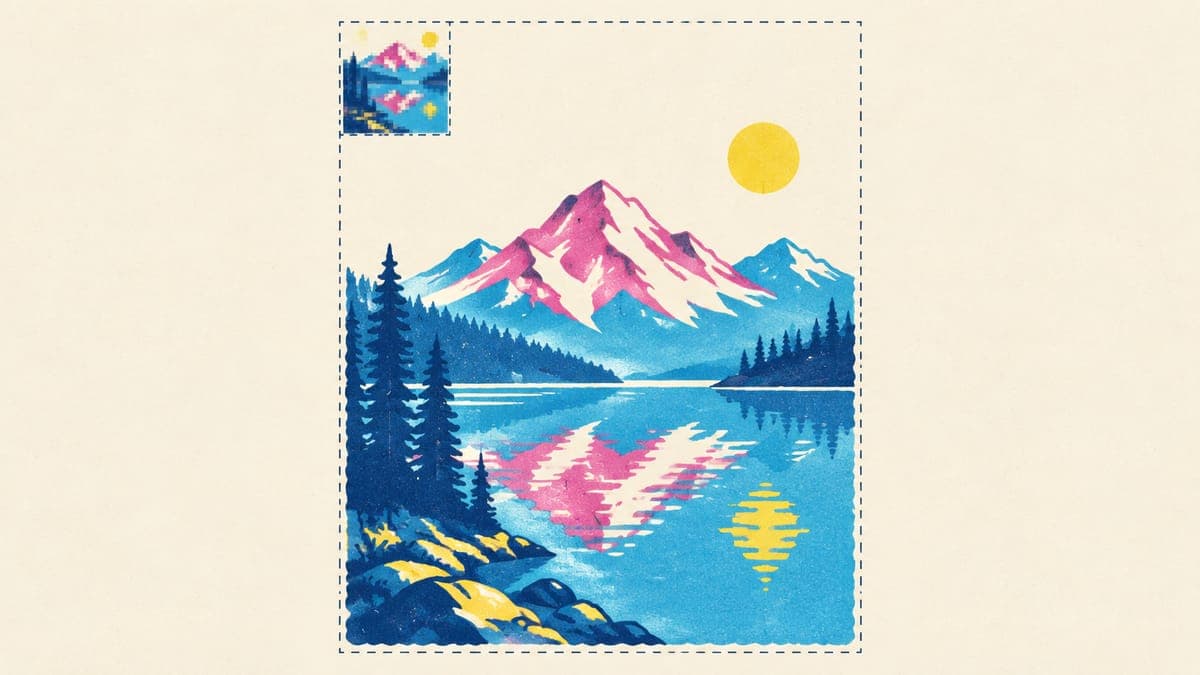
In DPI terms, a 2048-pixel-wide image printed 12 inches wide comes out at about 170 DPI. Stretched to a full 15 inches, it drops to about 137 DPI, below the roughly 150 DPI floor most sellers treat as the minimum for sharp prints. So a Midjourney image can print acceptably at small and medium sizes, but a full-front design needs upscaling. Our t-shirt design size guide covers the pixel math for every common print area.
Which products can use a Midjourney file without upscaling?
Not every product needs 4500 pixels. Smaller print areas are well within reach of a 2048-pixel HD image, which makes them a good place to test Midjourney designs before you invest in upscaling:
| Product | Pixels needed (approx.) | Midjourney HD enough? |
|---|---|---|
| Kiss-cut sticker, up to 6 in | Up to 1,800 px per side at 300 DPI | Yes |
| Left-chest print, about 4 in wide | About 1,200 px wide at 300 DPI | Yes |
| 11 oz mug, full wrap | About 2,400–2,850 × 1,050–1,200 px, varies by partner | Usually, from a wide 16:9 HD image (2912 × 1632) cropped to the template |
| 12 × 18 in poster | 3600 × 5400 at 300 DPI | About 150 DPI from a 2:3 HD image; upscale 2× for 300 DPI |
| Full-front tee | 4500 × 5400 px | No: upscale about 2–2.5× |
| 18 × 24 in poster | 5400 × 7200 at 300 DPI | No: upscale about 3× |
Illustrative sizes. Always use your provider’s template for the exact print area of each product.
A practical way to start: list a new Midjourney design on stickers and mugs first, and only upscale it for shirts and big posters once it gets views and favorites.
How to prompt Midjourney for t-shirt graphics
Midjourney loves atmosphere: soft light, scenery, texture. For a shirt you usually want the opposite: one subject, flat color, hard edges and nothing behind it. A few habits help:
- Ask for a plain background. “Isolated on a plain white background” (or solid black for light-colored artwork) makes background removal clean. Asking for “transparent” can get you a painted-on checkerboard instead.
- Use --no. Add something like --no shirt, mockup, gradient, shadow to strip out what you don’t want.
- Set the shape with --ar. Use --ar 4:5 or --ar 2:3 for a portrait chest print, or --ar 1:1 for a round badge.
- Name the style, not the artist. “Screen-print style, three flat colors, thick outlines” beats a famous illustrator’s name, which also invites near-copies of their real work.
- Quote any words. Put printed text in quotation marks and keep it to a few words.
- Keep a collection consistent. Style references (--sref) let you reuse the look of a design you like across a whole series.
For more starting points, adapt any of our 100 AI prompts for t-shirt designs: swap “transparent background” for “plain white background” and add the parameters above.
From Midjourney image to print-ready PNG: the fix workflow
Once you have a design you like, these steps turn it into a file your provider can print. Work in this order, because upscaling after background removal tends to create soft edges.
- Generate at the right shape and size. Pick the aspect ratio you’ll print at, then make the winner HD or run the Subtle upscaler, which changes the least. Both give you 2048 × 2048 px for a square image.
- Upscale to print size. Enlarge about 2–2.5× with an AI upscaler to reach 4500 px wide, or your provider’s print-area size. Our guide to upscaling an image for print compares the options.
- Remove the background. Use a background remover, or Midjourney’s editor: Smart Select the subject, choose Erase Background, then download with Save Current Edit for a transparent PNG.
- Clean the edges. Zoom to 400% and look for soft, half-transparent pixels along the outline; DTG printers turn those into halos. Our transparent PNG guide for t-shirts shows how to harden them.
- Fix the words. Proofread letter by letter. If anything is off, erase the AI lettering and set the phrase in a font licensed for commercial use.
- Export and check. Save a PNG at the exact print-area size, then view it at 100% on a dark and a light background to catch stray specks.
Vectorize or upscale? Pick by style
Upscaling isn’t the only route to print size. For some styles, tracing the image into a vector is better:
| Design style | Best route | Why |
|---|---|---|
| Flat screen-print art and badges | Vectorize | Edges stay crisp at any size, and colors are easy to change |
| Line art and one-line drawings | Vectorize | Lines stay solid instead of turning fuzzy |
| Lettering | Vectorize, or re-set in a real font | Letters can be corrected one by one |
| Painterly, textured or detailed art | AI upscale | Keeps the texture that vectors flatten |
| Photographic images | AI upscale | Vector tracing turns photos into blotchy shapes |
Our guide to vectorizing an image for print covers free and paid tracing tools and how to clean up the result.
Skip the cleanup pass
POD Made Easy creates designs as print-ready finals: vector, clean transparent PNG or 4K artwork at your product’s exact print-area size, with any AI lettering spell-checked by a vision model before you publish.
Start your free trialTrademarks, characters and copycats
Midjourney can draw famous characters and logos surprisingly well, which is exactly the problem. Being able to generate something doesn’t mean you can sell it. In 2025, major studios including Disney and Universal sued Midjourney over images of their characters. If you sell a shirt with one of those characters on it, the takedown lands on your shop, not on the tool.
- Keep names out of prompts. No brands, teams, characters, franchises, celebrities or living artists.
- Watch for accidental lookalikes. If a result reminds you of a famous mascot or logo, don’t use it.
- Check every phrase. Search printed words in the USPTO trademark database, especially in class 25 for clothing. Our guide to avoiding trademark infringement walks through it.
- Expect copycats. Your images are public by default and may not be protected by copyright, so compete on niche knowledge, speed and quality rather than on a single image.
Midjourney vs other AI tools for POD
| What you need | Midjourney | Consider instead |
|---|---|---|
| Distinctive art styles | Excellent | Midjourney is the benchmark here |
| Slogan tees | Improved, still check | GPT Image 2.5 or Ideogram |
| Transparent PNGs | Editor workaround only | GPT Image 2.5, which makes them natively |
| Vector files | No | Recraft’s vector models |
| Bulk or automated generation | Not allowed by its terms | API-based models |
Many sellers use Midjourney for the look and another tool for text-heavy or vector work. Our comparison of the best AI image generators for t-shirt designs goes through each option.
Try this idea in POD Made Easy
“Retro screen-print illustration of a black bear fishing from a canoe on a calm lake, three flat colors: forest green, burnt orange and cream, thick outlines, isolated on transparent background”
Listing Midjourney designs on Etsy
Etsy allows designs you create with AI tools from your own prompts, but two things are required. Say in the listing description that AI was used (you don’t need to name Midjourney), and link the listing to your production partner, such as Printify or Printful. Don’t describe the artwork as hand-drawn or hand-painted.
Our guide to selling AI designs on Etsy has sample disclosure wording and a pre-publish checklist.
Frequently asked questions
- Can I use Midjourney images commercially on the Basic plan?
- Yes. Midjourney’s plan comparison lists the same general commercial terms on all four paid plans. The exception is size: if you’re a company, or work for one, with more than $1,000,000 a year in revenue, you need the Pro or Mega plan to own your images.
- Do I still own my Midjourney images if I cancel my subscription?
- Yes. Midjourney’s terms say your ownership of the images you created continues even if you later downgrade or cancel your membership.
- Can other people see and copy my Midjourney designs?
- By default, yes: your images are publicly viewable and other users can remix them. Stealth mode, available only on the Pro and Mega plans, keeps new images private, but anything you make in a shared Discord channel is still visible there.
- Is Midjourney good at putting text on shirts?
- Much better than it used to be. The V8 models handle short phrases far more reliably, especially when the words are in quotation marks, but spelling still needs checking. For text-first designs, proofread letter by letter or add the words yourself with a commercial-use font.
- Can I automate Midjourney to make designs in bulk?
- No. Midjourney’s terms prohibit using automated tools to access the service or generate images. Tools that promise to bulk-generate designs through a Midjourney account put that account at risk.
Keep reading
More design guides
Design
Can You Use Canva for Print-on-Demand? License and Workflow
Yes, if your design is original. What Canva’s license allows on print-on-demand merch, what it bans, and the export settings that give you print-ready files.
Sep 24, 2026 · 10 min read
Design
How to Make a Vintage T-Shirt Design That Prints Cleanly
Make a vintage t-shirt design with retro palettes, sunset stripes, badges, halftones and distressing, without the semi-transparent pixels that ruin DTG prints.
Sep 24, 2026 · 10 min read
Design
100 AI Prompts for T-Shirt Designs That Print Well
100 original AI prompts for t-shirt designs, sorted by style and niche, plus a simple prompt formula and print-safe add-ons that work in ChatGPT or Midjourney.
Sep 24, 2026 · 19 min read