17 Print-on-Demand Mistakes That Sink New Shops (and Fixes)
17 print on demand mistakes that sink new shops, grouped by stage: niche, design, print files, listings, pricing, operations and legal, each with a clear fix.
By the POD Made Easy team · September 24, 2026 · 11 min read
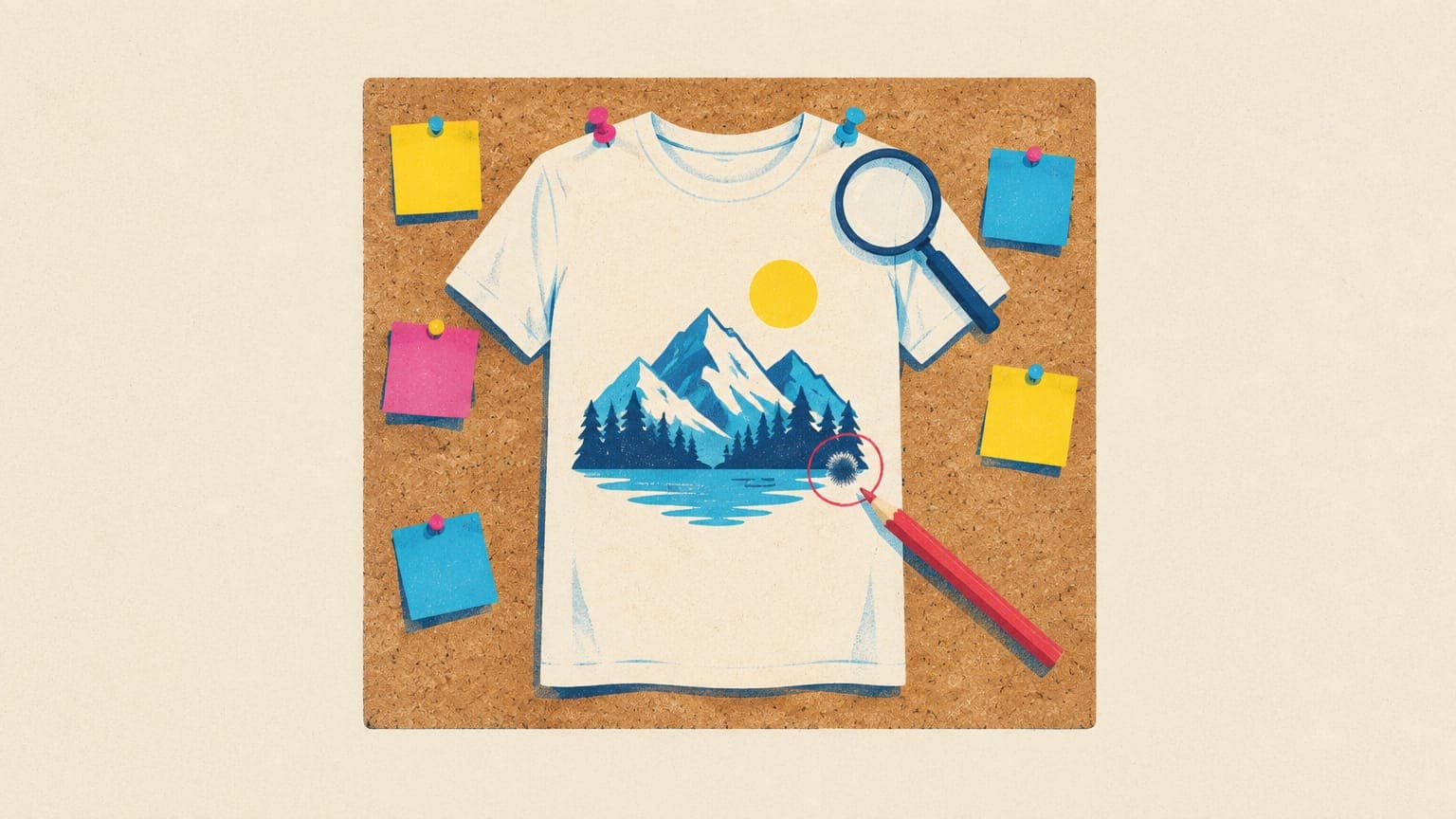
New print-on-demand shops rarely fail because of one big error. They stall because of small, fixable mistakes that stack up: designs for nobody in particular, files that print blurry or with a faint box around them, listings buyers can’t find, prices that vanish after fees, and giving up after 20 listings.
Here are 17 common print-on-demand mistakes, grouped by the stage where they happen. Each one covers what it looks like, why it hurts and the fix, with a link to the full guide when you need more depth. Use it as a checklist for a new shop, or as an audit for one that’s gone quiet.
Key takeaways
- Most early problems are niche problems: a design for everyone gives no one a reason to buy it.
- File mistakes (low resolution, messy transparency, misspelled AI text) turn sales into refunds and one-star reviews.
- Listings need buyer phrases: short readable titles and all 13 tags, each a real search phrase.
- Price from your costs up. At typical costs, a $14.99 tee loses money after Etsy’s fees and shipping.
- Name your production partner, disclose AI use, search trademarks, and give a niche 50+ listings before judging it.
Niche and research mistakes
1. Designing for everyone
What it looks like: funny shirts, cute mugs, “gift for her”. Designs with no particular buyer in mind.
Why it hurts: broad searches are the most crowded on Etsy, so your listings sit pages deep. And a design that isn’t for anyone gives no one a reason to choose it as a gift.
The fix: write the buyer in one line before you design (“retired teachers who garden”, “new beekeepers”, “night-shift ER nurses”), then check Etsy’s search suggestions for how those people search. Our guide to finding print-on-demand niches has the full method.
2. Copying best sellers
What it looks like: finding a best seller and making something “inspired by” it: the same phrase and layout in a different font.
Why it hurts: it can infringe the original seller’s copyright, it falls short of Etsy’s expectation of original designs, and you’re now competing with a shop that already has the reviews.
The fix: use best sellers as research, not source material. Note the buyer, the occasion and the product, then write your own angle for a narrower sub-niche the best seller doesn’t serve.
3. Listing seasonal designs too late
What it looks like: Halloween designs published in late October, Christmas designs in December.
Why it hurts: buyers search weeks before the day, new listings need time to gain traction, and POD adds production time before shipping even starts.
The fix: as a rule of thumb, have seasonal designs live about two months ahead, earlier for Christmas, and set a last-order date that covers production plus delivery. The print-on-demand seasonal calendar lists the windows for every major date.
Design mistakes
4. Designs that don’t read at a glance
What it looks like: a 30-word quote in a thin script font, navy text on a black shirt, or fine detail that turns to mush when printed.
Why it hurts: buyers decide from a thumbnail on a phone. What they can’t read, they don’t click, and thin lines and tiny text can print poorly on fabric.
The fix: keep the key words big and short (three to seven words for the main phrase is a good rule of thumb), check contrast against every shirt color you offer, and look at your mockup at thumbnail size before you publish.
5. Publishing AI text without proofreading
What it looks like: “Worlds Best Grandma” with the apostrophe missing, “Teacher Apreciation”, or an extra letter hiding in curved lettering.
Why it hurts: a typo is the fastest route to a refund and a one-star review, and it’s usually spotted only after the order has printed. AI image tools are much better at text than they were, but they still slip, especially on longer phrases.
The fix: read every word letter by letter, then backwards, then ask someone else to read it. Zoom in on stylized letters, and check the wording against your listing title.
Print file mistakes
6. Low-resolution files
What it looks like: a 1024 × 1024 px image stretched across a 12 × 16 inch print area (about 85 DPI).
Why it hurts: the print comes out soft or pixelated, and buyers notice in person even when the mockup looked fine.
The fix: pixels = inches × DPI, and 300 DPI is the target. A full-front tee area of 15 × 18 inches needs 4500 × 5400 px; a 12 × 16 inch area needs 3600 × 4800 px. Printify lists each print area in pixels, so export at exactly that size. Our guide to t-shirt design size and DPI covers every common product.
7. Messy transparency (halos and boxes)
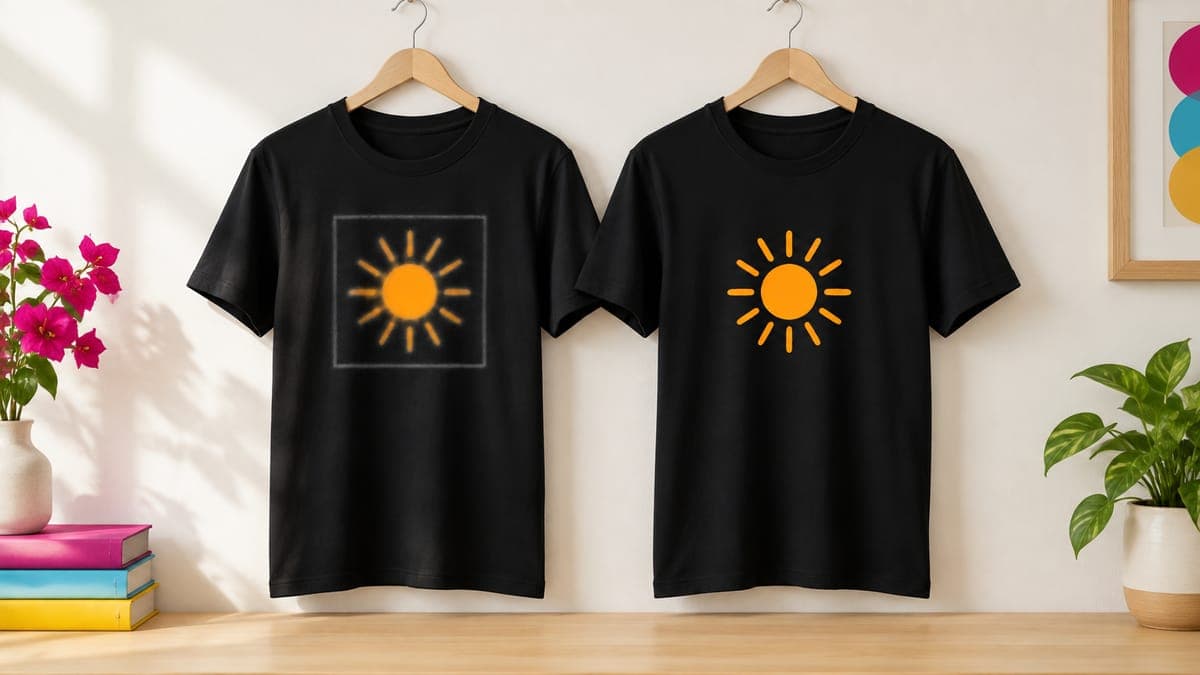
What it looks like: a faint rectangle or a fuzzy outline around the design on the shirt, or a “transparent” PNG with a checkerboard baked into the image.
Why it hurts: DTG printers print semi-transparent pixels, so soft edges and leftover background become visible halos or boxes, especially on dark garments.
The fix: use a true transparent PNG with clean, fully opaque edges, remove stray semi-transparent pixels, and preview the file on both a dark and a light shirt. Here’s how to make a clean transparent PNG for t-shirts.
8. The wrong size or ratio for the product
What it looks like: a square design on a 2:3 poster, a mug wrap with the main motif under the handle, or a full-bleed print with no bleed.
Why it hurts: the provider crops or scales the file to fit, so buyers get something different from the mockup.
The fix: design in the product’s aspect ratio (a 12 × 18 inch poster is 2:3, or 3600 × 5400 px at 300 DPI), keep key elements clear of the handle zone on mugs, and add bleed wherever the provider’s template asks for it.
Free print DPI checkerUpload a design and see exactly how large it can print sharply, before a buyer finds out the hard way.Listing mistakes
Etsy has to understand what your item is before it can show it to anyone. Our Etsy SEO guide covers the whole system; these are the common Etsy seller mistakes that hurt new POD shops the most.
9. Titles and tags written for robots
What it looks like: a 140-character title that repeats “shirt” four times, tags like “funny”, “gift” and “shirt”, or only 6 of the 13 tags used.
Why it hurts: Etsy’s 2025 Seller Handbook guidance favors short, readable titles, and single-word tags waste slots that could match real buyer searches.
The fix: lead the title with what the item is and its main search phrase, in under about 15 words. Use all 13 tags as multi-word phrases of up to 20 characters, covering who it’s for, the occasion, the style and the product. Our Etsy tags guide has worked examples.
10. Photos that mislead (and no size chart)
What it looks like: a mockup in a color you don’t sell, a design scaled bigger than it will print, a first photo too busy to read at thumbnail size, and no size chart.
Why it hurts: misleading photos lead to “not as described” complaints, unreadable thumbnails don’t get clicked, and a missing size chart means wrong-size orders, which are usually your cost.
The fix: make the first photo the design, large and clear, on a color you actually offer. Show true placement and scale, add a size chart image built from your provider’s measurements, and put care details in the description. See Etsy mockups that sell for a full photo plan.
Catch the costly mistakes before a buyer does
POD Made Easy sizes every final to the product’s exact print area, checks resolution and transparency, spell-checks AI-rendered text with a vision model, flags famous brands and characters, and writes a short title, 13 tags within Etsy’s limits and a description with AI and production-partner lines.
Start your free trialPricing mistakes
11. Pricing from competitors down
What it looks like: $14.99 tees “because that’s what others charge”, one price for every size from S to 3XL, and no room for ads or discounts.
Why it hurts: with illustrative costs of $8.80 for the tee and $4.75 for shipping, a $14.99 tee loses about $0.43 per sale after Etsy’s fees. Even at $19.99, a sale that came from a 15% Offsite Ad leaves about $1.
The fix: price from your costs up (product + shipping + Etsy fees + the profit you want), then check the Offsite Ads case, and charge more for 2XL and up because they cost more to make. The pricing formula and tables are in how to price print-on-demand products.
Etsy fee & profit calculatorSee every Etsy fee and your real profit per sale, with and without Offsite Ads.Operations mistakes
12. Processing times that don’t match production
What it looks like: a one-day processing time on Etsy when your print partner usually takes several business days to ship.
Why it hurts: orders arrive after the date Etsy promised the buyer, which invites complaints and low ratings.
The fix: set processing time from your partner’s real production time (Printify shows each partner’s recent average, and most Printify orders ship within 2–7 business days), set delivery from real transit times, and add a buffer in November and December. Our guide to Etsy shipping profiles for POD shows the setup.
13. Fighting your provider’s sync
What it looks like: editing a title on Etsy, duplicating a synced listing to make a variation, or republishing a product to test a change.
Why it hurts: changing the title, description or SKU on Etsy, or duplicating a synced listing, can break the link to Printify, so orders stop flowing. Every republish can also create a new $0.20 listing.
The fix: make changes in your provider and publish from there, keep one listing per product, and check that new orders still import. Here’s how to connect Printify to Etsy and fix sync problems.
14. Never ordering a sample
What it looks like: 60 listings live, and you’ve never held the product.
Why it hurts: you can’t describe fit, fabric or color accurately, and you won’t catch a print problem before your buyers do.
The fix: order a sample of your main product and of any design that starts selling, and compare two print partners if you’re unsure. At the time of writing, Printful takes 20% off sample orders.
Legal and policy mistakes
15. Skipping the production partner and AI disclosure
What it looks like: POD listings that say “made by” you, and AI-assisted designs with no mention of AI.
Why it hurts: Etsy’s Creativity Standards (revised June 2025) require POD listings to name a production partner and AI-created designs to disclose AI use. Listings that don’t can be removed.
The fix: add your provider in Shop Manager → Settings → Partners you work with (formerly “Production partners”), assign it to every POD listing, and add a plain one-line AI disclosure to the description wherever AI helped create the design. Our step-by-step guide to adding an Etsy production partner covers bulk updates.
16. Trademark blind spots
What it looks like: team names, brand parodies, character references, song lyrics, or a catchy everyday phrase that turns out to be a registered trademark for shirts.
Why it hurts: rights holders file IP reports, Etsy removes the listings, and repeated reports can get a shop suspended.
The fix: search every phrase you didn’t invent in the USPTO Trademark Search system (clothing is class 25), plus the UK IPO or EUIPO if you sell there. When in doubt, rewrite. More in how to avoid trademark infringement in POD.
The mindset mistake
17. Giving up at 20 listings
What it looks like: 20 listings, three weeks, no sales, shop abandoned.
Why it hurts: 20 listings is rarely enough data to judge a niche, and quitting throws away everything you learned setting up.
The fix: commit to 50 or more focused listings and 90 days before deciding. Check your stats weekly (views and favorites first, sales later) and make variations of whatever gets attention. Our 5-hour-a-week side hustle plan turns that into a schedule you can keep.
A 10-minute pre-publish checklist
If you keep only one set of print-on-demand tips for beginners from this page, make it this one. Run through it before every listing goes live; it catches most of the mistakes above in one pass.
| Check | Pass if… |
|---|---|
| Buyer | You can name the specific person this design is for |
| Originality | The idea and wording are yours, not a remix of a best seller |
| Spelling | Every word on the design is proofread letter by letter |
| Legibility | The main phrase reads at thumbnail size on every color you offer |
| Resolution | The file matches the print area’s pixel size (around 300 DPI) |
| Transparency | Edges are clean, with no halo or leftover background |
| Title and tags | Short, readable title; all 13 tags are real multi-word phrases |
| Photos | First photo is clear and accurate; a size chart is included |
| Price | Profitable after fees, and still positive if the sale comes from an Offsite Ad |
| Policy | Production partner assigned, AI use disclosed, trademarks searched |
Frequently asked questions
- What is the biggest mistake new print-on-demand sellers make?
- Choosing a niche that’s too broad. Generic designs compete with thousands of similar listings, so they rarely get seen. Designing for one specific buyer, using the phrases that buyer searches for, fixes more problems than any other single change.
- Why do print-on-demand shops fail?
- Usually through a mix of problems: niches that are too broad, too few listings, prices that leave nothing after fees, and file or listing mistakes that cause returns. Some shops also stop before they have enough listings and data to learn from.
- How many listings should a new print-on-demand shop have?
- There’s no magic number, but 50 or more focused listings in one niche gives Etsy search and your stats enough to work with. Ten scattered listings tell you very little.
- How do I handle a misprinted print-on-demand order?
- Apologize, ask the buyer for a clear photo, and report it to your provider quickly. Providers generally reprint or refund their own production errors when you send photos within their deadline. Offer the buyer a replacement or refund while you wait.
- Should new print-on-demand sellers use Etsy Ads?
- Not straight away. Wait until listings sell without ads, then test a small daily budget on proven listings and compare your ad cost per sale with your profit per sale. Ads amplify a good listing; they rarely fix a weak one.
Keep reading
More getting started guides
Getting started
How to Start Print-on-Demand on Etsy (2026 Step-by-Step)
How to start print-on-demand on Etsy in 2026: pick a niche, choose a provider, make print-ready files, price for profit and write listings that get found.
Sep 24, 2026 · 9 min read

Getting started
Is Print-on-Demand Worth It in 2026? An Honest Answer
Is print on demand worth it in 2026? An honest verdict with real per-sale margins, what your hours are worth, the saturation question and a yes/no checklist.
Sep 24, 2026 · 9 min read
Getting started
What Is Print-on-Demand? How It Works (and Who It’s For)
What is print on demand? A plain-English guide to how POD works, who pays whom on a real $24.99 tee, providers vs marketplaces, pros, cons and first steps.
Sep 24, 2026 · 9 min read