Sticker Design Size and Cut Lines for Print-on-Demand
Sticker design size for print-on-demand: pixels for 2–6 inch stickers at 300 DPI, kiss-cut vs die-cut, how cut lines follow transparency, and spacing rules.
By the POD Made Easy team · September 24, 2026 · 8 min read
Set your sticker design size at 300 DPI for the largest sticker you sell: 600 × 600 pixels for 2 inches, 900 × 900 for 3 inches, 1200 × 1200 for 4 inches and 1800 × 1800 for 6 inches. On print-on-demand kiss-cut stickers, the usable design area is a little smaller than the sticker because of the border: on Printify’s main kiss-cut listing, a 3-inch sticker takes an 832 × 832 pixel design.
Pixels are only half the job. The other half is the cut: how the provider turns your transparent background into a cut line, what gets merged or dropped, and which details are too thin to survive. This guide covers both, with the numbers from Printify’s and Printful’s current sticker products.
Key takeaways
- Design at 300 DPI: inches × 300 = pixels, so a 3-inch sticker needs 900 × 900 px and a 6-inch one 1800 × 1800.
- Kiss-cut design areas are smaller than the sticker because of the border: 559, 832, 1113 and 1664 px for Printify’s 2, 3, 4 and 6-inch sizes.
- The cut line follows the edge of your transparent PNG, so stray specks, soft shadows and glows all change the cut.
- Elements that sit apart are cut as separate pieces; Printify needs at least 65–200 px between them depending on sticker size.
- White ink usually isn’t printed on clear or holographic vinyl, so white parts of a design disappear there.
Sticker sizes in pixels at 300 and 150 DPI
The formula is the same one used for every print product: pixels = inches × DPI. Aim for 300 DPI and treat 150 as the floor you only accept for bold, simple artwork.
| Sticker size | Pixels at 300 DPI | Minimum at 150 DPI | Printify kiss-cut design area | Typical use |
|---|---|---|---|---|
| 2 × 2 in | 600 × 600 | 300 × 300 | 559 × 559 | Planners, journals, packaging |
| 3 × 3 in | 900 × 900 | 450 × 450 | 832 × 832 | Laptops, bottles, phone cases |
| 4 × 4 in | 1200 × 1200 | 600 × 600 | 1113 × 1113 | Laptops, notebooks, cars (outdoor vinyl) |
| 5 × 5 in | 1500 × 1500 | 750 × 750 | Not offered | Statement pieces (die-cut) |
| 5.5 × 5.5 in | 1650 × 1650 | 825 × 825 | Not offered | Printful kiss-cut size |
| 6 × 6 in | 1800 × 1800 | 900 × 900 | 1664 × 1664 | Large decals, toolboxes |
| Sticker sheet, 5.83 × 8.27 in (A5) | 1750 × 2482 | 875 × 1241 | 1750 × 2482 (sheet listing) | Planner and journal sets |
Printify design areas from its Kiss-Cut Stickers and Kiss-Cut Sticker Sheet listings, September 2026. Other partners and products use different areas, so check the editor for the exact product.
For rectangular designs the same math applies to each side: a 3 × 2-inch sticker needs 900 × 600 pixels. If you sell several sizes of one design, create it at the largest size and check every size variant in the provider’s preview.
Why the design area is smaller than the sticker
On most POD sticker products, the size in the catalog describes the whole sticker, backing included. Printify says this directly in its sticker guidelines. The artwork has to sit inside that, with room for the border the cutter leaves around it. That’s why a 3-inch Printify kiss-cut sticker has a 2.77-inch (832-pixel) design area.
Die-cut products work differently: Printify’s die-cut stickers use the full nominal size as the print area, from 600 × 600 pixels at 2 inches to 1800 × 1800 at 6 inches. Always read the print area in the editor for the exact product rather than assuming.
Kiss-cut vs die-cut stickers: what changes in your file
A kiss-cut sticker is cut through the vinyl only, so it sits on a larger backing sheet and peels off. A die-cut sticker is cut through the vinyl and the backing, so the whole piece is shaped like the design. Both start from the same kind of file, but they behave differently at the edges.
| Kiss-cut | Die-cut | |
|---|---|---|
| What’s cut | Vinyl only; the backing stays a square or rectangle | Vinyl and backing, in the shape of the design |
| File | PNG with a transparent background | PNG with a transparent background |
| Border | White or clear buffer around the artwork | Border follows the design shape |
| Fine details | Close elements can merge into one shape | Small details close together are usually cut as one shape |
| Examples (Sept 2026) | Printify Kiss-Cut Stickers: 2, 3, 4, 6 in; Printful: 3, 4, 5.5 in and 15 × 3.75 in | Printify Die-Cut Stickers: 2–6 in, matte, water-resistant vinyl; Printful: 2–6 in |
Sizes and materials from Printify and Printful product listings at the time of writing.
How the cut line follows your transparency
You don’t draw the cut line for most POD stickers. The provider traces around every non-transparent pixel in your PNG, adds its border, and cuts along that path. That makes the transparency in your file the real cut line, so it has to be clean.
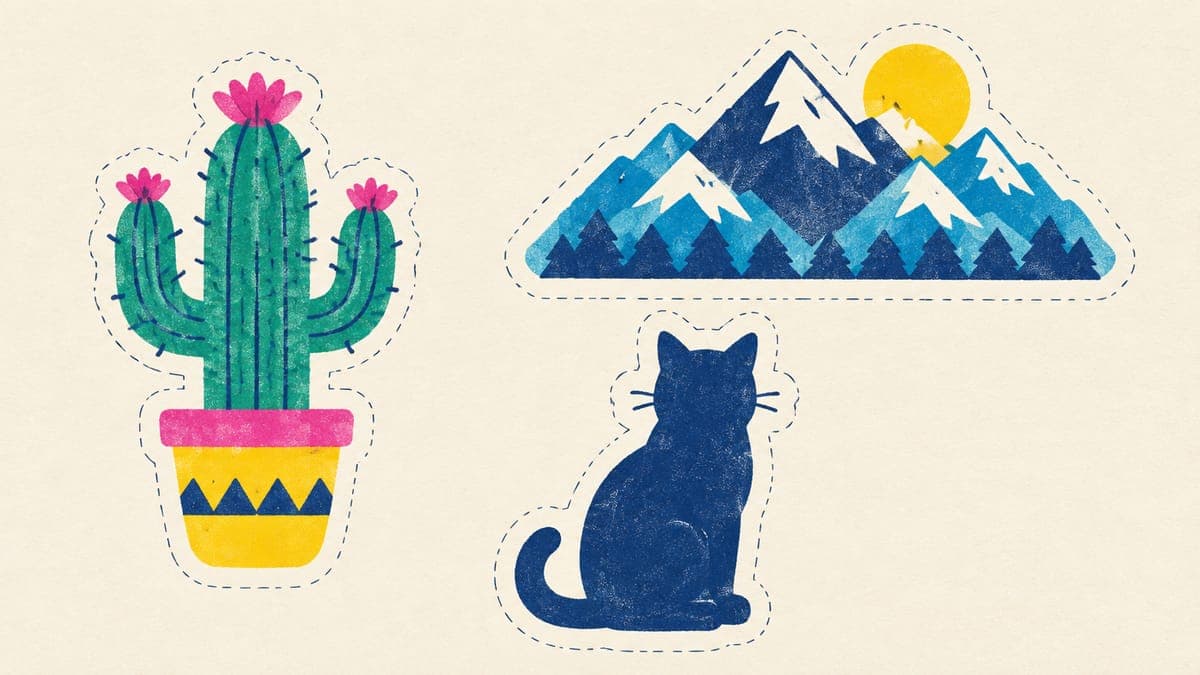
- Stray specks become bumps. A few leftover pixels from background removal get traced too, adding lumps or tiny separate stickers. Printify asks for files with no residue or specks.
- Soft shadows and glows move the cut. Semi-transparent pixels count as artwork, so a faint drop shadow pushes the cut line out and prints as a smudge. Use solid shapes; our guide to clean transparent PNGs covers the cleanup.
- Inner gaps usually stay. The cut follows the outer silhouette, so holes inside a design (the middle of a donut, the space inside a letter) generally aren’t cut out; they show the border or backing.
- Negative space between parts is risky. Printify warns that narrow gaps between elements are beyond what its lasers can reliably follow. Join nearby parts with a solid shape or background.
- One file only. If your concept has several pieces, combine them into one PNG before you upload, and preview the result to see how it will be cut.
Spacing rules for multi-design stickers and sheets
Elements that sit apart on one kiss-cut sticker are cut as separate pieces, which can be exactly what you want (a mini set) or a mistake. Printify publishes the minimum gap needed for pieces to be cut separately:
| Product | Minimum space between pieces | About |
|---|---|---|
| 2 × 2 in kiss-cut sticker | 65 px | 0.22 in |
| 3 × 3 in kiss-cut sticker | 110 px | 0.37 in |
| 4 × 4 in kiss-cut sticker | 150 px | 0.5 in |
| 6 × 6 in kiss-cut sticker | 200 px | 0.67 in |
| Sticker sheets | About 75 px | 0.25 in |
From Printify’s sticker guidelines at the time of writing. If pieces sit closer than this, they may be cut as one shape.
The reverse also applies: if two parts must stay one sticker, make sure they touch or share a background shape, and check the preview.
Line weight and text size that survive cutting
Providers don’t publish a universal minimum, so treat these as rules of thumb for a 3-inch sticker at 300 DPI. Scale them up for stickers people will see from farther away.
- Printed lines: at least 1 pt, about 4–5 pixels. Hairlines thinner than that can break up or vanish.
- Shapes at the edge: thin spikes, tails and whiskers on the outline should be at least about 1/16 inch (about 20 pixels) wide, or the cut will round them off.
- Text: keep the smallest letters at least about 0.1 inch tall (30 pixels), and the main word several times bigger. Bold, simple fonts survive; thin scripts don’t. See our guide to commercial-use fonts for licensed options.
- Contrast: dark text on a light fill, or a thick outline around light text, stays readable from a distance.
White ink, holographic and clear vinyl
On standard white vinyl, any white in your design is simply the white of the vinyl. Special materials are different:
- Holographic: Printify notes that white elements won’t be visible on its holographic die-cut stickers, and the lighter a color, the more transparent it looks. Use saturated colors and dark outlines.
- Transparent or clear: white can’t be printed on Printify’s transparent sticker sheets, so white areas turn see-through. Design for the surface the sticker will sit on.
- Indoor vs outdoor: Printify’s main kiss-cut stickers are described as indoor and not waterproof, while its die-cut stickers use water-resistant vinyl with a UV-protective laminate. Say which one you sell in the listing.
- Color: vinyl prints can look duller than a glowing screen, especially neons. Keep files in sRGB and order a sample; our RGB vs CMYK guide explains why colors shift.
A clean sticker file in six steps
- Set the canvas at 300 DPI for the largest size you’ll sell, for example 1800 × 1800 pixels for up to 6 inches.
- Design with solid edges. Use flat colors, a bold outline and no soft shadows touching the edge. Flat artwork can stay a vector; our vectorizing guide shows how.
- Remove the background completely and zoom in to 100% to hunt for specks and half-transparent fringes.
- Check the gaps. Join parts that must stay together; separate parts you want as a mini set by at least the spacing in the table above.
- Export a PNG at the exact design area for each product, or at full size if the editor scales it for you.
- Preview and order a sample of your best design before you list a whole collection.
Sticker files with clean edges, first time
POD Made Easy generates your sticker as a transparent PNG at the exact print-area size, cleans the alpha channel so stray semi-transparent pixels don’t distort the cut, and spell-checks any text before you publish.
Start your free trialTry this idea in POD Made Easy
“Cute cartoon frog holding a tiny umbrella, thick white outline, flat colors, no shadows, transparent background, sticker style” · text: “Rainy Day Club”
If an AI image is too small for the size you want, an upscale usually fixes it for stickers, since the sizes are small; see how to upscale an image for print. The pixel math behind all of this is the same as for shirts, explained in the t-shirt design size and DPI guide.
Frequently asked questions
- What’s a good size for laptop and water bottle stickers?
- Three to four inches is a practical default: big enough to read on a laptop lid, small enough for most bottles. Two inches suits planners and journals, and five to six inches works for statement pieces. Offering size as a variation lets buyers choose.
- Should sticker files be PNG or SVG?
- Upload a PNG with a transparent background, because that’s what POD sticker editors expect and the cut line is generated from its transparency. Keep a vector master if you can, so you can export a sharp PNG for any sticker size.
- Why does my sticker have a white border?
- Kiss-cut and sheet stickers get a buffer border so the blade never touches your artwork; Printify and Printful list about 0.12 inch on their sticker sheets. For less visible white, choose a transparent sticker option where offered or build a colored outline into the design.
- How do I make stickers for Etsy without a cutting machine?
- Use a print-on-demand provider: you upload the design, and it prints, cuts and ships each order to your buyer. The trade-off is a higher cost per sticker than printing at home, so check the margin math before you list.
- Can I print stickers at 150 DPI?
- Many providers accept 150 DPI as a minimum, but stickers are viewed from a few inches away, so 300 DPI is the safer target. One European sticker partner on Printify recommends 450 DPI and sets 225 as its minimum.
Keep reading
More design guides
Design
Hoodie Design Size: Print Areas, Pixels and Placement (2026)
Hoodie design size for print-on-demand: real print areas from Printful’s catalog, pixels at 300 DPI for front, back, sleeves and left chest, and placement tips.
Sep 24, 2026 · 10 min read
Design
Can You Use Canva for Print-on-Demand? License and Workflow
Yes, if your design is original. What Canva’s license allows on print-on-demand merch, what it bans, and the export settings that give you print-ready files.
Sep 24, 2026 · 10 min read
Design
Mug Design Size for POD: 11 oz and 15 oz Templates in Pixels
Mug design size for print-on-demand: verified 11 oz and 15 oz print areas in pixels from Printify, Printful and Gelato, plus handle gaps, margins and layouts.
Sep 24, 2026 · 10 min read