20 oz Skinny Tumbler Template Size (and POD Print Areas)
The 20 oz skinny tumbler template size for straight and tapered tumblers, plus real Printify tumbler print areas in pixels, seams, bleed and design tips.
By the POD Made Easy team · September 24, 2026 · 8 min read
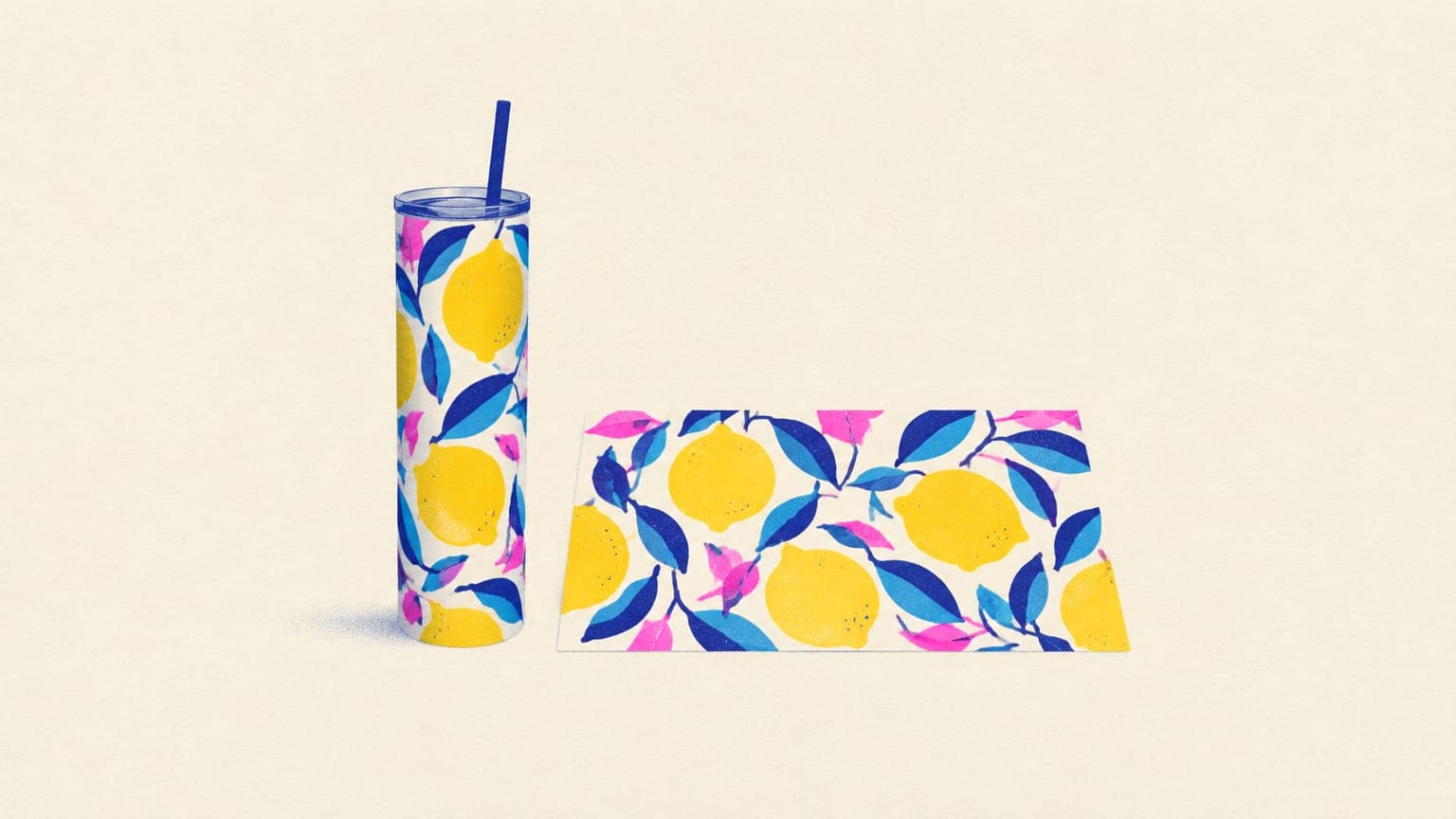
A common 20 oz skinny tumbler template size for a straight sublimation blank is about 9.3 × 8.2 inches, or 2790 × 2460 pixels at 300 DPI. Blanks from different makers vary by a few tenths of an inch, and tapered tumblers need a curved template, so measure yours before you trust any download.
If you sell through a print-on-demand provider, skip generic templates entirely: the provider’s print area is the only size that matters. Printify’s Tumbler 20oz, for example, uses a 2795 × 2100 pixel wrap (9.32 × 7 inches). This guide covers both, plus seams, bleed and layouts that suit a tall, narrow canvas.
Key takeaways
- Straight 20 oz skinny sublimation blanks often take a wrap of about 9.3 × 8.2 in (2790 × 2460 px at 300 DPI), but measure your own blank.
- For print-on-demand, use the provider’s print area: Printify’s tumblers we checked range from 2795 × 2100 px full wraps to 750 × 1200 px front and back patches.
- Tapered tumblers are wider at the top, so a flat rectangle distorts; they need a curved template or a provider that warps the file.
- The two short edges of the file meet at a vertical seam. Keep text and faces away from it and design patterns to tile across it.
- Keep files at 300 DPI at print size; 150 DPI is the usual minimum.
20 oz tumbler template sizes at a glance
Here’s the generic straight-skinny template next to the print areas Printify listed for its 20 oz tumblers in September 2026. Notice how much the shape changes between products, even at the same capacity.
| Tumbler | Print type | Print area | Pixels at 300 DPI |
|---|---|---|---|
| Straight 20 oz skinny (sublimation blank) | Full wrap | About 9.3 × 8.2 in (measure yours) | ≈ 2790 × 2460 |
| Printify: Tumbler 20oz (SPOKE) | Full wrap, sublimation | 9.32 × 7.00 in | 2795 × 2100 |
| Printify: Stainless Steel Tumbler, 20oz | Full wrap | 9.25 × 7.91 in | 2776 × 2374 |
| Printify: Vagabond 20oz Tumbler (Chill) | Full wrap, UV | 10.19 × 5.72 in | 3058 × 1715 |
| Printify: Ringneck Tumbler, 20oz (Chill) | Full wrap, UV | 10.19 × 4.49 in | 3058 × 1346 |
| Printify: Insulated Tumbler, 20oz | Front and back, UV | 3 × 3 in each | 900 × 900 each |
| Printify: Skinny Tumbler, 22oz | Front and back, UV | 2.5 × 4 in each | 750 × 1200 each |
Printify print areas from its catalog, September 2026. The generic template is the size commonly used for straight 20 oz skinny sublimation blanks; blanks vary by maker.
Front-and-back products are a different job from full wraps: you’re designing two small patches, closer to a sticker than a label. If a product in your provider’s catalog shows print areas like “Front” and “Back” rather than “Wraparound exterior,” plan a compact design instead of a wrap.
Straight vs tapered: why the template shape changes
A straight skinny tumbler is a cylinder, so its wrap is a plain rectangle: width equals the distance around the body, height equals the printable height. A tapered tumbler is wider at the top than at the bottom. Printful’s Tapered Stainless Steel Tumbler 20 oz, for example, measures 2.83 inches across at one end and 3.39 at the other, so the circumference changes from about 8.9 to about 10.65 inches over its height.
A flat rectangle can’t sit evenly on that shape: the top edge needs more length than the bottom, so horizontal lines curve or tilt and the seam won’t meet cleanly. That’s why a tapered wrap unrolls into a gentle curved band, often called a warped template. Even when a provider warps the file for you, expect some distortion: on its conical mugs, Gelato notes that circles can print as ellipses, although horizontal lines stay straight, as its drinkware print guide explains.
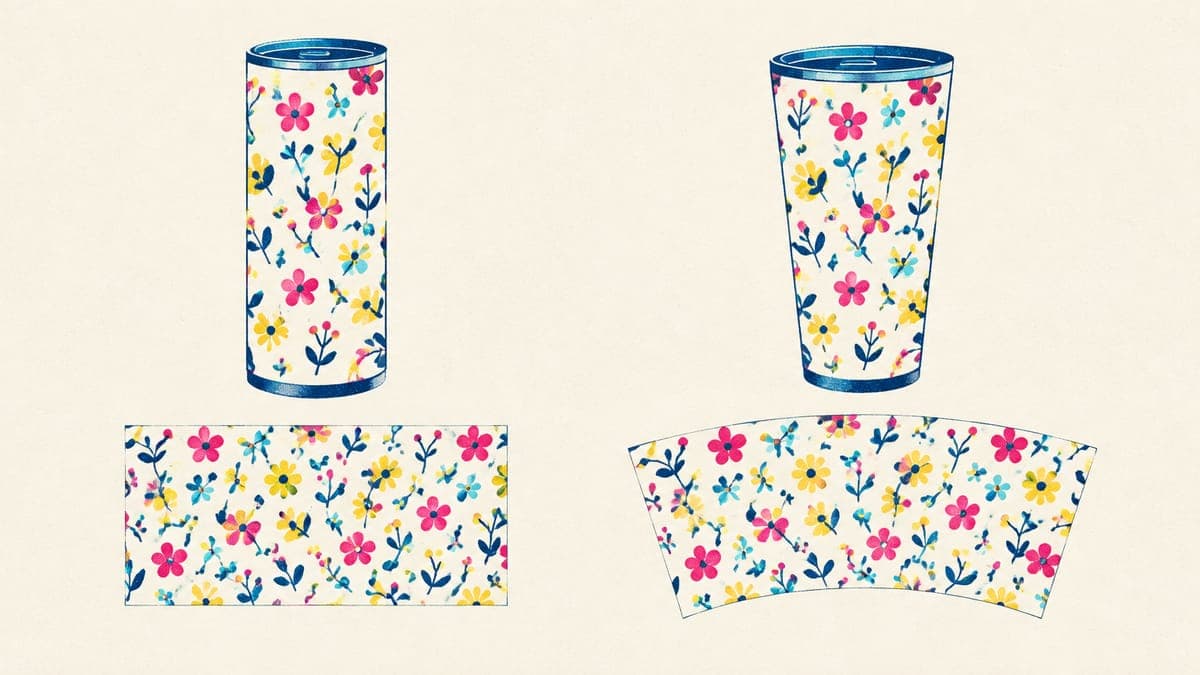
For print-on-demand, follow the template the provider gives you. Some providers take a flat rectangle and warp it during production (Gelato does this for its conical mugs); if a template is drawn as a curve, keep your design inside it. Either way, the provider’s preview is your best check that text sits level.
How to measure your own blank
If you press your own tumblers or want to check a template you downloaded, it takes two minutes:
- Measure the diameter of the printable body with calipers or a ruler, at the top and at the bottom. If they’re the same, it’s straight.
- Work out the width: diameter × 3.1416. A 2.95-inch body is about 9.27 inches around, or 2,780 pixels at 300 DPI.
- Measure the printable height from just below the rim or lid lip to where the base starts to curve in.
- Add a little overlap. A tenth of an inch (30 px) of extra background on the width helps hide the seam on a hand-pressed wrap.
- Set the canvas at those pixel dimensions and 300 DPI, and keep a copy as your template.
The seam, the lid and the bottom curve
- The seam. The left and right edges of your file meet in a vertical seam. Put the main design in the middle of the file so it faces away from the seam, and keep text and faces at least half an inch (150 px) from both side edges.
- Patterns must tile. For an all-over pattern, make sure the left edge continues seamlessly into the right edge, or the join will show as a visible line.
- Top and bottom. Keep text at least a quarter inch (75 px) from the top and bottom of the file. The rim, the lid and the curve of the base are where prints are most likely to thin out or crop.
- Bleed. Run backgrounds to every edge of the file. On a hand-pressed wrap, a little extra background on each side covers small misalignments; on a POD template, stick to the exact size and let the template define any bleed.
Sublimation vs UV printing on POD tumblers
Printify’s partners use two methods for drinkware, according to its help center:
| Sublimation | UV printing | |
|---|---|---|
| How it works | Printed on transfer paper, then heat-pressed into a coated surface | Printed directly on the product and cured with ultraviolet light |
| Print area | Typically the entire surface can be printed | Varies: full wraps on some products, front and back patches on others |
| What to expect | The design becomes part of the coating, with a smooth finish | Applied directly (not a decal); faint horizontal lines or grain may be visible up close |
| Printify partners named | District Photo, SPOKE Custom Products | Chill, Fancy Fanny, Fulfill Engine, SwagRabbit, Taylor |
Based on Printify’s drinkware printing guidance at the time of writing.
For your design, the method mostly changes two things: how much area you get and how fine your details can be. Very thin lines and tiny gradients are safest on sublimated wraps; bold shapes and solid colors work on both.
How big should the artwork be?
Aim for 300 DPI at print size, the same target as mugs and shirts; Printify’s tumbler listings recommend 300 DPI and set 150 as the minimum. A full 9.3 × 8.2-inch wrap is about 6.9 million pixels, far more than a typical AI image. A 1,024 × 1,024 image covers only about 3.4 × 3.4 inches at 300 DPI, so you have three options:
- Tile a pattern. Make a seamless tile at 300 DPI and repeat it across the wrap. This is the easiest route to a sharp full-coverage tumbler.
- Build it as a vector. Flat illustrations, lettering and badges scale cleanly to any size. See how to vectorize an image for print.
- Upscale carefully. A good AI upscale can take a detailed image to wrap size, but check edges and lettering at 100% zoom. Our upscaling guide covers the workflow.
The pixel math is identical to shirts and mugs; the t-shirt size and DPI guide explains it step by step, and the mug design size guide has the equivalent templates for 11 oz and 15 oz mugs.
Layouts that suit a tall, narrow wrap
A tumbler wrap is roughly as tall as it is wide, which changes what works compared with a mug:
- All-over patterns such as florals, terrazzo, checks, stripes or animal-print textures look good from every angle and hide the seam.
- Vertical names and words running up the front are easy to read on a tall body, which suits personalized gifts. The personalization guide covers the order side.
- Scenes with a horizon, like mountains, beaches or cityscapes, use the height for sky and still wrap naturally around the body.
- A front graphic on a patterned background gives you a clear “front” for photos while the pattern covers the rest.
Try this idea in POD Made Easy
“Seamless repeating pattern of lemons, leaves and small white blossoms on a soft blue background, tileable edges for a tumbler wrap”
Skip the template math
Pick the tumbler in POD Made Easy and your final is rendered at that product’s exact print-area size, checked for resolution and spelling, and placed on the print area with a live DPI check before it goes to your Printify shop.
Start your free trialTumbler details buyers check before they buy
A correct file is half the job. Tumbler buyers compare practical details, so put them in the listing and the photos:
- Capacity and shape: 20 oz skinny, straight or tapered, and whether it fits a car cup holder if the provider says so.
- Lid and straw: what’s included, from a push-on lid to a sliding lid or a straw.
- Care: copy the provider’s exact line. Some POD tumblers are listed as dishwasher-safe, many are hand wash only.
- Print method and coverage: a full wrap, or a front and back design.
- Photos from both sides: show the seam side honestly, plus one in-hand or lifestyle shot for scale. Our Etsy mockup checklist has the full photo plan.
Tumblers usually cost more to make than mugs, so check your margin before you list; our guide to selling print-on-demand mugs walks through drinkware costs and shipping. Get the template right once, save it, and every tumbler after that starts from the correct canvas.
Frequently asked questions
- How do I know if my tumbler is straight or tapered?
- Measure the diameter at the top and the bottom of the printable body. If they match, it’s straight and takes a rectangular wrap. If the top is wider, it’s tapered and needs a curved template, or a provider that warps your flat file for you.
- Can I use a mug design on a tumbler?
- Only with a new layout. A tumbler wrap is far taller than a mug wrap (about 7–8 inches versus 3.5–4.25), so extend the background, stack elements vertically or switch to a repeating pattern rather than stretching the mug file.
- Why does my tumbler print look stretched or slanted?
- Usually the file’s proportions don’t match the template, so the editor scaled it, or the tumbler is tapered and a flat rectangle was applied without warping. Export at the exact template size and check the provider’s preview before you publish.
- Are print-on-demand tumblers dishwasher safe?
- It depends on the product. At the time of writing, Printify lists its Tumbler 20oz from SPOKE as dishwasher-safe, while its Stainless Steel Tumbler 20oz and several UV-printed tumblers are hand wash only. Copy the exact care line into your listing.
Keep reading
More design guides
Design
Hoodie Design Size: Print Areas, Pixels and Placement (2026)
Hoodie design size for print-on-demand: real print areas from Printful’s catalog, pixels at 300 DPI for front, back, sleeves and left chest, and placement tips.
Sep 24, 2026 · 10 min read
Design
Mug Design Size for POD: 11 oz and 15 oz Templates in Pixels
Mug design size for print-on-demand: verified 11 oz and 15 oz print areas in pixels from Printify, Printful and Gelato, plus handle gaps, margins and layouts.
Sep 24, 2026 · 10 min read
Design
Can You Use Canva for Print-on-Demand? License and Workflow
Yes, if your design is original. What Canva’s license allows on print-on-demand merch, what it bans, and the export settings that give you print-ready files.
Sep 24, 2026 · 10 min read