Poster Print Sizes and Ratios: A Wall Art Cheat Sheet
Poster print sizes and ratios for wall art: US and A-series sizes, pixel dimensions at 300 and 150 DPI, which ratio to design in, bleed and frame tips.
By the POD Made Easy team · September 24, 2026 · 9 min read
Standard US poster print sizes are 8 × 10, 11 × 14, 12 × 16, 12 × 18, 16 × 20, 18 × 24 and 24 × 36 inches, while the UK and Europe mostly use A sizes (A4 to A0) and metric sizes such as 30 × 40 and 50 × 70 cm. At 300 DPI, a 12 × 18 poster needs 3600 × 5400 pixels, 18 × 24 needs 5400 × 7200 and 24 × 36 needs 7200 × 10800.
Those sizes fall into a handful of aspect ratios, and the ratio, not the size, decides whether one design can fill them all. This cheat sheet gives every common size in inches, millimeters and pixels, groups them by ratio, and shows how to set up print files that crop cleanly to everything you sell.
Key takeaways
- Poster sizes group into ratio families: 2:3 (12 × 18, 24 × 36), 3:4 (12 × 16, 18 × 24), 4:5 (8 × 10, 16 × 20) and ISO A sizes (about 1:1.414).
- One file scales cleanly to every size in its family; a different ratio needs a crop or a new layout.
- Pixels = inches × DPI. 18 × 24 at 300 DPI is 5400 × 7200, and about 150 DPI (2700 × 3600) is usually acceptable at that size.
- Design on a 2:3 canvas with key elements in the middle and you can crop to 3:4, 4:5 and A sizes, losing about 6–17% of the height.
- Bleed varies even within one product: two Printify partners differ by 1/32 inch per side, and Gelato asks for 4 mm per side on PDFs.
Standard poster sizes grouped by ratio
An aspect ratio is simply width divided by height. Every size in the same row below has the same shape, so a file made for one scales up or down to the others with no cropping.
| Ratio | US sizes (inches) | Metric and ISO sizes | Notes |
|---|---|---|---|
| 2:3 | 4 × 6, 8 × 12, 12 × 18, 16 × 24, 20 × 30, 24 × 36 | 40 × 60 cm, 60 × 90 cm | The classic large-poster family, and the shape of most camera photos |
| 3:4 | 6 × 8, 9 × 12, 12 × 16, 18 × 24, 24 × 32, 30 × 40 | 30 × 40 cm, 45 × 60 cm, 60 × 80 cm | 30 × 40 cm and 12 × 16 in share this ratio exactly |
| 4:5 | 8 × 10, 16 × 20, 24 × 30 | 40 × 50 cm | Long-standing US frame sizes |
| 5:7 | 5 × 7, 20 × 28 | 50 × 70 cm | 50 × 70 cm is a widely framed size in Europe |
| ISO, about 1:1.414 | A4 (8.3 × 11.7) up to A0 (33.1 × 46.8) | A5, A4, A3, A2, A1, A0 | Standard in the UK and EU; each size is double the one below |
| 7:10 | 28 × 40 | 70 × 100 cm | Very close to ISO |
| 11:14 | 11 × 14 | None | A common US frame size with its own ratio |
| 1:1 | 10 × 10, 12 × 12, 16 × 16, 20 × 20, 24 × 24 | 30 × 30 cm, 50 × 50 cm | Squares suit sets and gallery walls |
Ratios are shown for portrait posters; landscape versions simply swap width and height.
Gelato’s poster guide makes a useful point for sellers who ship internationally: 30 × 40 cm, 50 × 70 cm and 70 × 100 cm have matching frames widely available and keep the same ratio as 12 × 16, 20 × 28 and 28 × 40 inches, so the design doesn’t shift when an order converts between centimeters and inches. It also notes that A sizes can make frame shopping harder for some buyers. Read its poster selling guide for the full list of papers and formats.
US poster sizes in pixels at 300 and 150 DPI
300 DPI is the target for anything viewed up close; around 150 DPI is the practical floor for larger posters seen from a few feet away.
| Size (inches) | Ratio | Pixels at 300 DPI | Pixels at 150 DPI |
|---|---|---|---|
| 5 × 7 | 5:7 | 1500 × 2100 | 750 × 1050 |
| 8 × 10 | 4:5 | 2400 × 3000 | 1200 × 1500 |
| 8 × 12 | 2:3 | 2400 × 3600 | 1200 × 1800 |
| 11 × 14 | 11:14 | 3300 × 4200 | 1650 × 2100 |
| 11 × 17 | About 1:1.55 | 3300 × 5100 | 1650 × 2550 |
| 12 × 12 | 1:1 | 3600 × 3600 | 1800 × 1800 |
| 12 × 16 | 3:4 | 3600 × 4800 | 1800 × 2400 |
| 12 × 18 | 2:3 | 3600 × 5400 | 1800 × 2700 |
| 16 × 20 | 4:5 | 4800 × 6000 | 2400 × 3000 |
| 16 × 24 | 2:3 | 4800 × 7200 | 2400 × 3600 |
| 18 × 24 | 3:4 | 5400 × 7200 | 2700 × 3600 |
| 20 × 30 | 2:3 | 6000 × 9000 | 3000 × 4500 |
| 24 × 36 | 2:3 | 7200 × 10800 | 3600 × 5400 |
| 30 × 40 | 3:4 | 9000 × 12000 | 4500 × 6000 |
Width × height for portrait posters. Some providers add bleed on top of these numbers; see the bleed section below.
A sizes and metric poster sizes in pixels
| Size | Millimeters | Inches (approx.) | Pixels at 300 DPI | Pixels at 150 DPI |
|---|---|---|---|---|
| A5 | 148 × 210 | 5.83 × 8.27 | 1748 × 2480 | 874 × 1240 |
| A4 | 210 × 297 | 8.27 × 11.69 | 2480 × 3508 | 1240 × 1754 |
| A3 | 297 × 420 | 11.69 × 16.54 | 3508 × 4961 | 1754 × 2480 |
| A2 | 420 × 594 | 16.54 × 23.39 | 4961 × 7016 | 2480 × 3508 |
| A1 | 594 × 841 | 23.39 × 33.11 | 7016 × 9933 | 3508 × 4967 |
| A0 | 841 × 1189 | 33.11 × 46.81 | 9933 × 14043 | 4967 × 7022 |
| 30 × 40 cm | 300 × 400 | 11.81 × 15.75 | 3543 × 4724 | 1772 × 2362 |
| 50 × 70 cm | 500 × 700 | 19.69 × 27.56 | 5906 × 8268 | 2953 × 4134 |
| 70 × 100 cm | 700 × 1000 | 27.56 × 39.37 | 8268 × 11811 | 4134 × 5906 |
Pixels rounded to the nearest whole pixel. Every A size shares one ratio, so a single A-ratio file covers A4 to A0.
If most of your buyers are in the UK or Europe, A sizes and metric frames are what they already own. Our guide to print-on-demand in the UK covers the providers that print locally.
What DPI does a poster really need?
Gelato’s poster guidance sums it up: aim for at least 150 DPI at the final print size, with 300 DPI ideal. The reason large posters get away with less is distance. A small print is read from arm’s length, while a 24 × 36 poster is usually seen from across a room, where the eye can’t pick out the extra detail.
The problem is the pixel count. A 4096-pixel image, sold as “4K,” prints at about 114 DPI along the 36-inch side of a 24 × 36 poster. It’s fine at 16 × 24 (about 171 DPI on the long side) and comfortable at 12 × 18 (about 228). For bigger sizes you need a larger original, a careful upscale or a vector design. See how to upscale an image for print and when to vectorize instead; the underlying math is explained in the t-shirt size and DPI guide.
Free print DPI checkerUpload your artwork and see the largest poster size it can print at 300 and 150 DPI.Which aspect ratio should you design in?
If you only sell one ratio family, design at the largest size in it and scale down: a 7200 × 10800 master covers every 2:3 size from 4 × 6 to 24 × 36. If you want to offer several ratios from one piece of art, start from 2:3 (the tallest common shape) and crop down to the others. Here’s what each crop costs you from a 7200 × 10800 master:
| Crop to | Resulting file | Height removed | Sizes it covers |
|---|---|---|---|
| ISO A sizes | 7200 × 10182 | 5.7% | A4, A3, A2, A1 |
| 5:7 | 7200 × 10080 | 6.7% | 5 × 7, 20 × 28, 50 × 70 cm |
| 3:4 | 7200 × 9600 | 11.1% | 12 × 16, 18 × 24, 30 × 40 |
| 11:14 | 7200 × 9164 | 15.1% | 11 × 14 |
| 4:5 | 7200 × 9000 | 16.7% | 8 × 10, 16 × 20 |
Crops keep the full width and trim the height evenly from top and bottom. Scale each result to the exact pixel size of the product.
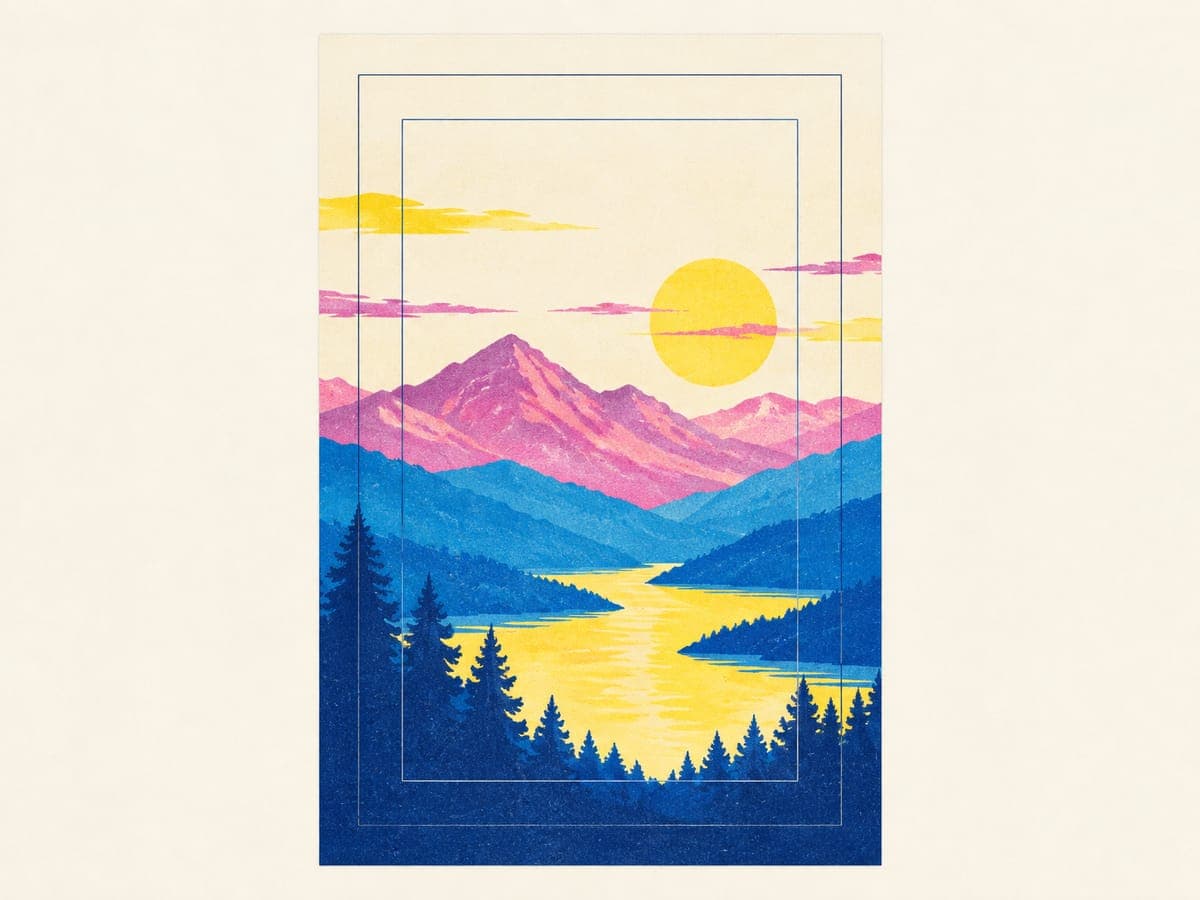
The rule that makes this work: keep every important element inside the central 83% of the master’s height (the 4:5 crop), and let only background, sky or pattern run into the top and bottom bands. Leave generous margins on text so it never sits hard against a trimmed edge.
Bleed, trim, frames and canvas wraps
Bleed is extra artwork beyond the trim line, so a slightly off cut never leaves a white sliver. How much you need depends on the product and even the print partner:
| Product | What the file includes | Example |
|---|---|---|
| Printify Matte Vertical Poster, Printify Choice | Exact trim size | 18 × 24 in = 5400 × 7200 px |
| Printify Matte Vertical Poster, Roma Imaging | 1/32 inch extra per side | 18.06 × 24.06 in = 5418 × 7218 px |
| Gelato posters, PDF upload | 4 mm bleed per side | 300 × 400 mm poster = 308 × 408 mm file |
| Printify 0.75-inch stretched canvas, Roma Imaging | Extra image to wrap the frame edges | 16 × 20 in canvas = 18 × 22 in file (5400 × 6600 px) |
| Gelato slim canvas (2 cm) | Front + 34 mm wrap + 15 mm per side | 200 × 300 mm front = 298 × 398 mm file |
From Printify catalog print areas and Gelato help articles, September 2026. Always use the template for the exact product.
- Frames hide the edges. The lip of a frame covers a few millimeters on every side, and a mat covers more. Keep signatures, text and key details well inside the edge on anything sold framed.
- Canvas wraps fold. On a gallery wrap, the outer band of the file turns around the frame sides. Put nothing important there, or choose a mirrored or solid-color edge if the provider offers it.
- Follow the template. Gelato’s product templates include bleed even though its catalog dimensions don’t, as its formats article explains. That’s typical: templates tell you more than size charts.
Sizes to offer in one listing
On Etsy, size is usually a variation within one listing, so build each listing around one ratio family. It keeps every variant true to the design and makes your size chart honest. A simple structure:
- US-focused 2:3 listing: 12 × 18, 16 × 24, 20 × 30 and 24 × 36.
- US-focused 3:4 listing: 12 × 16, 18 × 24 and 30 × 40, with 9 × 12 as a small option.
- UK and EU listing: A4, A3, A2 and A1, or 30 × 40, 50 × 70 and 70 × 100 cm with frames.
- Sets of three: one ratio and one margin style across all three prints, so they hang as a matched set.
Your photos should show scale: a room mockup at the real size and a simple size-comparison image. Our Etsy mockup checklist covers the rest, and the print-on-demand wall art guide covers products, providers and margins.
Wall art files at the size you’re selling
POD Made Easy renders your final at the print-area size of the product you choose, checks its resolution against that size, and places it with a live DPI check, so a 24 × 36 listing doesn’t go out with a file built for 12 × 18.
Start your free trialTry this idea in POD Made Easy
“Minimalist mountain range in soft sage, sand and dusty blue layers, generous margins, calm mid-century wall art, portrait 2:3”
Poster file checklist
- The file’s ratio matches the listing’s size family, with a separate crop for every other ratio.
- Pixel dimensions match the provider’s template, including any bleed.
- Effective resolution is 300 DPI for small prints and no lower than about 150 DPI for large ones.
- Text and key details sit well inside the edges, clear of frames, mats and canvas wraps.
- Orientation matches the product: vertical and horizontal posters are often separate options.
- Colors are checked on a sample, especially for soft pastels or deep blacks.
Choosing where to print? Our Gelato review and Prodigi review compare two providers built around wall art.
Frequently asked questions
- What size is A3 in inches and pixels?
- A3 is 297 × 420 mm, about 11.7 × 16.5 inches. At 300 DPI that’s 3508 × 4961 pixels, and at 150 DPI 1754 × 2480. It shares the ISO ratio with A4, A2 and A1, so one file scales to all of them.
- Is 18 × 24 the same shape as 24 × 36?
- No. 18 × 24 is 3:4 and 24 × 36 is 2:3, so artwork made for one gets cropped or padded on the other. 18 × 24 matches 12 × 16 and 30 × 40; 24 × 36 matches 12 × 18, 16 × 24 and 20 × 30.
- What resolution is a 24 × 36 poster at 300 DPI?
- 7200 × 10800 pixels, about 78 megapixels. Few images start that big, which is why around 150 DPI (3600 × 5400 pixels) is the common practical target for a poster that size, viewed from a few feet away.
- How do I set up a landscape poster?
- Swap width and height: a landscape 18 × 24 poster is 7200 × 5400 pixels at 300 DPI. Many providers list vertical and horizontal posters as separate options or products, so check that your file’s orientation matches the one you publish.
- Why is 11 × 14 awkward to design for?
- Its 11:14 ratio doesn’t match any other common size, so 8 × 10 or 16 × 20 artwork needs a slight crop and 2:3 artwork a bigger one. Treat 11 × 14 as its own layout, or leave it out of a listing built on another ratio.
Keep reading
More design guides
Design
Hoodie Design Size: Print Areas, Pixels and Placement (2026)
Hoodie design size for print-on-demand: real print areas from Printful’s catalog, pixels at 300 DPI for front, back, sleeves and left chest, and placement tips.
Sep 24, 2026 · 10 min read
Design
Mug Design Size for POD: 11 oz and 15 oz Templates in Pixels
Mug design size for print-on-demand: verified 11 oz and 15 oz print areas in pixels from Printify, Printful and Gelato, plus handle gaps, margins and layouts.
Sep 24, 2026 · 10 min read
Design
Sticker Design Size and Cut Lines for Print-on-Demand
Sticker design size for print-on-demand: pixels for 2–6 inch stickers at 300 DPI, kiss-cut vs die-cut, how cut lines follow transparency, and spacing rules.
Sep 24, 2026 · 8 min read